
 Script Planner Assistant▸
 AI Apps
 AI News

Shotzio: No-Install Online Screenshot Beautifier
Shotzio: No-Install Online Screenshot BeautifierIntroduction
Shotzio is a no-installation online image screenshot beautification tool. Shotzio's main feature is making every screenshot look more beautiful! Users can use Shotzio to capture full-screen or partial-screen screenshots and edit them according to their preferences. Once editing is complete, users can easily export the screenshots as JPG, PNG, or WEBP formats.
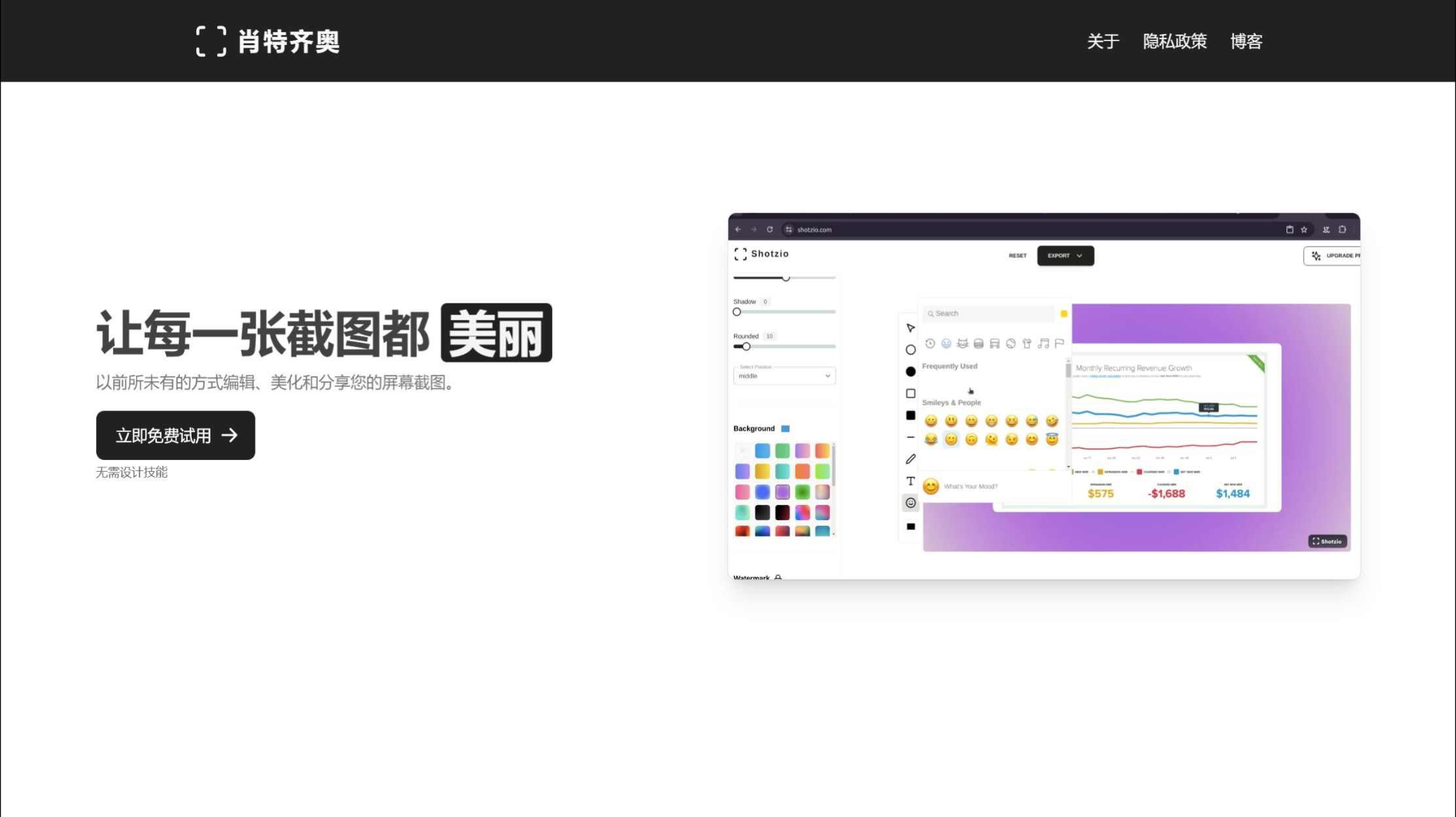
How to use Shotzio:
1. After opening the Shotzio website, click the "Try for free Now" button directly from the homepage, then drag the image you want to edit onto the webpage. Shotzio supports three formats: PNG, JPEG, and WEBP, and then you can start adjusting details using the online editing features.
2. Adjust the image settings. There is an aspect ratio option in the upper left corner of Shotzio that quickly sets the image size suitable for YouTube or Instagram.
3. Use the functions in the menu below to adjust the image size, shadow, rounded corners, and image alignment position. There are also some gradient color backgrounds to choose from. Any settings you make will immediately be displayed in the preview on the right.
4. Add elements. Shotzio allows you to add arrows, shapes, lines, text, or emojis. Simply click to add them to the image, adjust the size and position, and there's no need to use other image editing tools—it's very easy to use.
5. Finally, click the "Export" button at the top to save the image in a specific format. It supports exporting in WebP, JPG, and PNG formats.
Related Information:















