Script Planner Assistant▸
 AI Apps
 AI News

Nuomi Wallpaper: Free HD Desktop Wallpapers
Nuomi Wallpaper: Free HD Desktop WallpapersIntroduction
Nuotang Wallpaper is a website that provides high-definition full-screen desktop wallpapers. We offer various types of wallpapers, including natural scenery, anime and cute pets, modern art, abstract patterns, and more. Users can browse and download wallpapers by different categories, covering a wide range such as natural landscapes, cartoon and anime, luxury cars, and beauties. Every wallpaper is carefully selected, dedicated to beautifying your desktop.
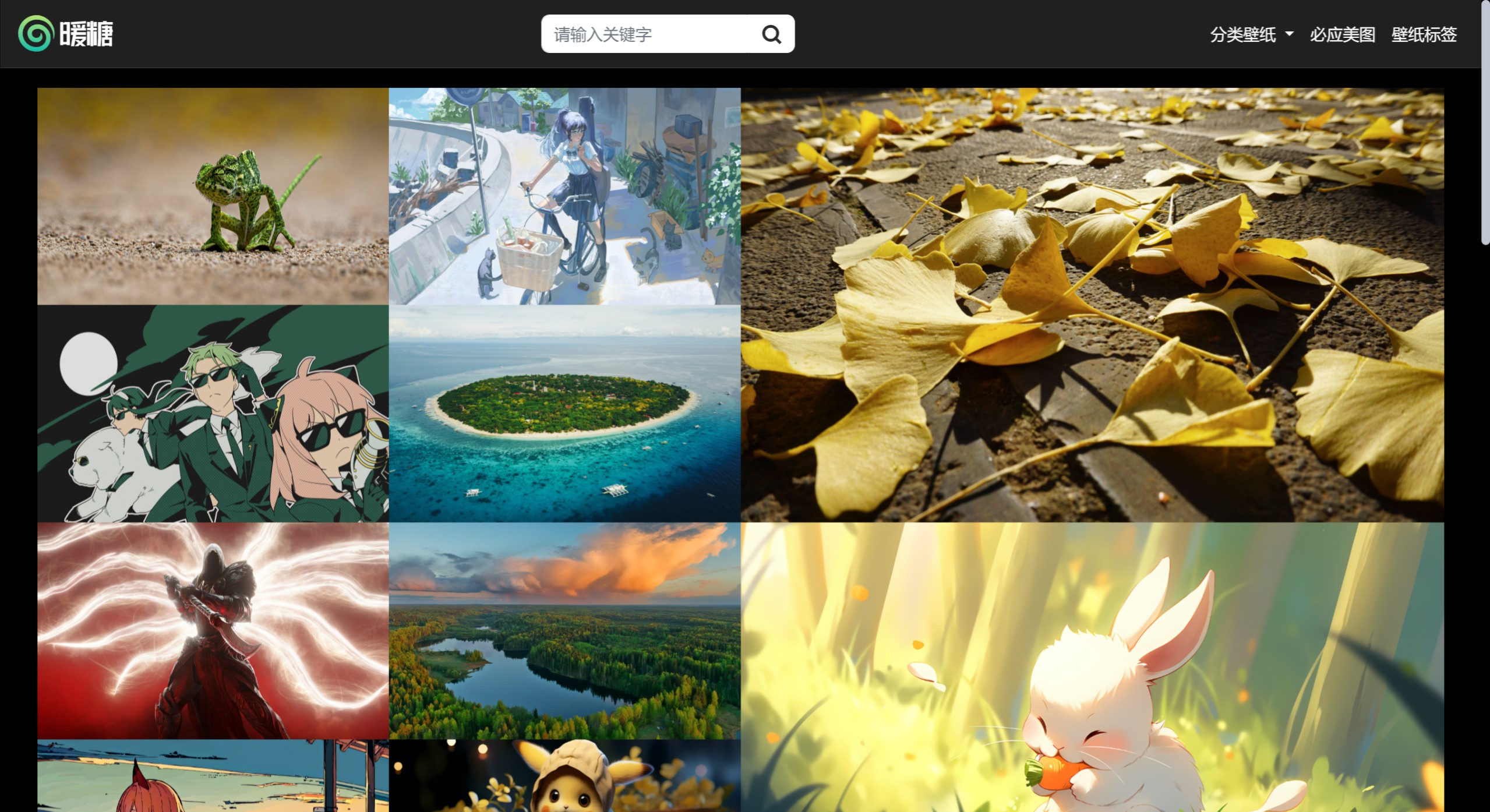
Nuotang Wallpaper Features:
Rich variety of wallpapers: Whether it's the grandeur of natural landscapes, the cuteness of anime characters, the avant-garde nature of artworks, or the uniqueness of abstract designs, Nuotang Wallpaper offers diverse choices.
High-definition full-screen: Special emphasis on providing HD full-screen wallpapers, suitable for desktop use, ensuring that downloaded wallpapers remain clear and undistorted when displayed on large screens.
Convenient search and categories: Users can quickly find wallpapers on specific topics by entering keywords in the search bar at the top, or directly browse through different category directories.
Daily updates: Nuotang Wallpaper keeps its content fresh by providing daily wallpaper updates, such as Bing beautiful pictures, allowing users to enjoy a different desktop scene every day.
Preview function: Supports wallpaper previews, allowing users to see the actual effect of the wallpaper on the screen before downloading, ensuring satisfaction before downloading.
Free to use: Nuotang Wallpaper is completely free to use, allowing you to enjoy high-quality wallpaper resources without any cost.
How to download and use Nuotang Wallpaper?
Downloading wallpapers from Nuotang Wallpaper is very simple. You can follow the steps below:
Visit the website: First, visit the official website of Nuotang Wallpaper.
Browse wallpapers: On the website, you can browse various types of wallpapers, including natural scenery, anime and cute pets, modern art, and more. You can search by theme or keyword to quickly find your favorite wallpapers.
Select a wallpaper: Once you find a wallpaper you like, click on it to view a larger preview.
Download the wallpaper: On the preview page, there is usually a "Download" button. Click the button, and the wallpaper will be saved to your computer. The download process is very simple and can be completed with just one click.
Set as desktop background: After the download is complete, you can find the file on your computer, right-click it and select "Set as desktop background" to enjoy your new wallpaper.
Related Articles: