
 Script Planner Assistant▸
 AI Apps
 AI News

PicPicAI: Powerful AI Image Editing Tool
PicPicAI: Powerful AI Image Editing ToolIntroduction
PicPicai is a versatile AI image editing platform that offers a variety of tools to easily enhance and transform photos. Its main features include AI background removal, object removal, photo enhancement, old photo restoration, hairstyle generator, portrait-to-sketch, and portrait-to-art painting. PicPicAI is suitable for users such as photographers, social media managers, marketing personnel, and content creators.
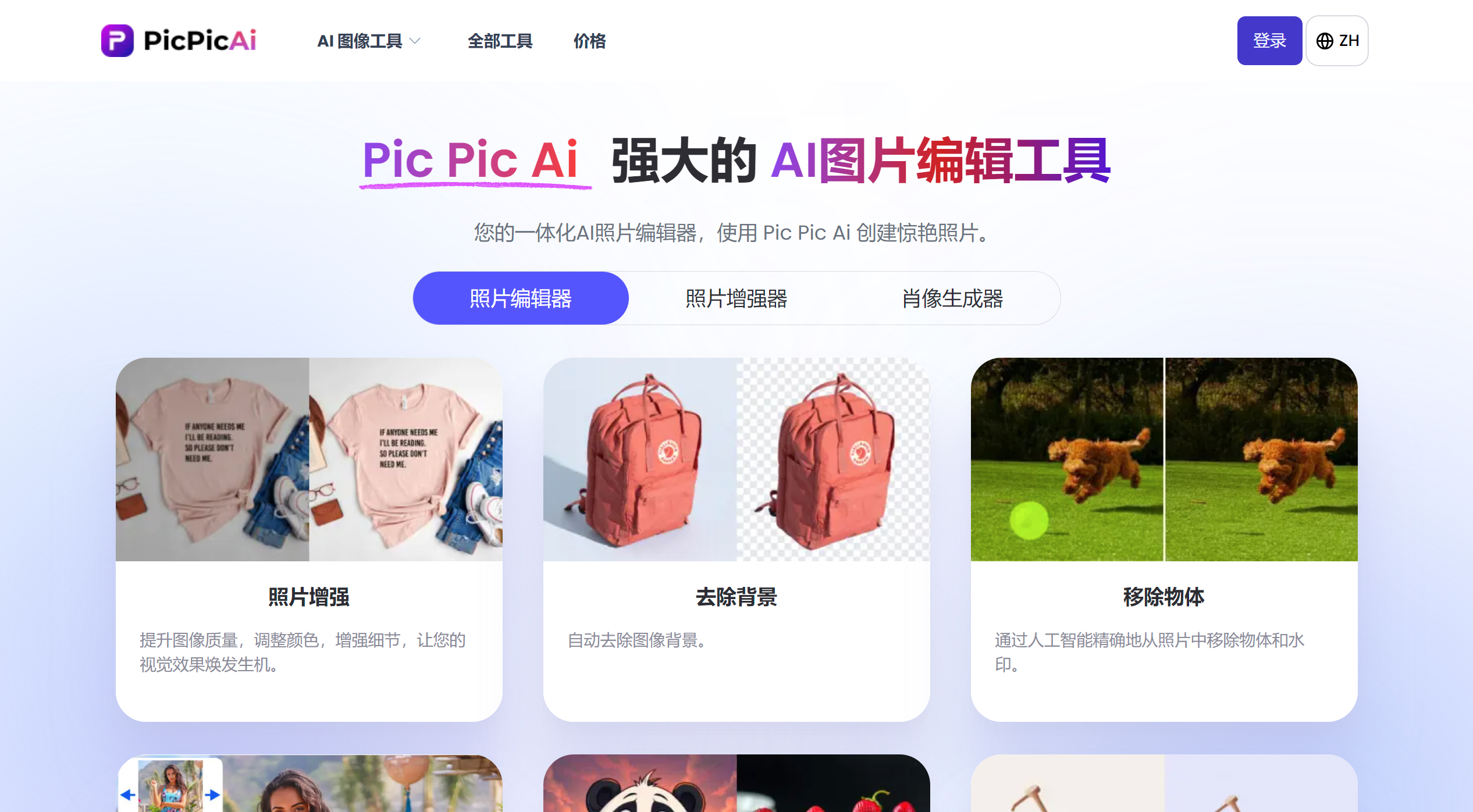
PicPicAI Features:
Photo Enhancement: Improve image quality, adjust colors, and enhance details to bring your visuals to life.
Remove Background: Automatically remove the background from images.
Remove Object: Accurately remove objects and watermarks from photos through artificial intelligence.
AI Portrait Enhancer: De-blur portraits and repair blurry faces using AI.
Brightness Adjustment: Use AI to instantly adjust photo brightness and effortlessly lighten any dark image.
Restore Old Photos: Repair old blurry portrait photos through AI.
AI Image Extender: Use AI to seamlessly extend your photos beyond their original borders.
Creative Upscaler: Create creatively upscaled images with stunning new details added.
AI Shadow Adder: Use AI to add shadows to images, making your photos look natural and realistic.
FLUX.1 AI Image Generator: FLUX.1 [Schnell] - Explore the revolutionary image generation AI model online.
Create Stunning AI Art: Leverage AI to create amazing artworks in seconds.
Change Background Color: Remove the background from your photos and add any color.
Women's Hairstyles: Try new hairstyles and colors you've never imagined before.
Men's Hairstyles: Try out the best hairstyles, beards, and tattoos suited for African men.
Girl's Hairstyles: Try new hairstyles and colors for girls.
Portrait to Sketch: Transform your selfie portraits into sketch photos in any style.
Portrait to Art Painting: Transform your selfie portraits into any art painting by master artists.
Holiday Photo Maker: Create your own eye-catching holiday portrait photos with AI.
Anime Waifu Upscaler: Enlarge and multiply the size of your anime and Waifu images with just one click.
Passport Photo Maker: Automatically crop the face and change the background color.
Photo Upscaler: Enlarge and enhance the details of your photos up to 2x or 4x.
Neon Future Generator: Use AI to create your own neon future avatars.
Dreamy Wedding Photos: Use AI to transform your photos into dreamy wedding photos.
Avatar Generator: Try using AI to create your avatars.
Face to Sticker: Quickly turn faces into fun custom stickers through AI.
Dreamy Cartoon Avatars: Use AI to instantly create magical dreamy cartoon avatars.
Mythical Beast Adventure: Use AI to create your own mythical beast adventure avatars.
Cartoonize Portrait Photos: Transform your portrait photos into cartoon photos through AI.
Comic Avatar Maker: Instantly transform your portraits into American-style or Japanese-style comic avatars!
Selfie Comic in Historical Sites: Turn your portraits into comics with historical sites as the background.
Cartoonize Pet Photos: Transform your cute pet photos into cartoon photos through AI.
Compress Photos: Losslessly compress photo size through AI.
Colorize Photo: Colorize black and white photos to bring old photos back to life.
How to Purchase PicPicAI's AI Photo Tools?
To purchase PicPicAI's AI photo tools, simply click the "Pricing" link or the "Buy Now" button in the top navigation bar. Choose the credit package that suits your needs, complete the payment, and the credits will be recharged into your PicPicAI account. These credits are permanent and serve as virtual tokens, allowing you to access all of PicPicAI's AI photo tools. You can purchase credits using major credit and debit cards, PayPal, Apple Pay, or Google Pay. Purchase your credits now and enjoy PicPicAI's powerful tools anytime!
PicPicAI Tutorial:
Visit the Website: Access the PicPicAI website in your web browser.
Select a Tool: Choose the function you need from the available AI image tools, such as photo enhancement, background removal, or object removal.
Upload Image: Click the upload button, or drag and drop your image into the designated area to upload.
Process Image: Wait for PicPicAI to automatically apply the selected effect or enhancement to your image.
Download Image: Review the processed image and download it if satisfied. You can use free credits to access premium functions; after signing up, new users will receive some free credits.
PicPicAI's powerful AI image tools are simple and user-friendly, ensuring a smooth experience with no learning curve. Whether you are a beginner or a professional, PicPicAI's intuitive solutions guarantee stunning results without complex processes. You just need to upload your photos, let PicPicAI do the work, and then download the final image. Highly recommended!
Related News:














