
 Script Planner Assistant▸
 AI Apps
 AI News

TikTok Voice: Text-to-Speech Assistant and CapCut AI Voiceover Tool
TikTok Voice: Text-to-Speech Assistant and CapCut AI Voiceover ToolIntroduction
TikTok Voice, a free online AI text-to-speech tool, allows users to convert text into TikTok voices and download the generated audio for video editing, text reading, and e-books. It can synthesize popular Jianying AI voiceovers and TikTok sound effects, such as Xiaoshuai, Monkey Brother, Bear Two, A Bite of China, news-style voice, and other Chinese voiceovers. In addition, it also supports popular Jianying international version AI voiceovers, such as: Jessie voice (female voice), Siri voice, Funny Face voice, C3PO voice (robot voice), Deep voice (storyteller), Skye voice, Warm voice, Bestie voice, Hero voice (Chris voice), Empathetic voice, Serious voice, Joey voice, Stitch voice, Stormtrooper voice (Star Wars), Rocket voice (Guardians of the Galaxy).
In addition, TikTok Voice supports AI voiceovers in many other languages, including Chinese, Japanese, Korean, Vietnamese, Thai, Hindi, Persian, Russian, German, French, Romanian, Czech, Spanish, Portuguese, Bengali, Italian, Arabic, Urdu, Traditional Chinese, and Malay.
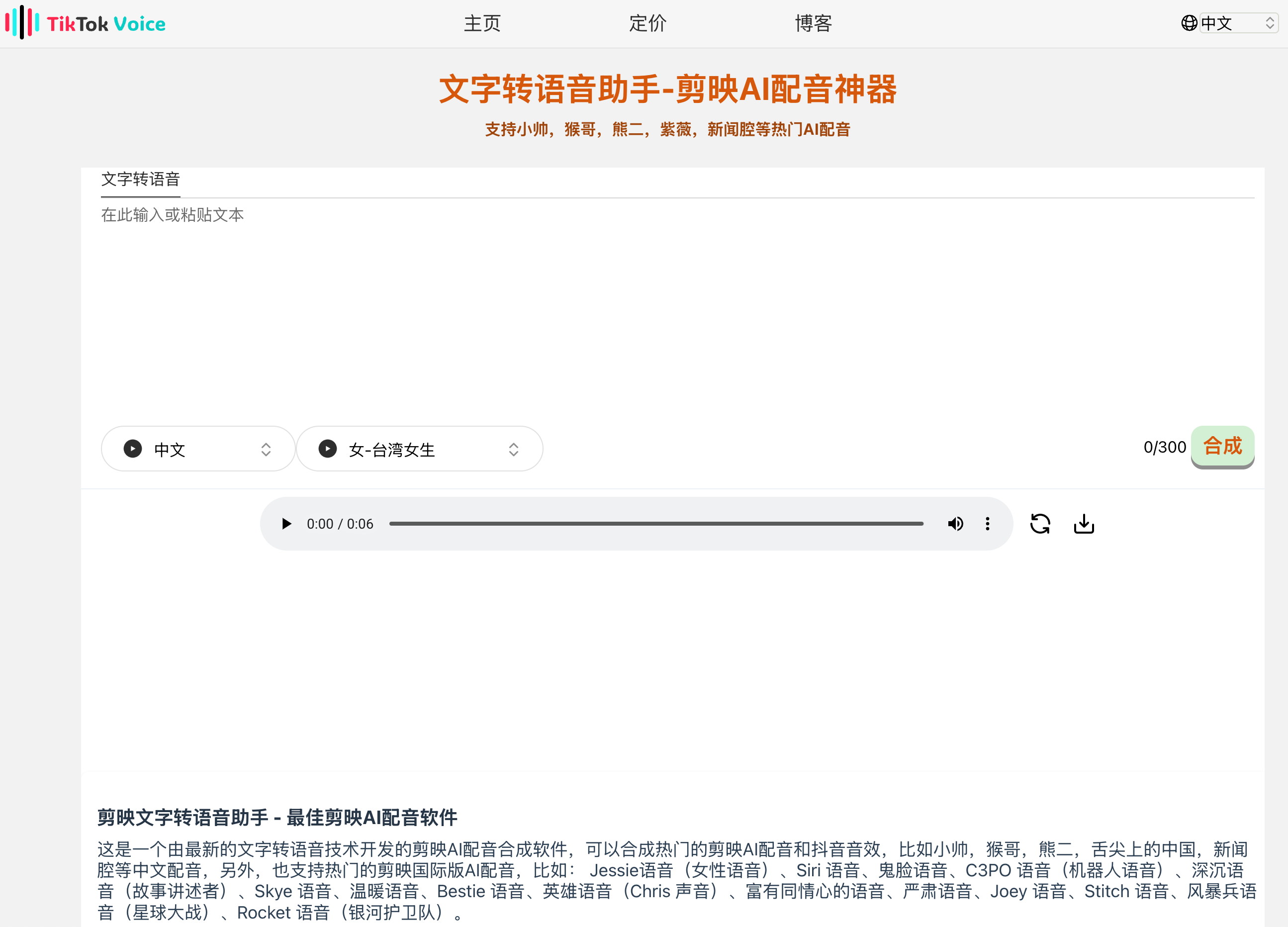
TikTok Voice Key Features:
Multilingual Support: TikTok Voice supports multiple languages, including but not limited to Chinese and English, as well as more specific languages and dialects, enabling it to meet the needs of different user groups.
Rich Voice Styles: It offers a variety of voice style options, ranging from imitations of celebrities and animated characters to standard AI-synthesized voices, such as female voices (like Jessie), robot voices, Siri-style voices, and more distinctive voices such as Rocket voice, Funny Face voice, etc., allowing users to choose the most suitable voiceover based on their video content.
Suitable for Multiple Scenarios: This tool is not limited to TikTok video production but is also applicable to other social media content creation, audiobook recording, voiceovers for educational materials, etc., providing great convenience for content creators.
Easy to Use: Users only need to input text, select the desired voice style, and click generate to quickly obtain the audio file. Online preview is supported, and once satisfied, users can directly download and use it without any complex editing process.
What are the advantages of TikTok Voice?
The Jianying text-to-speech assistant can generate various types of voices, commonly used in TikTok videos.
It is the latest AI voiceover software capable of generating near-human speech.
It is more convenient for video editing on laptops and desktops.
You can use some voices that cannot be found in Jianying.
How to use TikTok Voice?
Select the language and voice accent.
Enter the text you want to convert to speech in the text box.
Press the synthesize button and wait a few seconds.
Play or download the voiceover file.
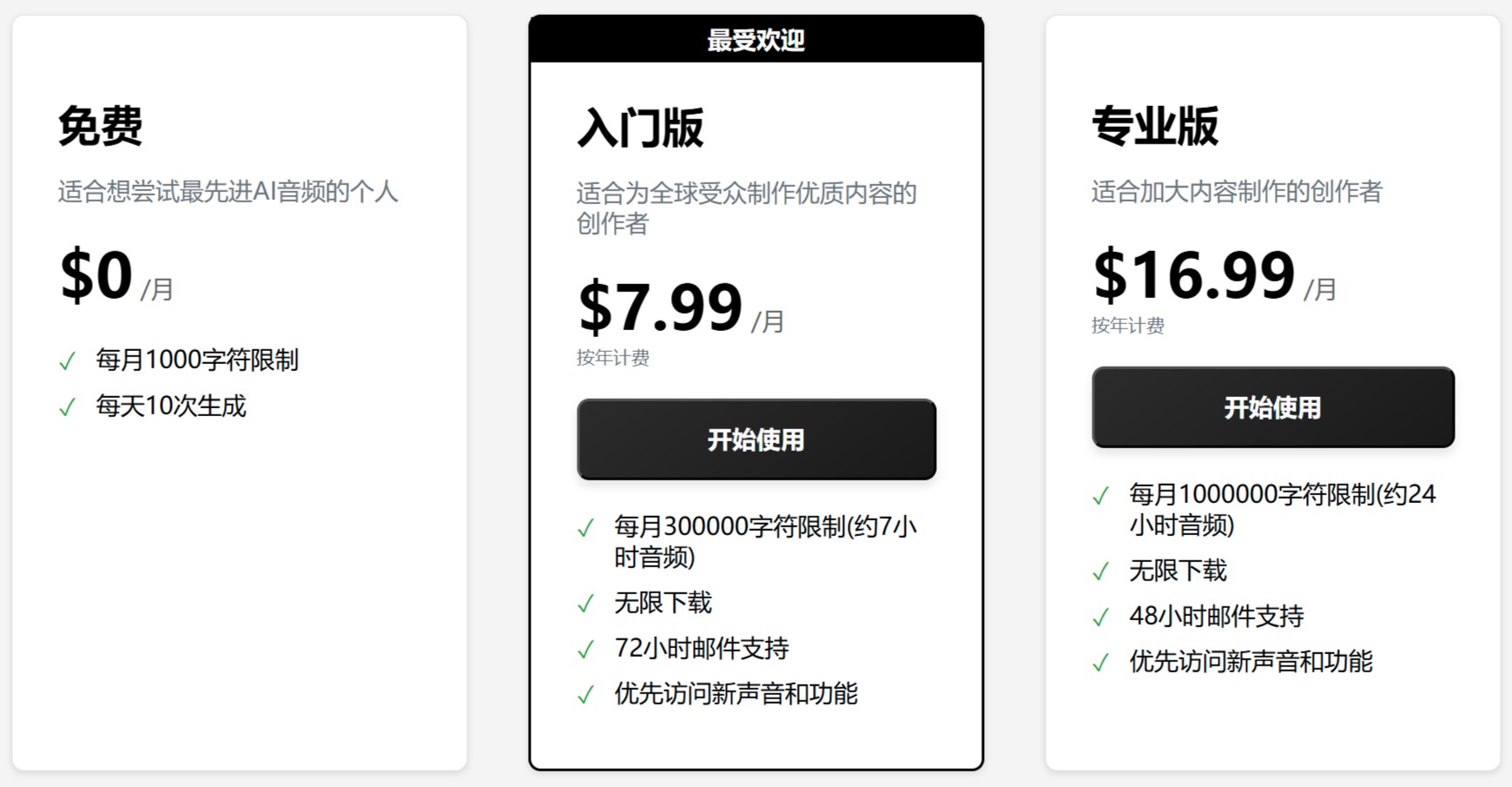
TikTok Voice Pricing:
How to add TikTok Voice AI voiceover in a TikTok video?
1. If you have already generated Jianying AI voiceover on your PC and want to upload it to TikTok or other video editing software on your phone, you need to transfer the audio file to your phone. For iPhone, you can use AirDrop for transfer. For Android phones, I am not very familiar with the process, but you can certainly find the corresponding methods and tools.
2. After transferring the audio file to your phone, you can open TikTok:
Tap the '+' button at the bottom of the interface and select the video from your phone.
After uploading the video, find a square icon on the right side of the screen to enter the editing page.
Find the 'Add Voiceover' button at the bottom of the page and tap it to select the audio file you just transferred.
In this interface, you can make some adjustments to the video, and then tap the button in the upper right corner to publish.
Related News:














