
 Script Planner Assistant▸
 AI Apps
 AI News

FillDream: Fill and Modify Images with Text Prompts
FillDream: Fill and Modify Images with Text PromptsIntroduction
FillDream is an online image content replacement and filling tool website based on advanced ai technology. It allows users to upload images and fill or replace image content based on text prompts entered by the user. By providing prompts such as "cabin", "lake", "rocket", or "tree", it enables creative filling of images, allowing for creative editing and beautification of images.
FillDream can generate unique images, helping users add creative elements to uploaded pictures, transform ordinary scenes into fantastical worlds, or incorporate unique objects into photos, providing users with a new way to unleash their creativity. Whether you want to visualize a cozy cabin, a serene lake, a futuristic rocket, or peaceful trees, FillDream can bring your ideas to life. In addition, FillDream uses advanced AI technology to modify clothing, offering users more creative possibilities.
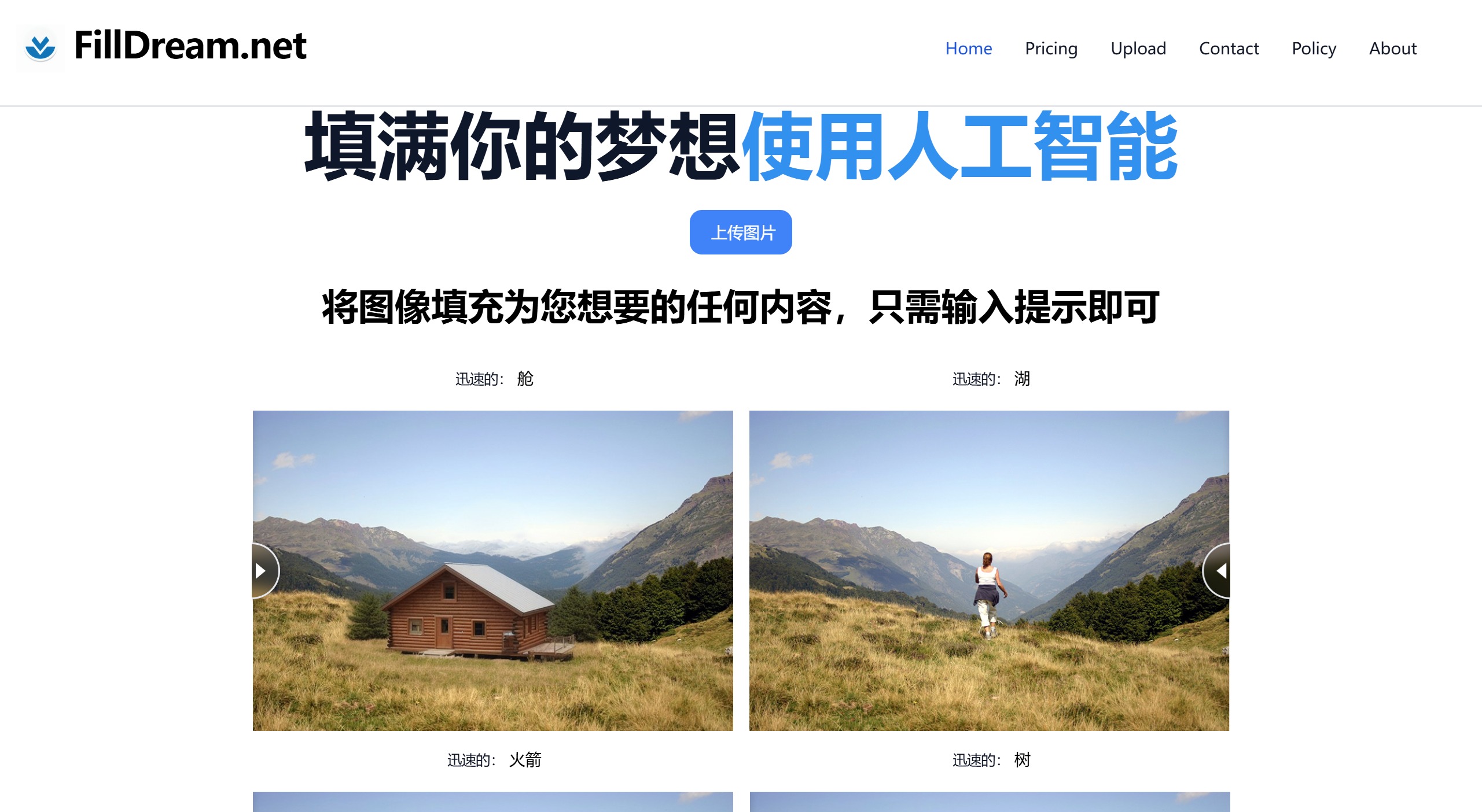
Core Features of FillDream:
Image Upload: Users can easily upload the images they want to modify.
Prompt Input: By entering text prompts, users can specify the elements or themes they wish to add to the image.
Creative Generation: The tool utilizes advanced image processing algorithms and machine learning techniques to generate unique and creative images, enhancing the user's creative experience.
In addition, it can automatically modify clothing in images, providing personalized clothing customization services.
Steps to Use FillDream:
Visit the Website: First, open your browser and go to the official website of FillDream.
Upload an Image: On the main interface of the website, you will see an option to upload an image. Click the "Upload Image" button and select an image you want to edit from your device.
Select the Edit Area: After uploading the image, use the tools provided on the website to select the area you want to edit or replace the content of. You can use tools such as a rectangular marquee, lasso tool, or pen tool to precisely outline the area to be edited as needed.
Enter Text Prompt: After selecting the edit area, enter the text prompt for the content you want to add or replace. For example, if you want to add a tree to the image, you can enter "a tree". FillDream's AI algorithm will generate the corresponding image content based on your prompt.
Generate Creative Edit: Click the "Generate" button, and FillDream will start processing your request. The AI algorithm will analyze the area you selected and the prompt you entered, then generate image content that matches your creative requirements.
Preview and Adjust: The generated creative edit result will be displayed on the screen. You can preview the generated effect and make adjustments as needed. If further modifications are required, you can re-select the area or change the text prompt, then click the "Generate" button again.
Save the Edited Result: When you are satisfied with the edit result, click the "Save" button to save the edited image to your device. You can also choose different file formats and resolutions to meet your specific needs.
FillDream is an innovative AI tool based in Aichi Prefecture, Japan, focusing on e-commerce and image processing. Users can generate unique images by uploading images and entering prompts such as "cabin", "lake", "rocket", or "trees". FillDream provides open-source AI technology that can generate realistic images based on text prompts, helping users unleash their creativity. In addition, it can automatically modify clothing in images, providing personalized clothing customization services.














