
 Script Planner Assistant▸
 AI Apps
 AI News

Bixiong Share: Secure PDF Document Sharing Tool
Bixiong Share: Secure PDF Document Sharing ToolIntroduction
Bixiong Share is a tool for encrypted PDF document sharing. Unlike traditional encrypted sharing, Bixiong Share encrypts documents across multiple dimensions. It allows you to encrypt documents securely online, configure a variety of permissions, restrict visitors from copying, printing, downloading, and taking screenshots, modify sharing settings or cancel sharing at any time, remotely destroy documents, and trace detailed visitor access information. The core features of Bixiong Share are as follows:
1. Control Document Access Permissions
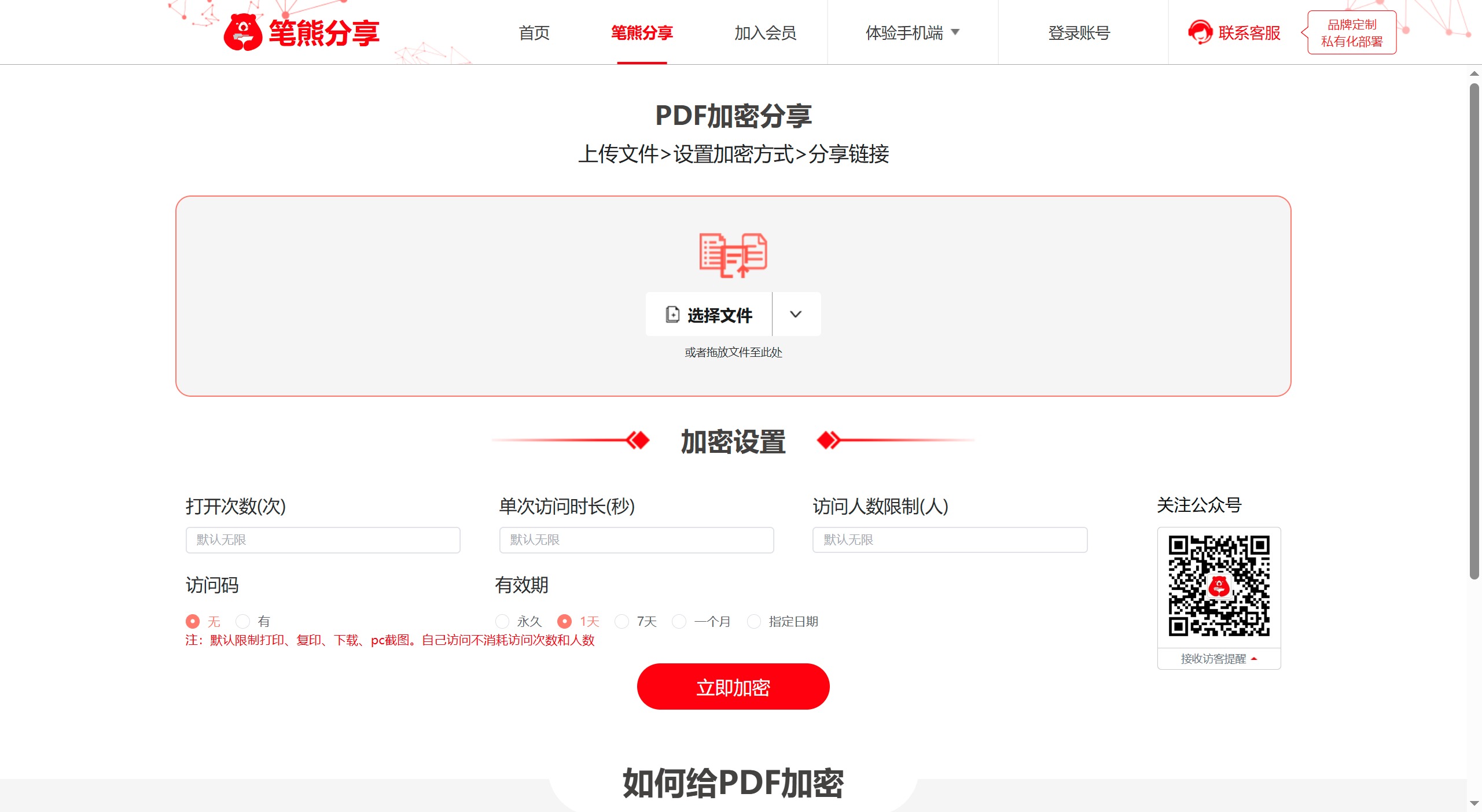
Limit the number of times a document can be opened: Once the number of opens is exceeded, the document can no longer be opened.
Limit document viewing duration: The document will automatically close when the access duration is reached.
Limit the number of people who can open the document: Once the number of viewers is exceeded, subsequent people will no longer be able to open the document.
Set a document opening password: The document can only be opened with the correct password, and the password can be changed at any time in the backend.
Set document validity period: After the validity period expires, the document will automatically close and cannot be opened thereafter.
2. Control Document Operation Permissions
Anti-download: Bixiong Share prohibits users from downloading the original file. This means that no matter how many people view your document, the original data will remain firmly in your hands, effectively preventing the risk of data leakage.
Anti-modification: Documents encrypted and shared on the Bixiong Share platform can only be viewed by visitors and cannot be edited.
Anti-print: Documents on Bixiong Share are prohibited from being printed by default. In the next version, this feature will be developed to allow authors to freely choose.
Anti-copy: Documents on Bixiong Share are prohibited from being copied by default, strictly controlling the risk of document dissemination.
3. Monitor Document Access
Remote destruction: If you find that a document is at risk, you can immediately take it offline temporarily or remotely destroy it in the backend.
Visitor notification: Once a user accesses your document, the Bixiong Share official account will receive a visitor notification.
Trajectory tracking: You can clearly see visitors' access information in the backend, including access time, access address, access progress, and more.
Remote control: For documents that have been sent out, you can modify the document's permissions in the backend at any time, ensuring that control over the document remains in your hands at all times.
Remote replacement: If you want to replace the document content, simply click "replace" in the backend to replace it with new content, and visitors will see the new content when they open it. With so many permission controls, the security of your document sharing can be greatly improved.
How to encrypt a PDF with Bixiong Share:
You don't need to understand complex code or perform tedious operations. Simply click to upload the document, enter the encryption parameters you want, and click "Encrypt Now" to complete the encryption.
Open the Bixiong Share page
Drag the PDF into the upload box, or click "Upload Document" to select and upload a document (VIP users can upload in batches)
Set the encryption sharing parameters
Click "Generate Share Link" to generate a share link and a QR code
Copy the link or QR code to the visitor. When the visitor opens it through the link, they will see the cloud-encrypted document













