
 Script Planner Assistant▸
 AI Apps
 AI News
Qianhui AI: Create Your Own Manga with AI
Qianhui AI: Create Your Own Manga with AIIntroduction
QianhuiAI is a platform that uses artificial intelligence technology to help users create comics. Users can generate storyboards through AI and convert them into images. Qianhui AI supports character reference, ensuring that characters remain consistent across different storyboards. Qianhui AI also offers a variety of tools for layout, stickers, and text, helping users easily create their own comic works.
Features of Qianhui AI
Character Consistency: Select a character for each image to keep the character consistent throughout, ensuring visual consistency in your comics and allowing you to focus on the content.
AI Storyboard Generation: Simply input a piece of novel content, and the AI will automatically generate multiple storyboards for you.
Diverse Tools: Provides a variety of creation tools such as layout, stickers, and text, along with a wide selection of stickers to decorate your comics and make them richer.
Character Reference: Supports referencing specific characters for convenient creation.
Image Conversion: Converts storyboards into high-quality images.
Qianhui AI Drawing Tutorial
I. Create an Account
Sign Up: Register a Qianhui AI account using your email.
Verify Email: Click the link sent to your email to verify.
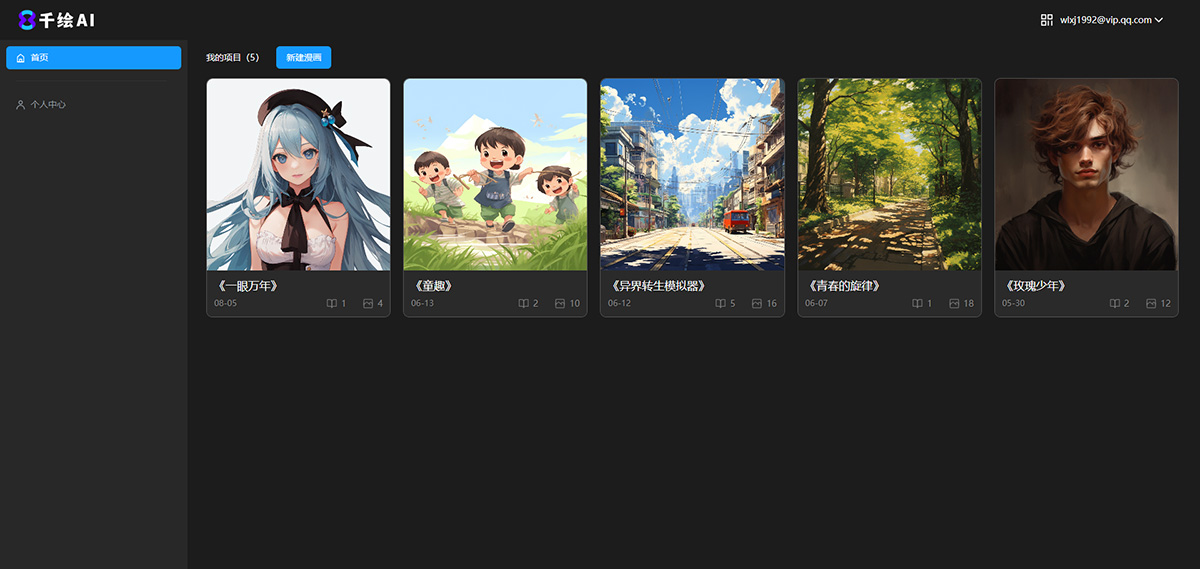
II. Create a Comic
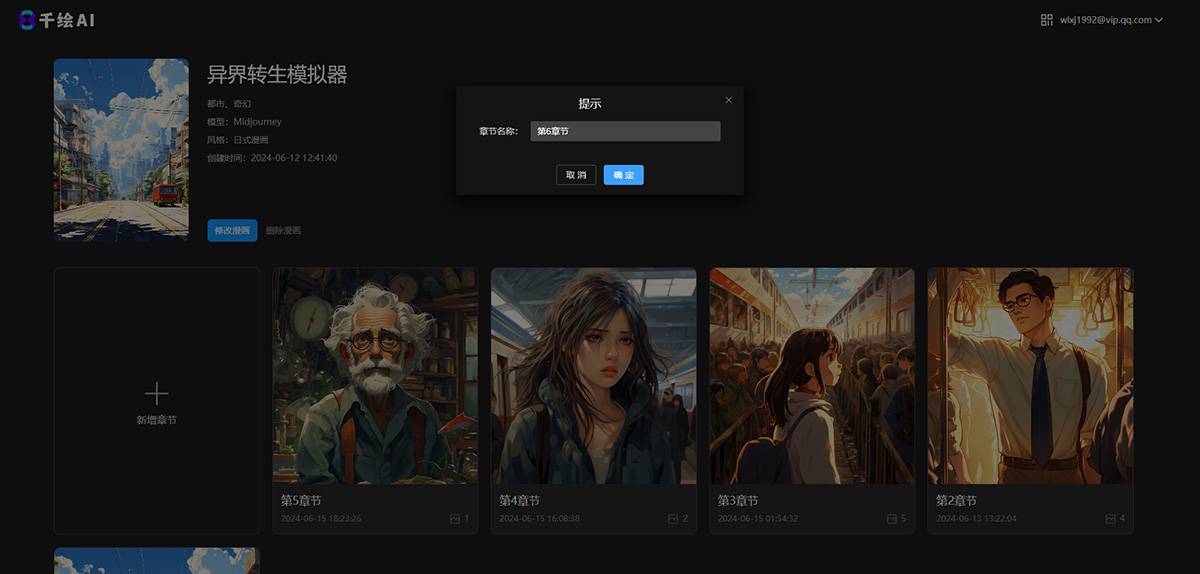
1. Log in to the backend: After logging in, enter the Qianhui AI Comic project management page.
2. Create a New Comic:
Fill in the comic name and description (optional).
Select an AI drawing model: Midjourney or Stable Diffusion.
Choose a comic style.
Add Chapters: Add chapters to your comic.
III. AI Image Generation
1. Character
Function Area: Step bar, character list, canvas, toolbar, operation panel.
Step Bar: Character, Storyboard, Canvas, Edit.
Character List: Name characters; they are universal throughout the comic.
Canvas: Displays generated images.
Toolbar: Download, view history, delete images.
Operation Panel: Name character, select version, enter description, generate image.
2. Storyboard
Input Script: Enter a novel chapter or outline.
Generate Storyboard: The AI generates storyboards based on the script.
Save Storyboard: Must be saved before it can be used on the canvas.
3. Canvas
Image List: Storyboard-generated or newly created images.
Canvas Content: Displays generated images.
Operation Panel:
Select character.
Adjust character weight.
Enter descriptive and negative prompts.
Adjust image size ratio.
4. Edit
Image List: Edit existing images or upload new ones.
Canvas Content: Perform image editing operations.
Canvas Operations: Adjust size, background color, add layout, dialog boxes, stickers, text, etc.
IV. Export Images
Complete Creation: After editing is complete, export the final comic page.
By following the above steps, users can easily create complete comic works using the Qianhui AI platform.
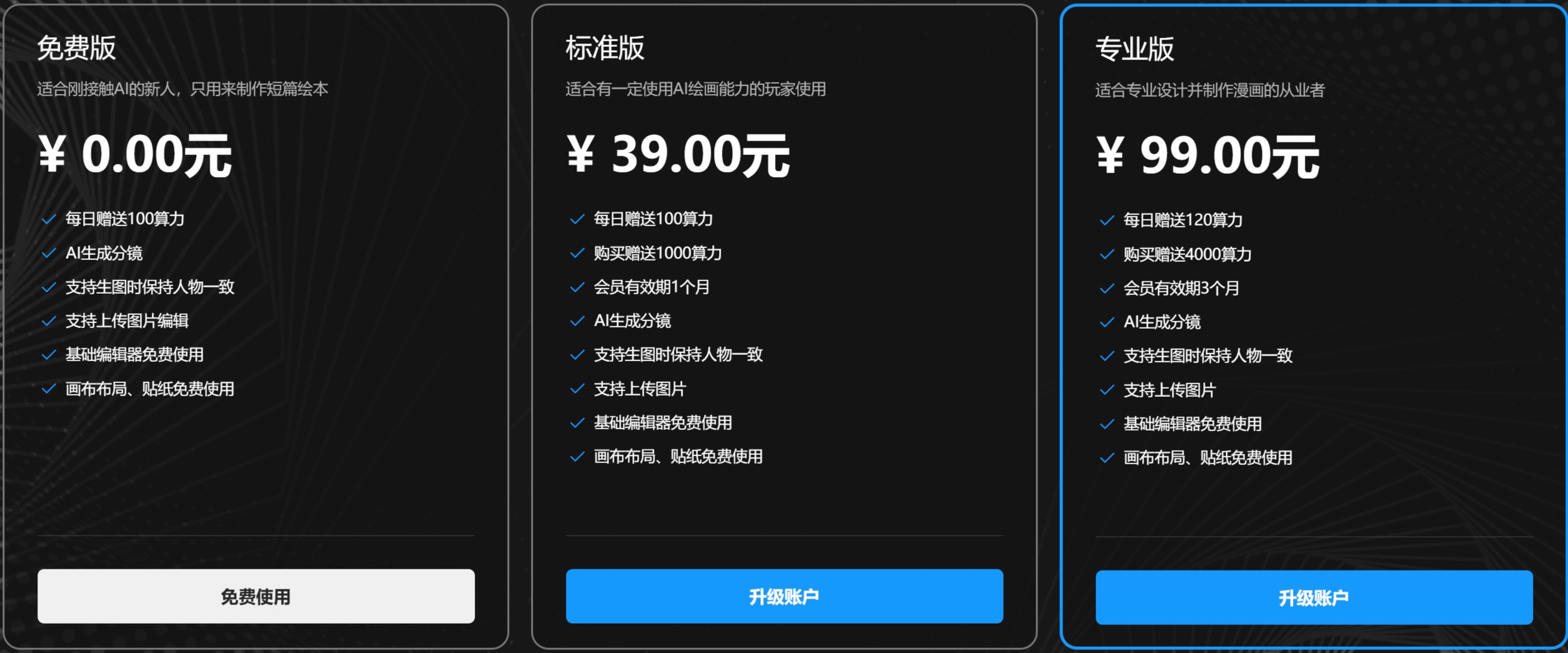
Qianhui AI Pricing:
Generating storyboards or images consumes corresponding computing power each time. Qianhui AI gives away 120 computing power for free every day, and each top-up rewards you with 4000 computing power.
Qianhui AI will intervene to a certain extent in the content of the image prompts you enter. It is recommended that the images you generate comply with the laws and regulations of your country or region. Please do not generate any illegal image content.
Related Information:















