
 Script Planner Assistant▸
 AI Apps
 AI News

Bgrem.ai: AI Video and Image Editing Tool
Bgrem.ai: AI Video and Image Editing ToolIntroduction
Bgrem.ai is an innovative tool that offers a variety of services including removing video backgrounds, generating images, redesigning interiors, applying AI filters, generating illustrations, and removing unwanted objects. Its main features include automatic removal of video and photo backgrounds, image generation, photo-to-painting conversion, and interior redesign. Users do not need editing skills or technical knowledge to use Bgrem.ai for image and video editing. Bgrem.ai offers a variety of background options, including color, image, and video backgrounds. Supported file formats include .mp4, .mov, .mkv, .webp, .png, .jpeg, and others. The Bgrem.ai application is available for free download on the Apple App Store.
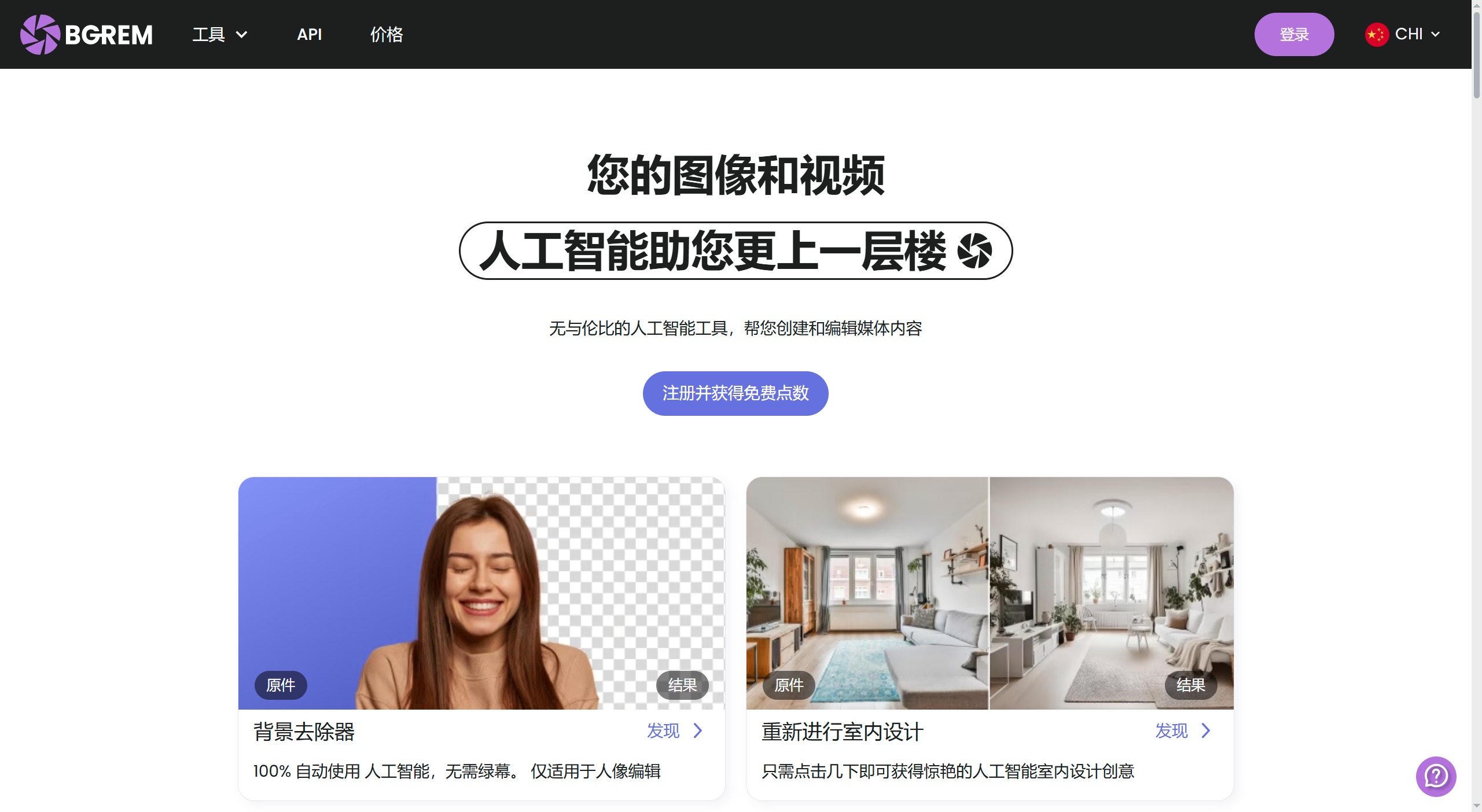
Bgrem.AI Main Features:
Background Removal: Automatically removes backgrounds from photos and videos without the need for a green screen, suitable for portraits, product photography, creative compositing, and more.
Image Generation: Uses AI technology to generate unique images.
AI Selfie Generation: Bgrem.ai's AI selfie generation feature can create virtual selfie photos based on the facial features and expressions provided by the user.
Photo-to-Painting: Bgrem.ai's photo-to-painting feature can convert ordinary photos into painting-style images, such as oil paintings, sketches, watercolors, and more.
Interior Redesign: Provides AI-generated interior design solutions.
Erase and Replace: Removes unwanted elements from images and replaces them with new content.
Video Background Removal: Automatically removes video backgrounds and provides video editing features, including clipping, color grading, and adding special effects.
How to Use Bgrem.AI:
1. Visit the Bgrem.ai website and register an account or log in to an existing one.
2. Upload the image or video you want to edit.
3. Select the desired AI tool, such as background remover, image generator, etc.
4. Wait for the AI algorithm to process your file, which may take a few minutes.
5. Download the processed file or share it directly from the platform.
Bgrem.AI Supported Formats:
Video formats: .mp4, .mov, .ts, .avi, .mkv, .webp, .mpg.
Image formats: .png, .jpeg.
Bgrem.ai supports multiple video and image formats, so users do not need to worry about file format issues.
Bgrem.AI Pricing:
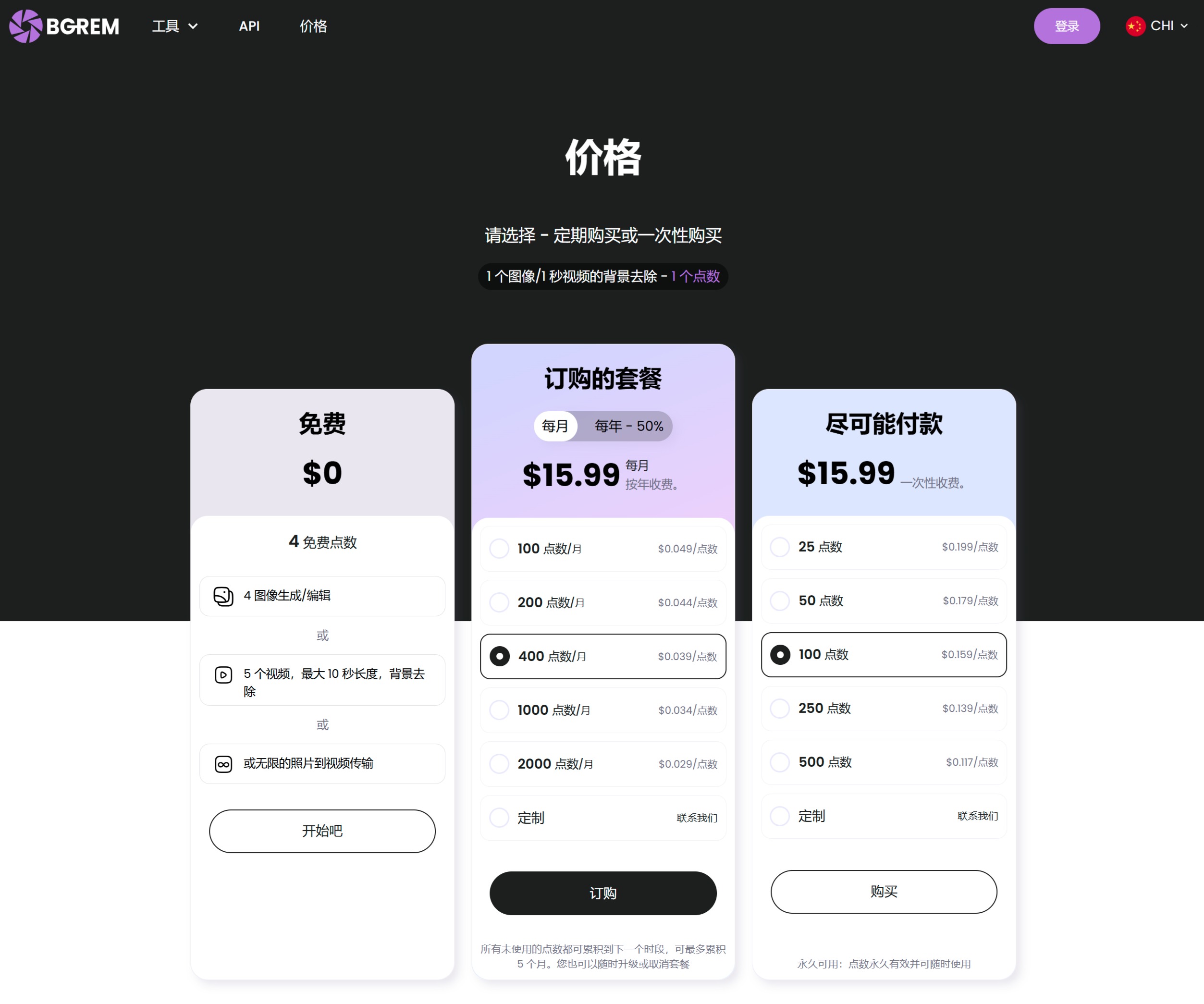
Please choose between a subscription purchase or a one-time purchase. Removing the background from 1 image or 1 second of video requires 1 credit.
Overall, as a platform integrating multiple AI image and video editing features, Bgrem.ai offers tools such as background removal, art generation, AI selfie generation, interior design, photo-to-painting, image feature extraction, and video editing. It is suitable for personal creation, art design, interior design, social media, virtual character creation, and many other fields. By using Bgrem.ai, users can easily perform image and video editing and creation, improving work efficiency.














