
 Script Planner Assistant▸
 AI Apps
 AI News

Qianmian Video Motion Capture: AI-Powered Mocap Made Simple
Qianmian Video Motion Capture: AI-Powered Mocap Made SimpleIntroduction
Qianmian Video Motion Capture is an AI video motion capture tool. It leverages advanced artificial intelligence technology to efficiently convert character movements in videos into animation data for 3D models. No professional equipment or venue is required—simply upload any video, and you'll get animation results on par with optical motion capture.
Qianmian Video Motion Capture is widely used in film, gaming, virtual reality, and other fields, helping users produce high-quality animations faster and more accurately.
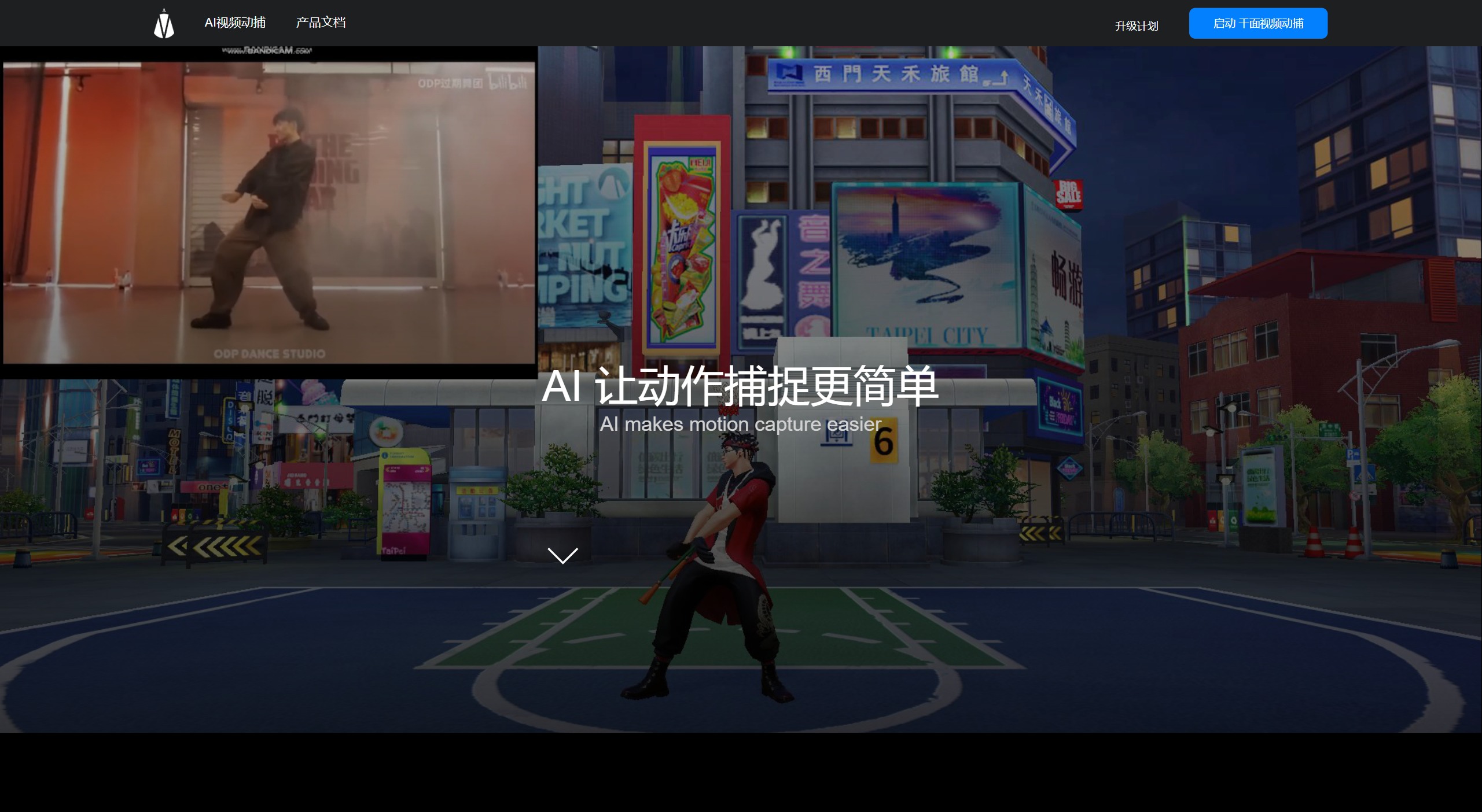
Features of Qianmian Video Motion Capture:
Automated AI: Based on AI algorithms, it automatically identifies animation keyframes and generates smooth animation effects. No professional equipment or venue is needed, with simple and intuitive operation that lowers the barrier to use.
Improved Efficiency: Compared with traditional animation production, Qianmian Video Motion Capture improves efficiency by 30%~50%. Taking a 120-second video as an example—3,600 frames in total—video motion capture only takes a little over 10 minutes to capture and output 3D animation data, while a manual animator working at 100 frames per day would need 36 days, representing a 5,184x efficiency improvement.
High-Quality Output: The generated 3D animation is of high quality, rich in detail, and highly realistic. It supports full-body capture, half-body capture, facial capture, hand capture, and multi-person large-scene motion capture—all requiring just a single video file.
Supports Mainstream Software: Compatible with file formats such as BIP and FBX, it works with mainstream animation software including 3DMax, Motionbuilder, and Maya. Users can easily import this data into any model, greatly simplifying the animation production workflow.
Fine Capture: Qianmian Video Motion Capture can finely capture facial expressions and hand movements, enhancing the expressiveness and detail of animations and making them more vivid and lifelike.
Simpler: High-quality animations can be generated without professional venues or equipment.
Application Scenarios of Qianmian Video Motion Capture:
Film and Animation: In large-scale animation productions such as film or game animations, Qianmian Video Motion Capture can be combined with VDSuit-full motion capture devices for precise motion capture, driving animated characters in real time, portraying plot movements, and empowering animation creation.
Game Development: Qianmian Video Motion Capture helps game developers quickly capture the movements of game characters, enhancing the realism and smoothness of game animations and making character actions more lifelike.
Virtual Reality: In the VR field, Qianmian Video Motion Capture can capture users' movements in the real world and convert them into movements within the virtual environment in real time, providing a more immersive and authentic virtual experience.
Advertising and Marketing: Motion capture technology can also be used in advertising production. By capturing real people's movements and expressions, more attractive advertising content can be created.
Animation Production: For individual animation enthusiasts, Qianmian Video Motion Capture provides a low-threshold animation production tool. Even without professional animation knowledge, users can easily obtain high-quality animation results simply by uploading videos.
How to use Qianmian Video Motion Capture to import a video and convert it into animation data:
Upload the Video: First, log in to the official website or platform of Qianmian Video Motion Capture and find the video upload interface. Click the "Upload Video" button and select the video file you want to turn into a 3D animation.
Video Editing: After uploading the video, the system provides a video editing feature that allows you to select specific segments of the video for motion capture. Using the tools on the timeline, you can precisely choose the segment to be converted into animation, ensuring the captured motion is high-quality and meets your requirements.
Name the File: After completing the video editing, name the file. A meaningful file name helps you quickly identify and manage animation data in the future.
Wait for Processing: After submitting the video, Qianmian Video Motion Capture will use its AI algorithms to automatically identify the movements in the video and convert them into 3D animation data. This process may take anywhere from a few minutes to several hours, depending on the length and complexity of the video.
Download or Export Animation Data: Once processing is complete, you can download the generated animation data. Qianmian Video Motion Capture supports multiple formats such as BIP and FBX, and this data can be imported into mainstream 3D animation software including 3DMax, Motionbuilder, and Maya for further editing and creation.
Import into Animation Software: Import the downloaded animation data into your chosen 3D animation software and follow the software's instructions to apply the animation data to your 3D model.
Post-Editing and Optimization: In the 3D animation software, you can perform post-editing on the animation, including adjusting movement details, adding effects, setting up scenes, etc., to achieve the final animation result.
Output and Share: After editing is complete, you can output the animation as a video file to share with others or use in various application scenarios such as film, gaming, and virtual reality.
As a revolutionary AI video motion capture tool, Qianmian Video Motion Capture efficiently converts character movements in videos into animation data for 3D models, greatly simplifying the traditional animation production workflow for creating character movements and significantly improving production efficiency.











