
 Script Planner Assistant▸
 AI Apps
 AI News
PikFlow: Your AI Image Studio
PikFlow: Your AI Image StudioIntroduction
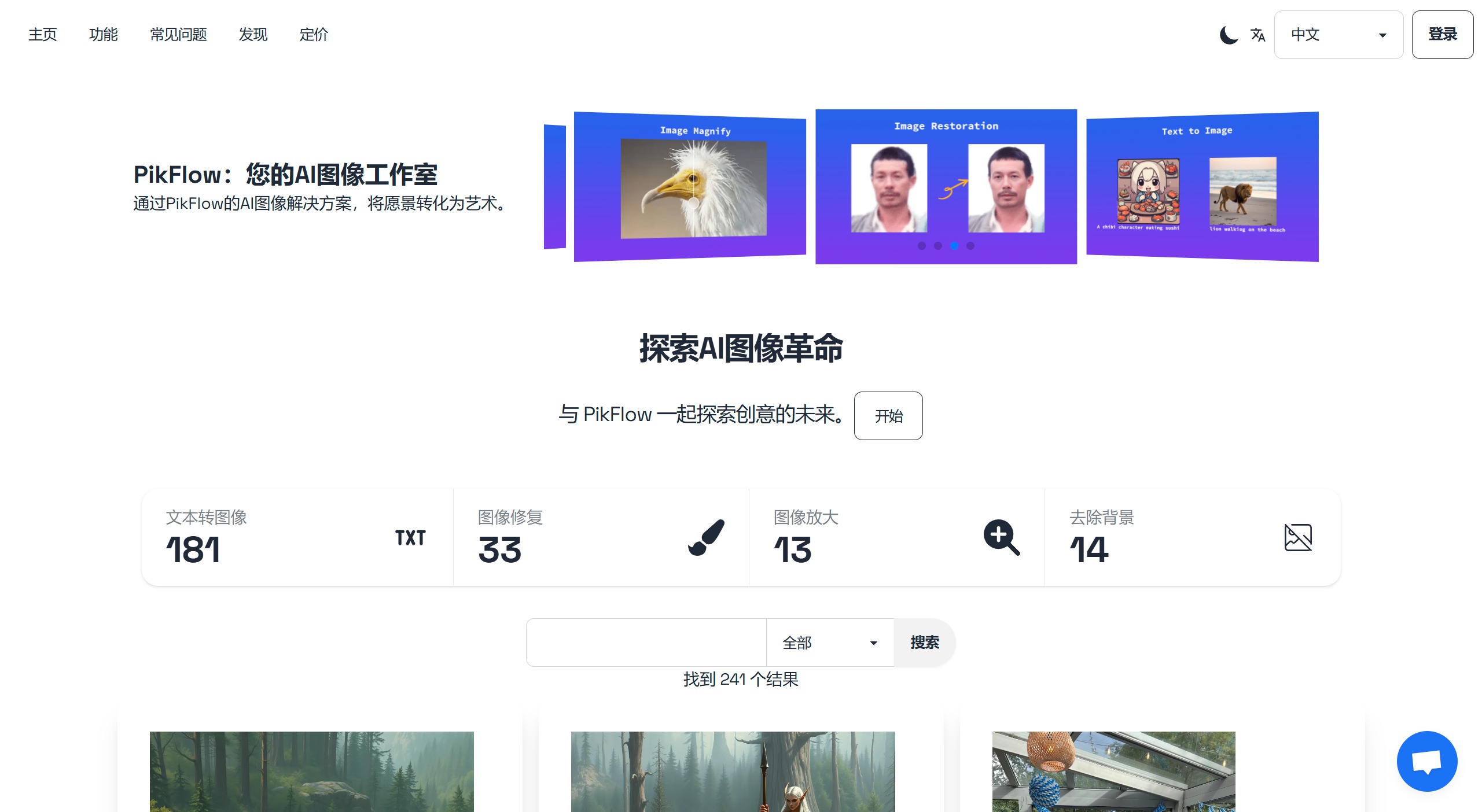
PikFlow is a platform powered by artificial intelligence that enables users to easily generate and edit images. PikFlow can understand your input and generate images, apply styles, remove backgrounds, enhance resolution, and even convert 2D images into 3D models.
Key Features of PikFlow
AI-Powered Image Generation: Use our AI generator to turn your text prompts into vivid images. Whether you envision a serene landscape or a bustling cityscape, our technology brings your ideas to life with stunning detail.
Vintage Photo Restoration: Breathe new life into old photos with our AI restoration feature. PikFlow carefully repairs damage, removes blemishes, enhances details, and preserves precious memories for future generations.
Background Removal: Easily remove or replace backgrounds to focus on the subject of the image—ideal for e-commerce, presentations, and more.
High-Resolution Image Upscaling: Increase the resolution of your images without compromising quality. Our upscaling feature ensures your visuals are crisp and clear, suitable for large-scale printing or HD displays.
Applications of PikFlow:
E-commerce Product Photography: Create professional product images with customizable backgrounds for online stores.
Digital Art Creation: Generate unique artworks from text descriptions for digital artists and illustrators.
Marketing and Advertising: Produce eye-catching visuals for marketing campaigns and advertisements.
Family Photo Restoration: Repair and enhance old family photos to preserve family history.
How to Use PikFlow
1. Create an Account: Visit the PikFlow website and create a new account to get started.
2. Explore the User Interface: Familiarize yourself with PikFlow's intuitive interface, designed for users of all skill levels.
3. Choose an AI Tool: Select from options such as image generation, photo restoration, background removal, or image upscaling.
4. Enter a Text Prompt or Upload an Image: For image generation, enter a text description. For other tools, upload the image you want to edit.
5. Adjust Settings: Depending on the tool you're using, fine-tune parameters such as style and resolution.
6. Generate or Edit the Image: Click the button to process your request and let the AI create or modify your image.
7. Review and Download the Result: Check the AI-generated output and download your new image if you're satisfied.
PikFlow FAQs
1. What is PikFlow and how does it work?
PikFlow is an AI-powered platform that enables users to easily generate and edit images. By leveraging the latest artificial intelligence technology, our platform can understand your input and create images, apply styles, remove backgrounds, enhance resolution, and even convert 2D images into 3D models.
2. How do I get started with PikFlow?
Getting started with PikFlow is simple. Just sign up for an account, explore our user-friendly interface, and start creating with our AI-assisted tools. We also offer tutorials to help you get up and running smoothly.
3. How does the AI learn from text descriptions and generate images?
Our AI uses advanced machine learning algorithms, trained on massive datasets, to interpret text descriptions and generate corresponding images. It continuously learns and improves to deliver increasingly accurate and creative results.
4. Is PikFlow free?
Absolutely! Upon signing up, you'll receive 5 free credits to explore the services on PikFlow. You may consider our subscription plans for bulk tasks or recurring needs. If you need a plan tailored to your custom requirements, you can easily reach us via the customer service widget in the lower right corner, and we'll provide prompt assistance.
5. Should I choose pay-as-you-go credits or a subscription plan?
If you have occasional generation tasks or one-time needs, you can opt for our pay-as-you-go plan and purchase enough credits to meet your requirements. It works as an instant credit top-up—once you pay, the purchased credits are reflected immediately. If you have a large volume of tasks or need repeated services from our platform, our monthly subscription plan will save you money. You can try the platform for free and later subscribe to a plan based on your needs.















