
 Script Planner Assistant▸
 AI Apps
 AI News

Baidu Netdisk AI Editor: Next-Gen Commercial AI Portrait Retouching
Baidu Netdisk AI Editor: Next-Gen Commercial AI Portrait RetouchingIntroduction
Baidu Netdisk AI Retouching is an intelligent retouching software designed for commercial portrait photography. It offers a rich set of commercial-grade intelligent retouching features such as one-click body slimming, smart skin smoothing, and color adjustment, delivering high-quality portrait beautification results. At the same time, it helps you manage your photos and supports one-click uploading of images to your cloud storage space. It is suitable for travel check-in photos, studio portraits, and event photography, helping photography studios, retouchers, and photographers improve retouching efficiency.
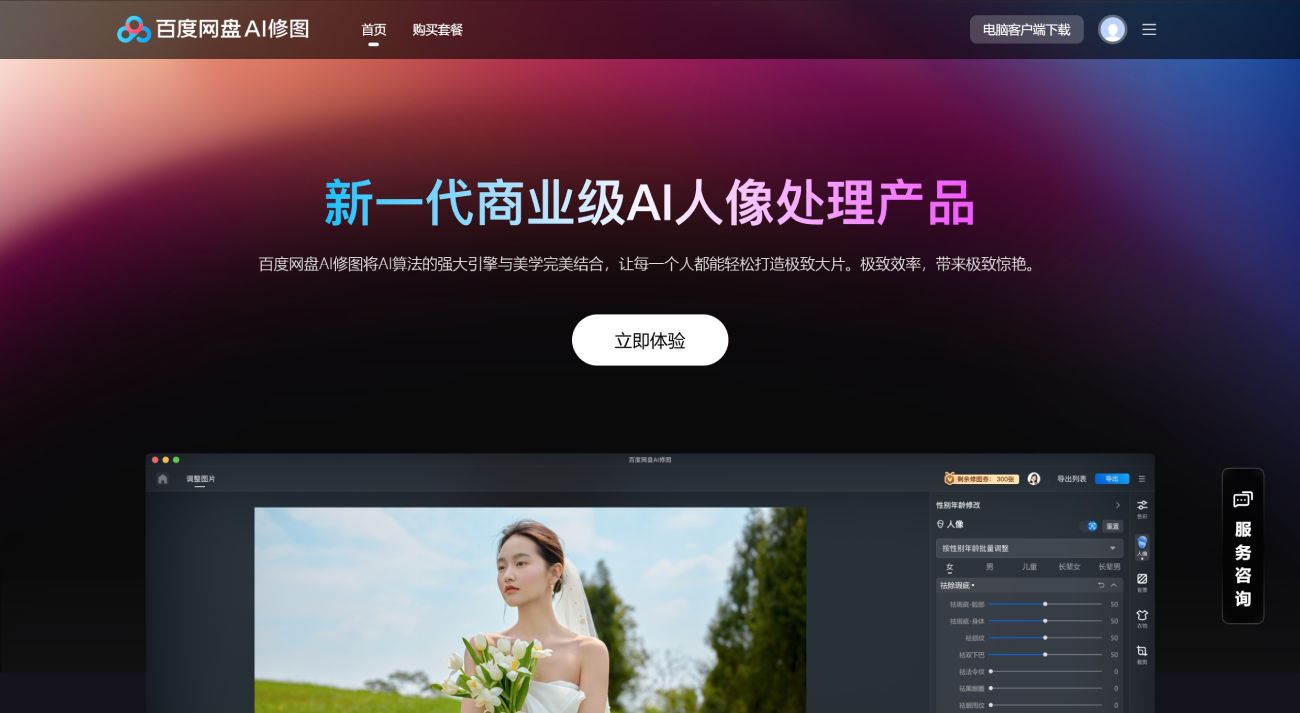
Baidu Netdisk AI Retouching Main Features
AI Beautification: Intelligently identifies and removes blemishes such as pimples, nasolabial folds, shine, and dark circles, restoring a smooth and flawless complexion.
Smart Body Shaping: Accurately identifies hundreds of skeletal joint points on the body and, combined with the subject's posture, completes facial and full-body liquefaction for natural, realistic results.
Background Flaw Removal: Automatically detects wrinkles and stains on solid-color backgrounds and, combined with surrounding color attributes, removes or fills in imperfections with one click.
Clothing Wrinkle Removal: Accurately recognizes the light and shadow on clothing to remove and repair creases and wrinkles while preserving the natural texture of the fabric.
Neutral Gray Skin Smoothing: The industry's most powerful neutral gray skin smoothing technology, delivering an exquisite skin texture in any scenario.
Effects of Baidu Netdisk AI Retouching:
Facial Flaw Removal: Effectively removes pimples, scars, spots, and other imperfections from the skin, making it look smoother and more refined.
High-Low Frequency Skin Smoothing: Removes blemishes and evens out skin tone while preserving real details such as skin texture and pores, shaping smooth and refined skin.
Double Chin Removal: Combines liquefaction technology with shadow addition to achieve a more natural double chin removal effect.
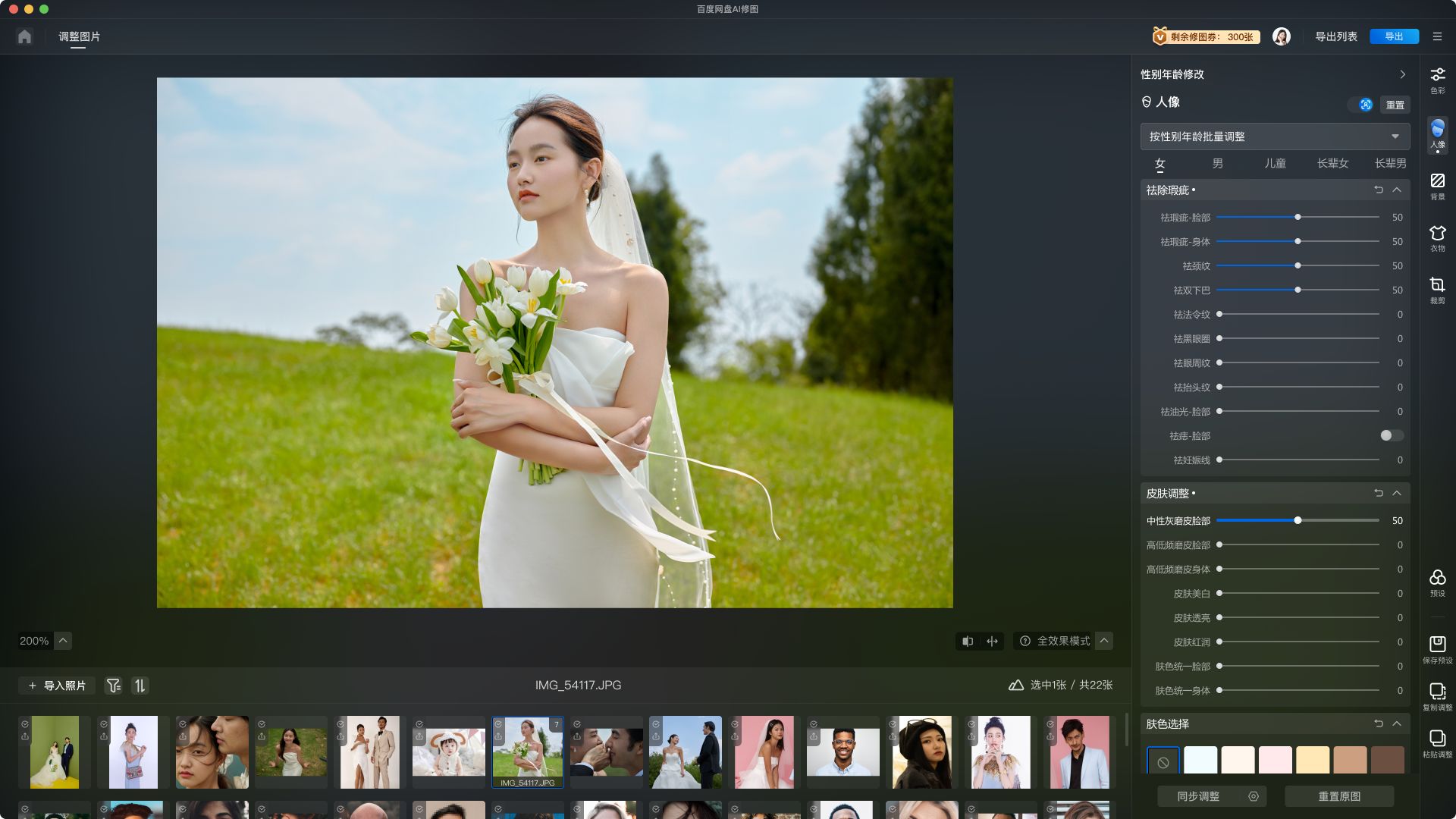
Baidu Netdisk AI Retouching User Guide:
1. Log In
We offer you multiple ways to log in~
2. Create a Project & Import Images
We process images through projects, making it easier for you to manage your pictures.
1) Click the button to create
Step 1: Create a project
Step 2: Import images
2) Drag and drop images/folders to create
3. Start Retouching
Enter the retouching page and begin your retouching journey.
1) Preset Capabilities
Using presets saves you the time and effort of manually adjusting each parameter, thereby improving processing efficiency.
2) Batch Apply
Multiple batch methods are supported, allowing you to apply your adjustments to other images.
Method 1: Sync adjustment button
Method 2: Copy and paste effects
3) Retouching Capabilities
We provide you with two core functional modules to meet the vast majority of your retouching scenarios; in addition, a single-person retouching mode is supported to help you make detailed custom fine-tuning for each person in the image~
Capability 1: Color module
Capability 2: Skin beautification module
Capability 3: Single-person adjustment
4) Image Management Capabilities
A clear library view allows you to easily check the retouching status and detailed information of each image.
5) Export & Export List
After retouching is complete, click the "Export" button in the upper right corner to save the processed images to Baidu Netdisk or share them with others. We offer you two saving paths, supporting both saving locally and uploading to the cloud~
Path 1: Download and save locally
Path 2: Upload to Baidu Netdisk
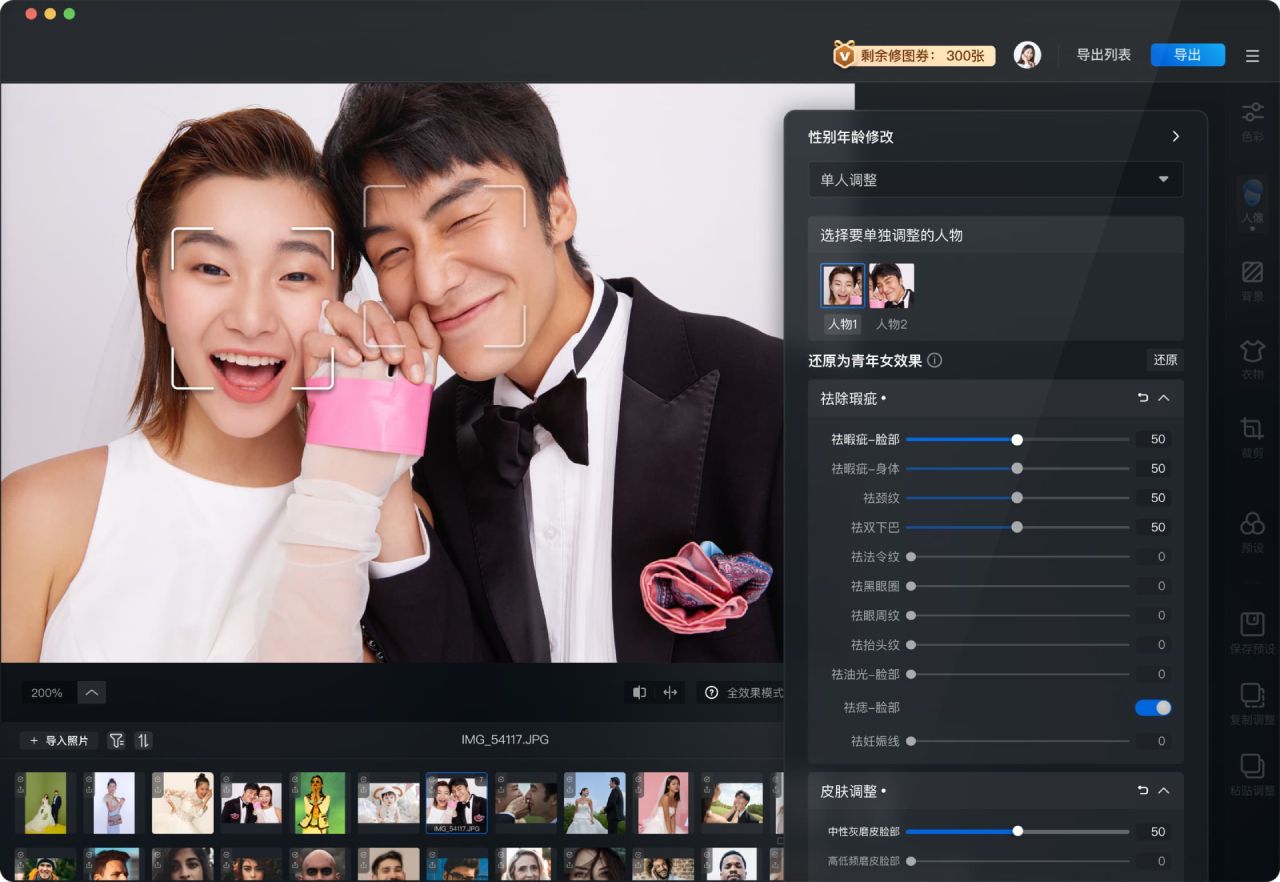
Industry Applications of Baidu Netdisk AI Retouching
Commercial Photography: Baidu Netdisk AI Retouching is widely used in the commercial photography field, such as wedding photography and advertising photography, helping studios improve work efficiency and customer satisfaction 1234689101112.
Individual Users: Even non-professional retouchers and beginners can easily use Baidu Netdisk AI Retouching to quickly beautify and edit their photos.
Related Information:














