
 Script Planner Assistant▸
 AI Apps
 AI News

AI Face Studio_云技派,专注ai人工智能!
AI Face Studio_云技派,专注ai人工智能!Introduction
ai Face Studio is an innovative online platform that creates DeepFake images and transforms faces into various styles, including emojis, stickers, and pixel art. By leveraging AI technology, AI Face Studio enables effortless AI face swapping, dynamic clothing transformations, and diverse style conversions. Users can achieve high-definition output, ensuring top-quality results.
AI Face Studio also supports multi-face conversion, making it ideal for complex projects. With its focus on security and quality, AI Face Studio is a reliable choice for creative professionals and hobbyists alike.
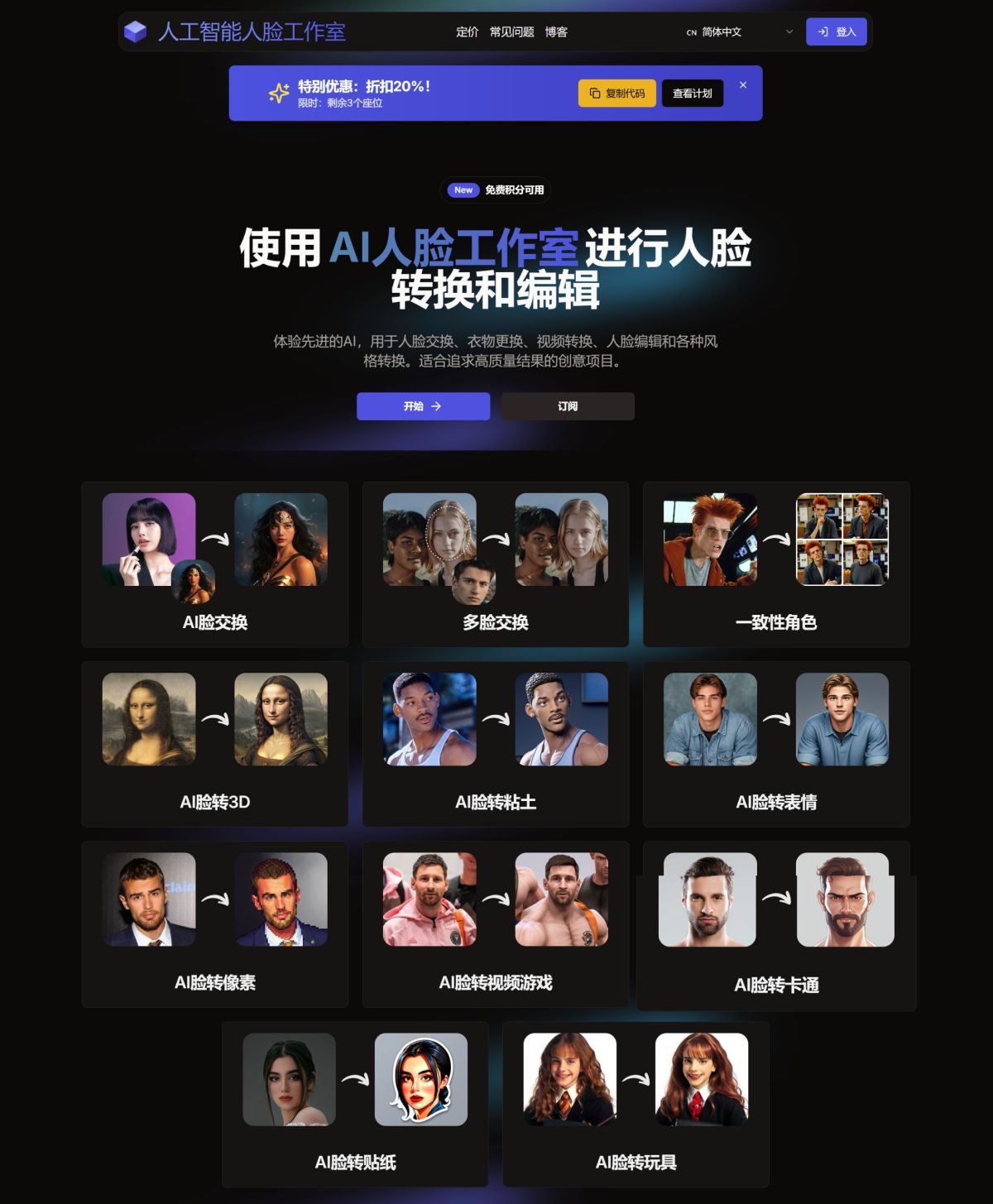
AI Face Studio Features:
Effortless Face Swapping: Seamlessly swap faces in photos and videos with advanced face editing tools.
Dynamic Clothing Changes: Update clothing in photos with perfect precision using AI-driven face and image editing technology.
Multi-Face Transformation: Easily transform and edit multiple faces in a single image or video.
Diverse Style Conversion: Change faces into various styles and perform creative edits.
High-Definition Export: Export your projects at the highest resolution for any use, with precise face editing.
Getting Started with AI Face Studio:
First, navigate to the AI Face Studio website. The site is user-friendly and accessible, suitable for both beginners and enthusiasts.
1. Create an Account
Sign Up: Click the "Sign Up" button at the top right corner of the website.
Email and Password: Enter your email address and create a password.
Verification: After registering, you will receive a verification code via email. Copy and paste this code to complete the account creation process.
2. Upload an Image
Select "Upload Image": Choose a photo with a clear face, good lighting, and minimal obstructions for the best results.
Quality Check: Ensure the image quality is good, as this will affect the conversion results.
3. Transform Faces with AI Face Studio
AI Face Studio offers a range of transformation options:
DeepFake: Replace the face in an image with a selected preset or another image.
Emoji: Turn your face into various emojis.
3D: Create a 3D version of your face.
Clay: Make your face look like clay.
Video Game: Transform your face into a video game character.
Sticker and Pixel: Convert your face into a sticker or pixel art.
Transformation Process
Choose Your Option: After uploading the image, select the desired transformation from the available options.
Customize: Adjust advanced parameters such as facial expression intensity, skin tone matching, and lighting effects for personalized results.
Create: Click "Create" to let AI Face Studio process your image. The AI algorithm precisely analyzes and modifies facial features.
Preview and Download: Once the transformation is complete, preview the result and download a high-quality, watermark-free image.
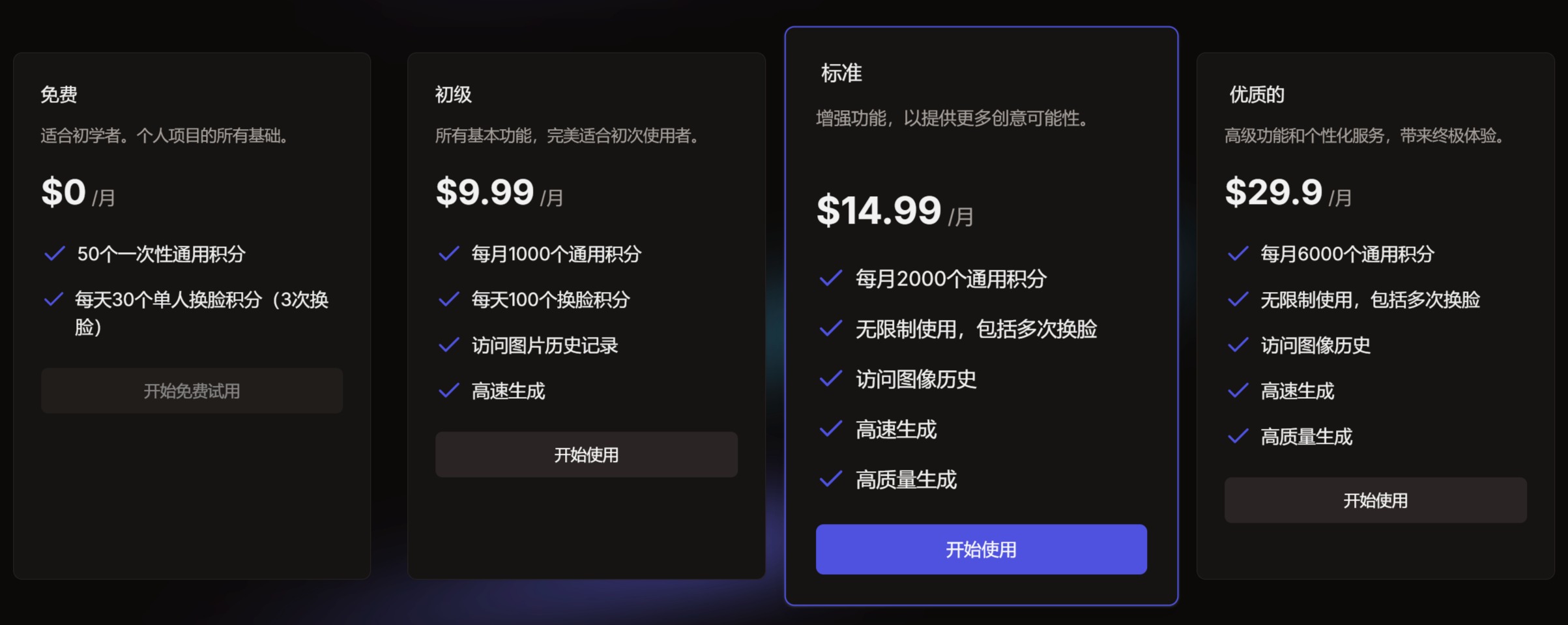
AI Face Studio Pricing
Why Choose AI Face Studio
Superior Quality: Achieve lifelike, high-resolution face transformations and edits with minimal effort.
Smooth User Experience: Intuitive interface design for effortless face editing and creation.
Rapid Transformation: Generate stunning face transformations and edits within seconds, maximizing your productivity.
Affordable Pricing: Choose budget-friendly plans with free credits to get you started.
Related News:














