
 Script Planner Assistant▸
 AI Apps
 AI News

Vozo AI: Rewrite and Re-dub Videos
Vozo AI: Rewrite and Re-dub VideosIntroduction
Vozo ai is an AI video generator. Vozo AI rewrites, re-dubs, and edits voices, then uses prompts to re-dub existing videos into new video stories. Users can easily convert videos into promotional clips, comedies, or multilingual versions.
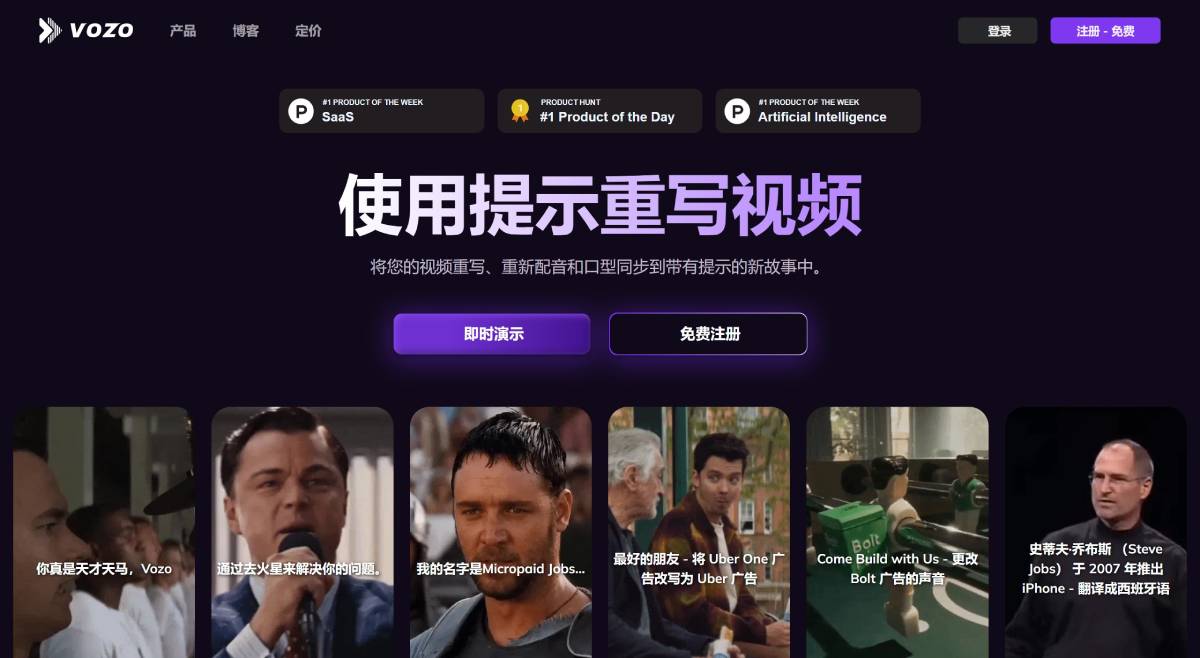
Main features and functions of Vozo AI:
Rewrite and re-dub videos: Vozo AI rewrites, renames, edits voices, and lip-syncs existing videos into new videos using prompts. This is especially useful for transforming classic videos into promotional content, turning ordinary videos into comedies, or translating videos into multiple languages.
AI voice editor: Vozo AI supports a voice editor based on text-based voice editing, voice cloning, and text-to-speech. Voice content can be modified by editing transcripts to maintain voice consistency.
Automatic video repurposing: Vozo AI can clip, reframe, and adjust video aspect ratios with one click to repurpose videos for different social short-video platforms.
Voice cloning and editing: Users can clone ultra-realistic voices by recording short clips. Cloned voices replicate the original tone, accent, rhythm, and more. In addition, users can change voice pitch, speed, and other parameters at the sentence level.
Video translation: Vozo AI provides professional translation in more than 30 languages with high accuracy (98.9%).
AI subtitles and captions: Vozo AI can automatically generate accurate subtitles that are perfectly synchronized with the video. It also supports bilingual subtitles.
Vozo Shorts: This feature generates clips from long videos as short videos, making them suitable for short-video platforms such as TikTok, Reels, and YouTube Shorts. Horizontal or vertical subtitles can be customized.
Steps to use Vozo:
To use Vozo, select a template video, choose or write a prompt, and then further customize the AI-generated clip through text editing, voice changes, and lip-sync options, as follows:
1. Select a template video: Select a template video or drag and drop a video link/file to get started.
2. Write your prompt: Select a pre-written prompt or write your own. You can ask the AI to create a new story for you, change the style, or translate the language.
3. Adjust as needed: Review your AI-generated new clip and further customize it to add your flavor. We offer you a wide selection of tools, such as editing voice through text, changing voice through sentences, multi-speaker lip-sync, and more.
Vozo application scenarios:
Transform classic clips into promotional videos
Adjust ads to appeal to different audiences
Translate product videos for global audiences
Customize multilingual educational videos
Why use Vozo?
Rewrite and re-dub videos with AI prompts: Easily update and enhance your videos with AI-driven prompts to rewrite scripts and re-dub them with cloned voices. Perfect for refreshing old videos, tailoring content for different audiences, and creating multilingual versions while retaining the original charm.
Edit voice by editing text: Update voiceovers without re-recording by editing the text. Modify voice at the sentence level with a range of accents, tones, and emotions to make your videos more engaging and dynamic.
One-click multi-speaker lip-sync: Seamlessly synchronize lip movements in videos with multiple speakers. Our advanced technology ensures a natural and immersive viewing experience by accurately matching lip movements with voice.
Precise video translation: Localize your videos into more than 30 languages and dialects with professional translation. Our one-click service delivers 98.9% accuracy, making your content accessible to global audiences.
Automatic video repurposing: Clip, reframe, and adjust video aspect ratios with one click to repurpose your videos for different social platforms. Ensure your content is perfectly formatted and optimized for maximum engagement across various platforms.
Which languages does Vozo support for video recognition, rewriting, and translation?
Vozo currently supports all of the most widely used languages, including English, Spanish, Chinese, French, Portuguese, German, Russian, Hindi, Japanese, Korean, Italian, Arabic, Indonesian, Dutch, Turkish, Filipino, Polish, Swedish, Bulgarian, Romanian, Czech, Greek, Finnish, Croatian, Malay, Slovak, Danish, Tamil, and Ukrainian. We are constantly adding new languages and welcome requests for additional languages.















