
 Script Planner Assistant▸
 AI Apps
 AI News

Diffree: Smart Image Editing with Text
Diffree: Smart Image Editing with TextIntroduction
Diffree is an AI powered tool that intelligently adds new objects to images based on text descriptions. With Diffree, you can add new elements to your images with just one sentence. Experience simple and efficient image editing tools without the need for complex operations.
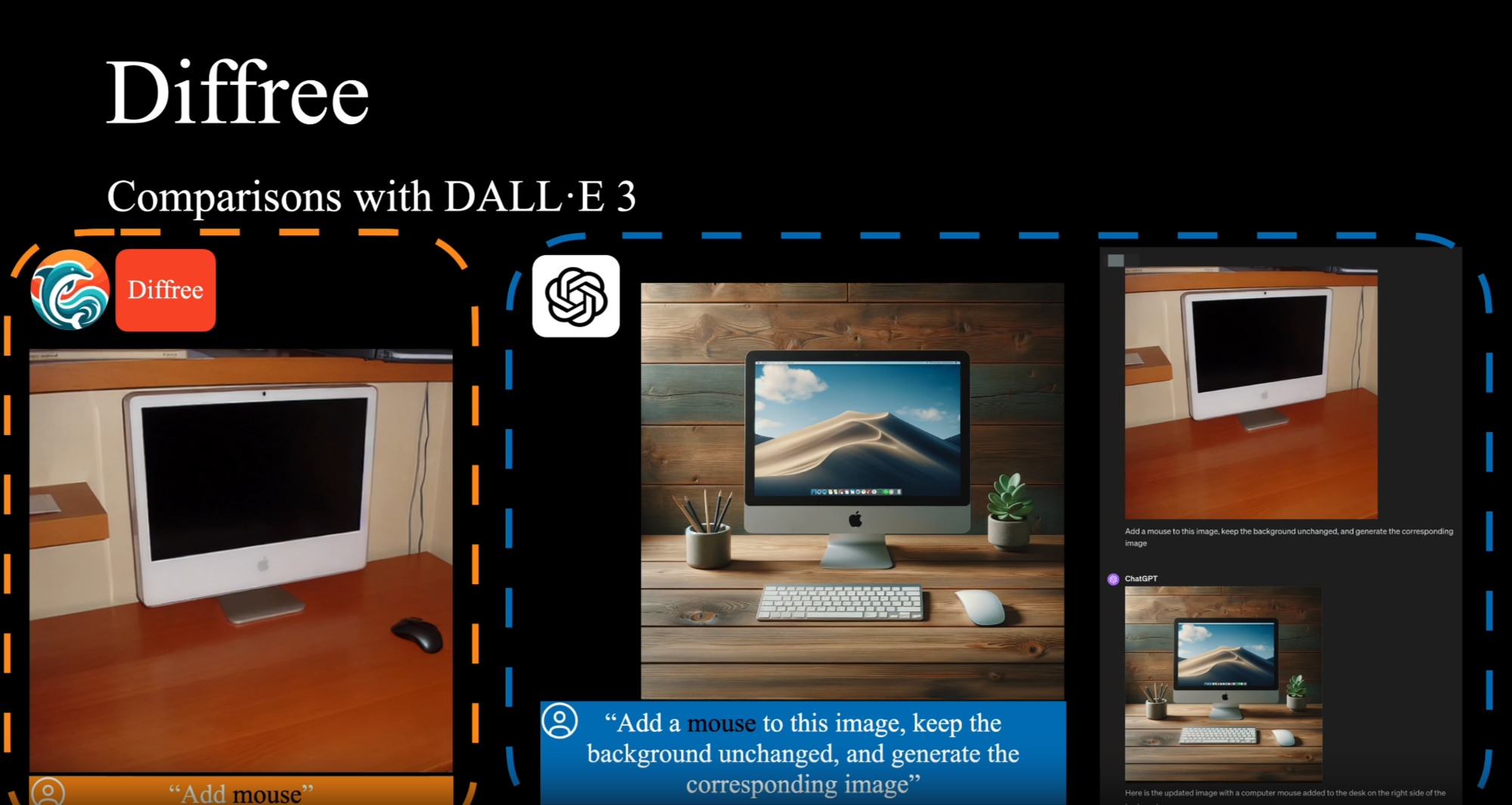
Core Features of Diffree:
Text-guided addition: Simply describe the object you want to add, and the AI will understand and execute it
Background consistency: New objects blend seamlessly into the existing scene
Intelligent position prediction: The AI automatically selects the most suitable location for new objects
Multiple object addition: Add several objects step by step to enrich image content
High success rate: Accurately understands and executes user requests in most cases
No professional skills required: Easy to use even without experience in professional software like Photoshop.
Advantages of Diffree:
User-friendly: Add objects through text descriptions without drawing or masking
Intelligent placement: Automatically finds the most suitable position for new objects
Seamless integration: New objects match the original image in lighting, tone, and color
High-quality output: Generated images are rich in detail with superior quality
How to Use Diffree?
Create stunning images in just a few simple steps.
1. Upload an image: Select the image you want to edit and upload it to Diffree
2. Enter a description: Describe the object you want to add, such as "add a dog" or "place a vase on the table"
3. Set parameters: Adjust optional parameters as needed for the best results
4. Generate preview: View the generated image effect and download when satisfied
Diffree uses advanced AI technology to understand text descriptions and convert them into visual elements in the image. It automatically analyzes the original image, finds a suitable location to place new objects, and ensures that the newly added content matches the style of the original image.
Diffree can handle various types of images, including landscapes, indoor scenes, portraits, and more. As long as it's a common image type, Diffree can handle it very well.
Diffree is committed to ensuring that added objects look natural. It takes factors such as lighting, shadows, and proportions into account, making the new content harmonize with the original image.
Diffree Open Source Address:https://github.com/OpenGVLab/Diffree














