
 Script Planner Assistant▸
 AI Apps
 AI News
RenderNet AI: Video Face Swap
RenderNet AI: Video Face SwapIntroduction
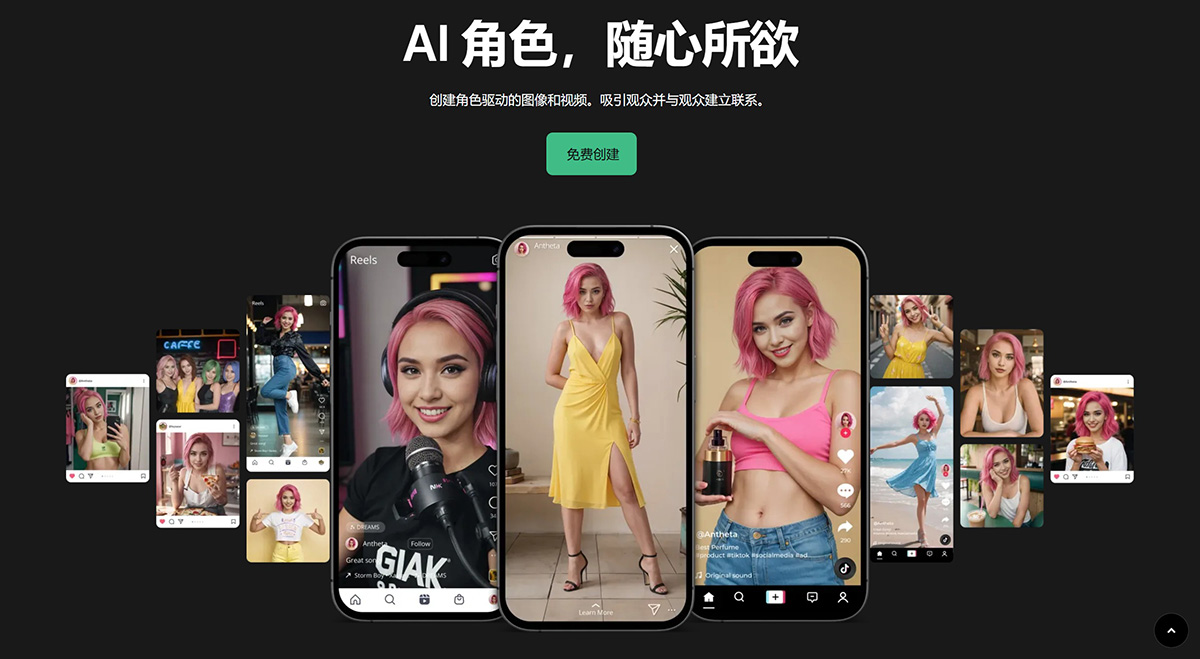
RenderNet ai is a powerful image and video generation tool, focused on creating consistent characters and controlling their poses, composition, and styles. Recently, RenderNet AI launched a video face swap feature, which makes it easy to change the faces of people in videos through photos.
Key Features of RenderNet AI:
Character Consistency: RenderNet AI excels at creating consistent characters across different images and videos. This is particularly useful for generating AI influencers or virtual characters that need to maintain a unified appearance.
Advanced Features: The platform includes advanced tools such as FaceLock, ControlNet, and TrueTouch. FaceLock ensures facial consistency, ControlNet allows detailed pose control, and TrueTouch provides highly customized and realistic image generation.
Video Generation: RenderNet AI supports video creation through its video face swap feature, enabling users to create videos featuring their AI characters.
API Access: Developers can integrate RenderNet's capabilities into their own applications using the provided API.
Steps for RenderNet AI Video Face Swap:
Log in to RenderNet AI: Go to the RenderNet AI website and log in to your account.
Go to Canvas and select Video Face Swap: On the Canvas page of the website, select the "Video Face Swap" feature.
Select your video and character: Upload the video you want to perform face swap on, and choose the character you wish to swap onto.
Click Generate: Click the "Generate" button, and the system will automatically process and generate the face-swapped video.
RenderNet AI Frequently Asked Questions
What is RenderNet AI?
accordion toggle
RenderNet AI is a powerful tool for generating images and videos, offering unparalleled control over character design, composition, and style.
What makes RenderNet different?
RenderNet's advanced features, such as FaceLock, ControlNet, and multi-model generation, set it apart by creating consistent characters and highly customized images.
Can RenderNet AI be used for free?
Yes, RenderNet offers a free plan that provides 10 credits per day.
How do I create a character?
You can create an AI character in RenderNet, such as Aitana Lopez, Lil Miquela, or Lu Do Magalu, by uploading a face, customizing it using the character builder wizard, naming the character, and saving it for future use.
How do I create an AI influencer?
To create an AI influencer or virtual influencer, use the character wizard to create an AI character. Then, use prompts and PoseControl to set up detailed poses and compositions. RenderNet's advanced features, such as TrueTouch, allow you to generate highly customized and realistic images for your AI influencer.
Can I use RenderNet to generate videos?
Yes, you can use RenderNet's video face swap feature to create videos of your AI characters.
Does RenderNet have an API?
Yes, RenderNet provides an API for developers to build their own AI applications. You can access the API documentation here.
How do I join the RenderNet creator community?
Visit our Discord server to join the RenderNet creator community.












