Script Planner Assistant▸
 AI Apps
 AI News
PromptDodo_云技派,专注ai人工智能!
PromptDodo_云技派,专注ai人工智能!Introduction
PromptDoDo is a prompt website that generates AI images by integrating drawing tools such as Stable Diffusion, DALL-E, and Midjourney. It creates unique AI art by leveraging tools like Stable Diffusion, DALL-E, and Midjourney. Users can explore millions of images with unique styles and participate in beta testing of new tools such as revolutionary style transfer tools. PromptDoDo aims to build an ecosystem where artists and artificial intelligence tools co-create copyright-protected artworks.
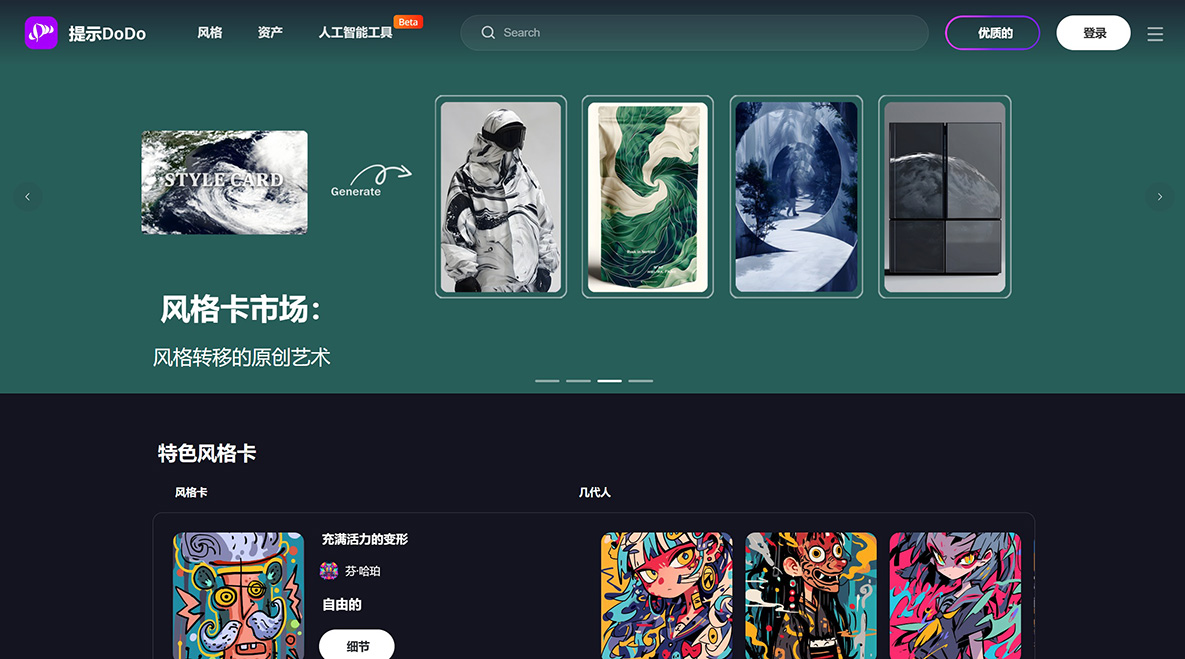
Key features and functions of PromptDodo:
AI Image Generation: Users can leverage models such as Stable Diffusion, DALL-E, and Midjourney to generate AI images.
Community Engagement: PromptDodo is part of the PromptHero community, where users can join thousands of other prompts.
Diverse Artistic Styles: PromptDodo supports generating images in a wide range of artistic styles, such as Disney style, oil paintings by famous artists, or 3D natural icons.
Step-by-Step Prompts: Users can follow detailed prompts to generate specific images. These prompts guide users through the entire process, enabling beginners to produce high-quality results.
High Detail and Customization: The generated images are usually very detailed and can be customized based on specific requirements such as lighting, style, and theme. This is particularly useful for professional artists and designers seeking precise control over their creations.
How to use PromptDoDo?
1. Download the style card image you purchased. You can find all your style cards and prompt templates in your personal profile.
2. Copy the prompt on the page or edit the prompt template.
Edit the prompt template. Example:
[material][color] chair, Bloodborne art style, designed by Jon Burgerman, very detailed, front view, mid shot, clean, [color] background::2, Unreal Engine --s 600 --v 6.0 --q2
You can replace the [variables] with the specific words you want. For example, replace [material] with plastic, the first [color] with blue, and the second [color] with white. Finally, you can get a valid prompt like this: plastic blue chair, Bloodborne art style, designed by Jon Burgerman, highly detailed, front view, mid shot, clean white background::2, Unreal Engine --s 600 --v 6.0 --q2
3. Use the /imagine command to upload the style card image and paste the prompt into Midjourney.
4. Wait for Midjourney to generate the image.