Script Planner Assistant▸
 AI Apps
 AI News

Wenxin Kuaima: A New-Generation Coding Assistant
Wenxin Kuaima: A New-Generation Coding AssistantIntroduction
At the recent Baidu WAVE SUMMIT Deep Learning Developer Conference, Wenxin Kuaima (Comate) released version 2.5 and officially joined Baidu's "Wenxin family."
Wenxin Kuaima (Baidu Comate) is an intelligent code assistant developed by Baidu based on the Wenxin large model. It supports more than 100 mainstream programming languages, such as Go, Java, Python, JavaScript, C/C++, and TypeScript, and is compatible with multiple IDEs, including Visual Studio Code, the JetBrains series of IDEs, and Xcode. Wenxin Kuaima significantly improves development speed, business iteration, and enterprise implementation speed.
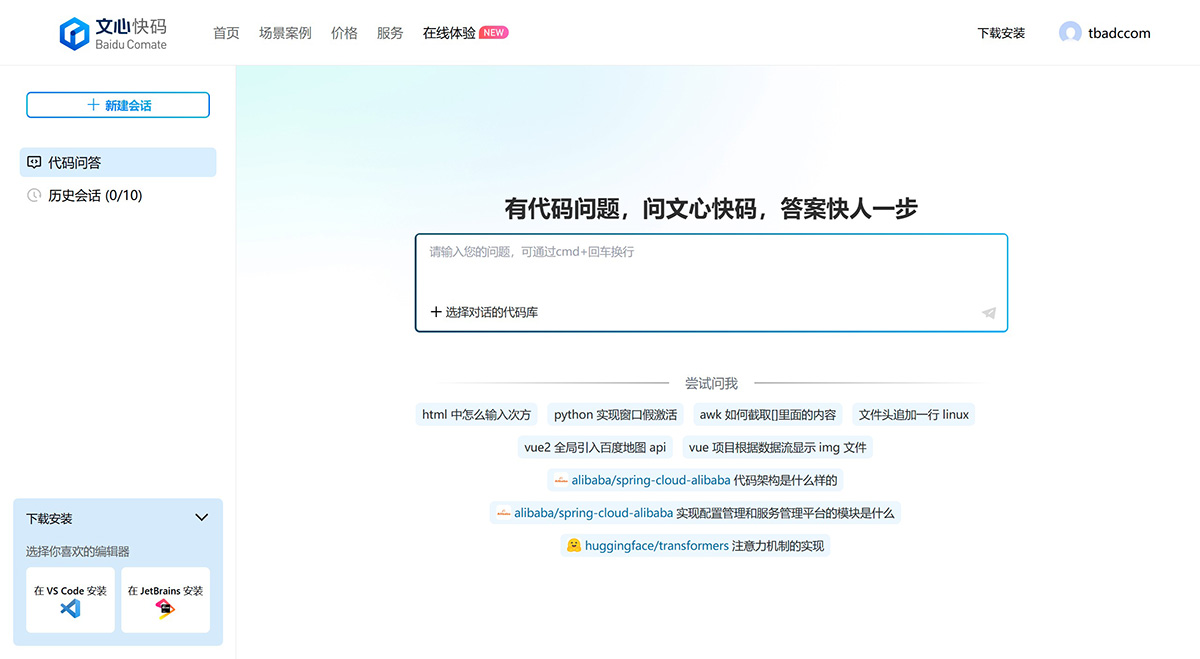
Main Features of Wenxin Kuaima:
Real-time continuation: Intelligently generates complete code blocks in real time during the coding process.
Comment-to-code: Generates complete functions by describing the desired functionality in comments.
Dialogue-based code generation: Directly generates the needed code through natural language conversations.
Unit test generation: Generates unit tests for a single function or in batches.
Comment generation: Generates standardized documentation comments and inline comments.
Code optimization: Optimizes "bad smell" code and splits overly long functions into reasonably sized functions.
Code explanation: Supports explaining complete function code or selected code.
Technical Q&A: Enter questions encountered during development in the dialog box and get answers right away.
Application Scenarios of Wenxin Kuaima:
Automatic code generation: By inputting comments or natural language descriptions, Wenxin Kuaima can generate the corresponding code snippets.
Unit test generation: Automatically generates unit tests for functions, improving test coverage and code quality.
Code optimization: Performs real-time code diagnosis, completion, and error correction, helping developers avoid potential vulnerabilities and making the code more robust.
Comment generation: Quickly adds comments to code, enhancing code readability and maintainability.
Technical Q&A: Provides a rich technical knowledge base to quickly answer questions developers encounter during programming.
Main Advantages of Wenxin Kuaima:
Powerful intelligent generation and Q&A, full coverage of R&D scenarios: Wenxin Kuaima (Baidu Comate) not only provides a wide range of intelligent generation features covering all R&D scenarios, but also supports Q&A within the IDE, eliminating interruptions and distractions to create an immersive, highly efficient coding experience.
Accurate and efficient intelligent code recommendation: The core competitiveness of Wenxin Kuaima (Baidu Comate). More than 80% of engineers within Baidu use it, with an overall adoption rate of over 46%, a high-activity adoption rate of over 64%, and out of every 100 lines of code submitted, 27 are generated by Baidu Comate.
Supports all platforms, mainstream IDEs, and numerous programming languages: Wenxin Kuaima (Baidu Comate) supports the three major operating systems—Windows, macOS, and Linux—multiple mainstream IDEs such as Visual Studio Code, JetBrains, Xcode, and Visual Studio, as well as 30+ programming languages.
Provides data visualization features: Wenxin Kuaima (Baidu Comate) offers detailed data analysis features, including adoption rate, adoption volume trends, adoption volume distribution by feature or language, etc., providing all-round visualization of efficiency gains and helping individuals and enterprises improve efficiency and conduct reviews.
Supports private deployment: Wenxin Kuaima (Baidu Comate) provides private deployment services and detailed technical support, allowing you to enjoy efficient coding without worries and fully safeguarding your company's information security.
High security: All data in Wenxin Kuaima (Baidu Comate) does not leave the country, with controllable risks; local output interception ensures that sensitive data is not transmitted; output content is controlled to ensure that what users see is safe.

How to install and use Wenxin Kuaima in different IDEs?
Installing and using in VS Code
Download and install VS Code: If VS Code is not yet installed, you can download and install it from its official website.
Install the Comate plugin:
Open VS Code and go to the Extensions Market.
Search for "Baidu Comate" and click "Install."
Log in and configure:
After installation, the Comate icon will appear in the tools bar on the left.
Click the icon and follow the prompts to log in with a Baidu account, WeChat, Weibo, or QQ.
Use features:
Code completion: When writing code, Comate automatically completes code snippets.
Comment-to-code: After entering a comment, Comate generates the corresponding code based on the comment.
Dialogue-based code generation: You can enter questions through the dialog box and get code suggestions.
Features like unit test generation and code explanation can also be used through the plugin interface134.
Installing and using in JetBrains series IDEs
Download and install JetBrains IDE: Make sure your IDE version is 2020.3 or later (such as IntelliJ IDEA, PyCharm, GoLand, WebStorm, etc.).
Install the Comate plugin:
Open the IDE and go to "Settings" or "Preferences."
Navigate to the "Plugins" section, search for "Baidu Comate," and click "Install."
Log in and configure:
After installation, restart the IDE. The Comate icon will appear in the toolbar.
Click the icon and follow the prompts to log in with a Baidu account or other social accounts.
Use features:
Features like code completion and comment-to-code are similar to those in VS Code and can be used directly while writing code.
Features such as dialogue-based code generation, unit test generation, and code explanation can also be operated through the plugin interface.
Installing and using in Xcode
Download and install Xcode: Make sure you have installed the latest version of Xcode.
Install the Comate plugin:
Open Xcode and go to "Preferences."
Navigate to "Extensions," search for and install the "Baidu Comate" plugin.
Log in and configure:
After installation, restart Xcode. The Comate icon will appear in the toolbar.
Click the icon and follow the prompts to log in with a Baidu account or other social accounts.
Use features:
Features like code completion and comment-to-code can be used directly while writing code.
Other features such as dialogue-based code generation, unit test generation, and code explanation can also be operated through the plugin interface.
Currently, 80% of engineers within Baidu are using Wenxin Kuaima, with a code adoption rate of 44%.
Related News:
2025 Latest Roundup: 20+ Best AI Programming Tools and AI Coding Assistants
14 AI Programming Assistant Recommendations for Intelligently Writing and Generating Code!