
 Script Planner Assistant▸
 AI Apps
 AI News

DashPlayer: Video Player for English Learners
DashPlayer: Video Player for English LearnersIntroduction
DashPlayer is a video player designed specifically for English learners, helping you immerse yourself in authentic contexts and easily improve your English skills. DashPlayer allows you to learn English by watching your favorite videos, no longer limited by the resource libraries of listening software. Immersive learning to improve your English.
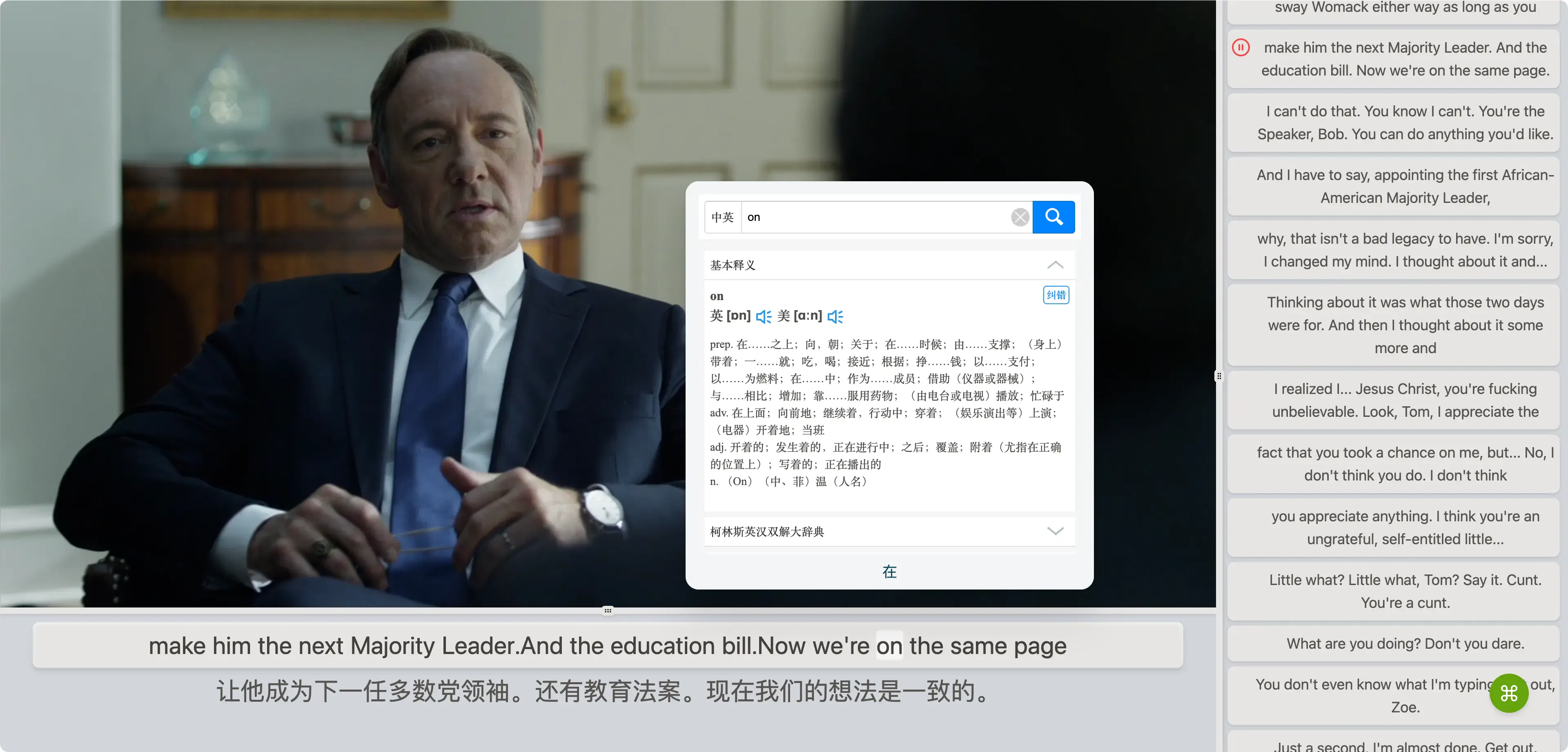
Immersive Learning
Learn English through your favorite videos, without being limited by the resource libraries of listening software. Just find a video you like, and DashPlayer can turn it into your learning material.
Bilingual Subtitles: Chinese and English bilingual subtitles. Want to show only Chinese, only English, or neither? Switch freely.
Jump by Sentence: Speaking too fast and missed something? No worries, repeat the current sentence or jump to the previous one — just a shortcut away.
Word Translation: Quickly look up unfamiliar words. Hover your mouse over a word and the definition appears; click the word to hear its pronunciation.
Adjustable Layout: Interface size is adjustable. Make the video bigger? Or the subtitles bigger? Need night mode? All possible.
Integrated Common Tools
No more content anxiety! DashPlayer comes with built-in video downloading, subtitle generation, and long video splitting. Just give it a video link, and leave the rest to DashPlayer.
Download Videos: Don't have a video on hand? No problem, DashPlayer has a built-in download feature — just provide a link and it will be downloaded to your local device instantly.
Generate Subtitles: No need to ask a subtitle group for help. DashPlayer uses the most advanced AI-generated subtitles, with quality that will surprise you.
Split Long Videos: Long videos too boring? DashPlayer can help you split them into smaller segments — watch one and delete one, no more hassle.
Recent Playback Management
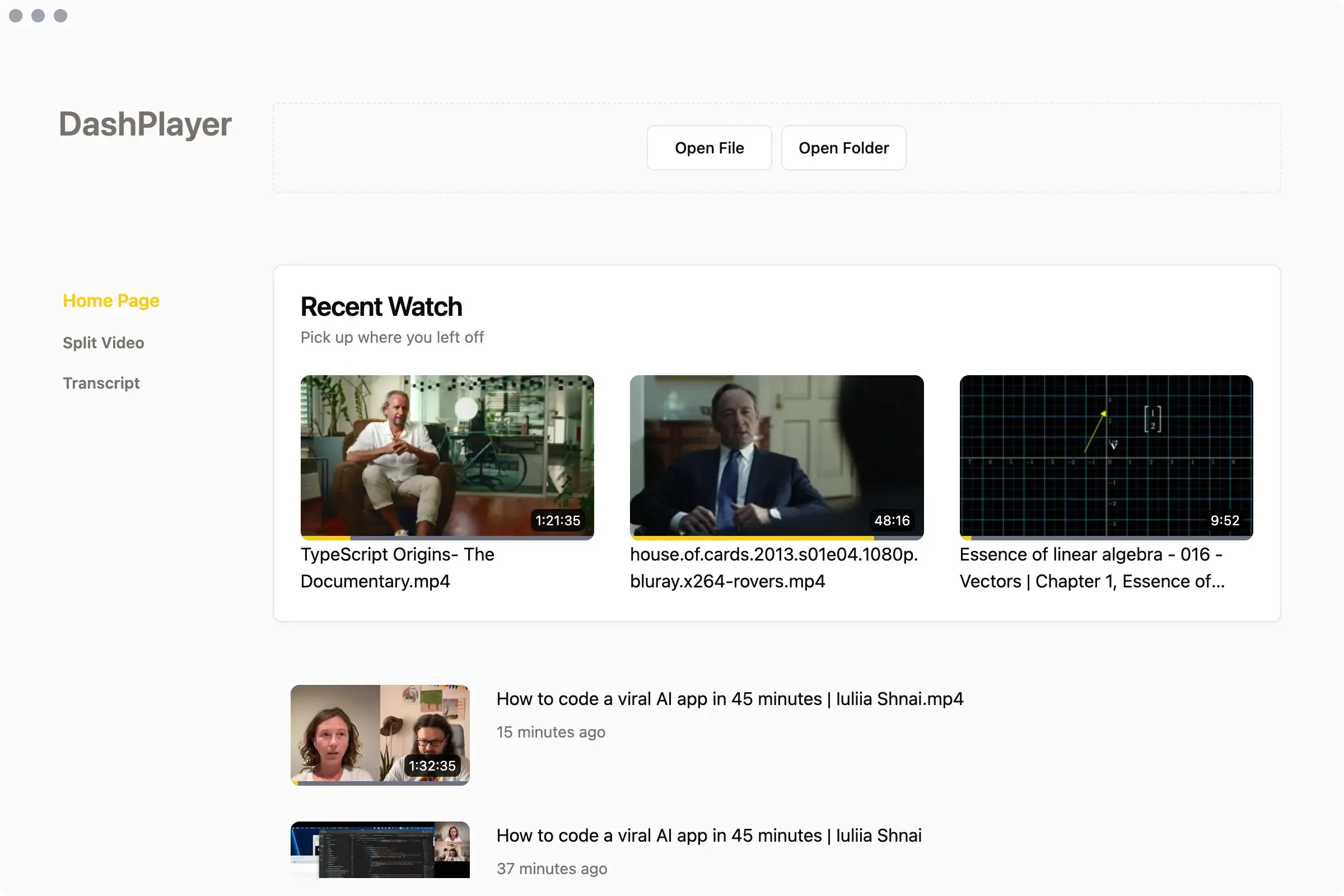
The home page displays recently played videos. Unfinished ones or ones you want to rewatch are all here.
Supports Files/Folders: Open a single video with a file, or open a series of videos with a folder — DashPlayer supports both.
Record Playback Progress: No matter how many videos you have, DashPlayer will record the playback progress of each video so you can pick up anytime, anywhere.
DashPlayer FAQ
1. Can it only play local videos?
Yes, DashPlayer only supports playing local videos. However, DashPlayer provides a video download feature, so you can download your favorite videos to your local device and play them.
2. Do I need to have English subtitles for the video?
The core functionality of DashPlayer requires an SRT-format English subtitle file. If you don't have a subtitle file, you can use the built-in AI feature to generate subtitles with one click.
3. Is DashPlayer free?
Yes, DashPlayer is free. DashPlayer is an open-source project. You can view the source code on GitHub or build it yourself.
4. Where can I download DashPlayer?
DashPlayer currently supports macOS and Windows. You can download the latest version of DashPlayer from the Release page on GitHub.
5. Can DashPlayer play audio files?
Yes, DashPlayer has a built-in podcast mode. When playing audio files, you can select podcast mode for a better experience.
6. Does DashPlayer collect my data?
DashPlayer does not collect any of your data. DashPlayer is an open-source project, and you can view the source code on GitHub.
7. Can I adjust the video playback speed in DashPlayer?
Yes, DashPlayer supports adjusting video playback speed. You can adjust it via keyboard shortcuts or on-screen buttons. You can also adjust night mode, fullscreen mode, and more.
8. Does DashPlayer update automatically?
DashPlayer currently does not support automatic updates. You need to manually download the latest version of DashPlayer.
9. What keyboard shortcuts does DashPlayer have?
DashPlayer supports many keyboard shortcuts. You can view all of them in Settings. You can also customize your own shortcuts.















