
 Script Planner Assistant▸
 AI Apps
 AI News

XHSPlus: AI Xiaohongshu (RED) Content Creation Assistant
XHSPlus: AI Xiaohongshu (RED) Content Creation AssistantIntroduction
XHSPlus is a tool specifically designed for Xiaohongshu (Little Red Book) users. It offers features such as content creation, Xiaohongshu viral title generation, watermark-free material downloads, an emoji and kaomoji library, and Xiaohongshu private message management. It helps Xiaohongshu users solve various issues encountered during use, improves their content quality and exposure, and thereby drives follower growth. It is a powerful assistant for Xiaohongshu users, simplifying the creation process and optimizing the interactive experience.
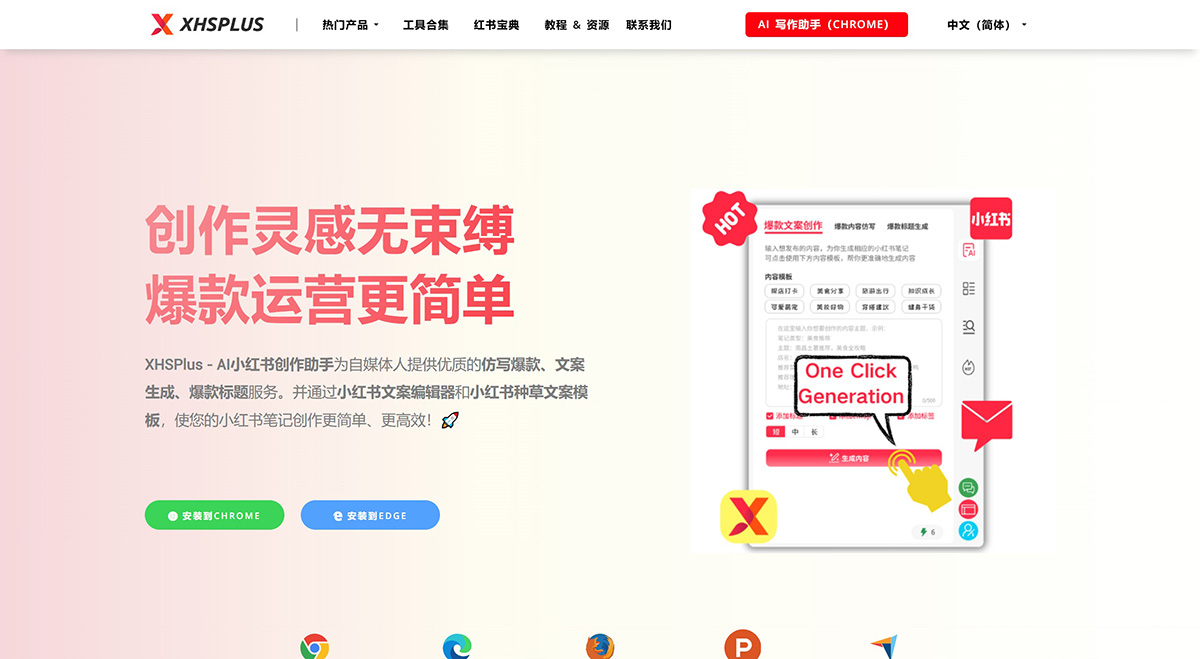
XHSPlus Features:
Super Viral Title Generator
Combines trending topics and keywords to generate attractive and creative titles, increasing content exposure.
Endless Creativity: Combines trending topics to craft uniquely creative titles tailored for you
Fashion-Forward: Keeps pace with trends, using the latest keywords to generate high-quality titles
Heat Boost: Accurately matches trending topics to help your content go viral quickly
Real-Time Updates: Updates the word library in real time based on social media hot topics and trends
User Customization: Generates the most suitable titles based on your needs, making creation more efficient
Intelligent AI Viral Imitation Tool
Analyzes the characteristics of popular copywriting based on the input content and generates copy in a similar style, improving content quality and appeal.
Smart Analysis: In-depth analysis of the key characteristics of popular copywriting
Enhanced Creativity: Generates uniquely creative, high-quality copy
Personalized Customization: Customizes copy to fit your target audience based on your needs
Content Optimization: Improves copy quality and enhances the reading experience
Real-Time Updates: Keeps up with the latest trending topics to ensure copy stays timely
Xiaohongshu Viral Copy Generator
Generates copy that matches the style and requirements of Xiaohongshu based on your needs, covering multiple scenarios such as product promotion and life sharing.
Multi-Scenario Application: Covers product promotion, life sharing, and more
Diverse Styles: Supports multiple copy styles to meet different needs
Real-Time Updates: Keeps up with the latest trending topics
Smart Matching: Generates copy based on user requirements
Varied Styles: Matches Xiaohongshu's style and requirements
Xiaohongshu "Zhongcao" (Product Recommendation) Copy Templates
A large collection of "zhongcao" copywriting templates to help boost your copywriting efficiency by 10x!
Rich Template Library: A large number of "zhongcao" copywriting templates covering various trending topics and product types
Boosted Efficiency: Improves creation efficiency by 10x, saving users time and effort
Easy to Use: User-friendly interface, simple operation
Flexible Customization: Supports personalized modifications to ensure copy is unique and aligns with brand tone
Continuous Updates: The template library is regularly updated to keep up with the latest trends and hot topics

Xiaohongshu Editor & Emoji Library
A large collection of "zhongcao" copywriting templates to help boost your copywriting efficiency by 10x!
Professional Emoji Library: Provides a rich Xiaohongshu emoji library to meet the diverse copywriting needs of bloggers
Enhanced Interactivity: Uses emojis to make copy more fun and interactive
Simplified Creation Process: Built-in editor and emoji library work seamlessly together, simplifying the copywriting process
Wide Applicability: Suitable for over 90% of Xiaohongshu bloggers
Regular Updates: The emoji library is regularly updated to keep up with the latest trends and popular elements
How does XHSPlus AI Xiaohongshu Creation Assistant work?
XHSPlus AI Xiaohongshu Creation Assistant leverages advanced natural language processing technology to automatically generate high-quality, highly original Xiaohongshu note content based on the keywords and creation style you input. With just one click, you can get imitation content that meets your needs.
XHSPlus AI Xiaohongshu Creation Assistant User Guide
Install the Plugin: In the Xiaohongshu web version browser, click on the plugin store, search for "Xiaohongshu Note Creation Assistant", and click to install.
Use the Features: When editing notes in the Xiaohongshu web version, click the plugin page icon, select the feature you want to use, and follow the prompts.















