Script Planner Assistant▸
 AI Apps
 AI News

VidJuice UniTube: Download Videos and Audio Easily and Seamlessly
VidJuice UniTube: Download Videos and Audio Easily and SeamlesslyIntroduction
VidJuice UniTube is more than just an ordinary video downloader. It allows you to download YouTube videos, playlists, and channels with a single click, download TikTok videos without watermarks, and supports downloading videos and audio in multiple formats including MP3, MP4, AVI, and more, with support for resolutions such as 8K/4K/2K/1080p/720p.
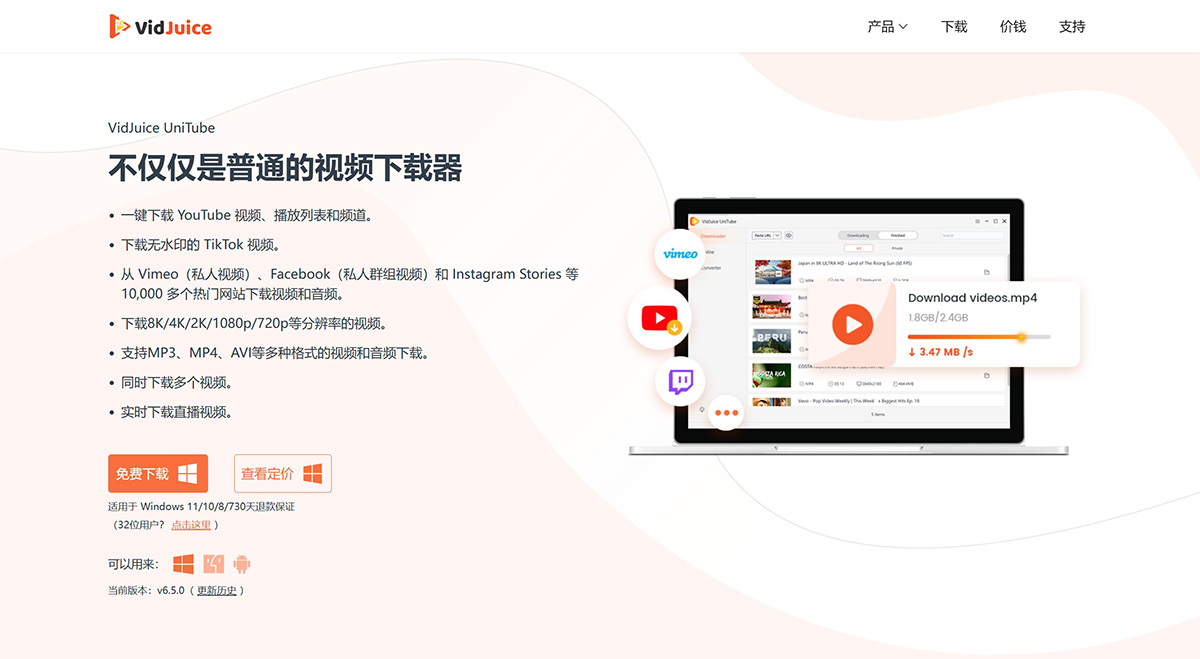
VidJuice UniTube Features:
Download YouTube Playlists and Channels with One Click
It's never been easier to download YouTube playlists and channels. With UniTube, you can save YouTube playlists and channels to your computer with just a single click.
In addition, you can selectively choose what to download from a playlist or channel, and add sequence numbers to titles for better organization.
Download Private and Login-Required Videos
UniTube also allows you to download private or login-required videos using its built-in web browser.
You can now flawlessly download Vimeo private videos, Facebook private group videos, Instagram stories, and fans-only videos!
Fast Download Videos up to 8K
Quickly download videos in 720p HD, 1080p HD, 4K, and 8K resolutions, and enjoy high-quality graphics offline on HD TVs, iPhones, iPads, Samsung devices, and more.
All you need to do is copy and paste the video link, and UniTube will take care of the rest in seconds or minutes!
Download Live Streaming Videos in Real Time
UniTube now allows you to download videos that are currently live streaming.
You can download live videos from Twitch, Vimeo, YouTube, Facebook, Bigo Live, Stripchat, xHamsterLive, and other well-known sites.
Protect Your Privacy with Private Mode
Private Mode is designed to hide and protect your downloaded videos with a password.
To turn on Private Mode, click the "Private Mode" icon and then set the password you want to use.
Then, some of the files you download will automatically be saved to the Private panel next time.
All-in-One Video Converter
UniTube supports a variety of 4K, 8K, HDR video formats such as MP4, AVI, MOV, MKV, and more.
Convert videos at high speed on Windows/Mac without losing quality. The conversion speed is 120 times faster than other video converters. Convert up to 10 videos in batch.
Download Videos with Built-in Browser
UniTube integrates a built-in web browser that makes it easier to download videos requiring a username or password, such as private videos from Facebook and Vimeo.
Flexibly Trim YouTube Videos
Trim YT videos or audio to the length you want, then use the "Trim" feature in UniTube's built-in web browser to download the segments or clips you want.
Download and Convert Videos in Popular Formats
Download videos and automatically convert them to popular video and audio formats such as MP4, AVI, MKV, M4V, MOV, FLV, MP3, and more.
Download Multiple Tasks Simultaneously
UniTube allows you to download dozens of videos at once. Once the download is complete, you can find your downloads in the "Finished" tab.
Burn Subtitles onto YT Videos
Download subtitles in 45 available languages along with YouTube videos in SRT format. You can also choose to automatically burn subtitles into the downloaded video.
In-App Proxy Settings
Bypass restrictions and firewalls from your internet service provider. You can now set up an in-app proxy connection directly from UniTube to download from YouTube and other sites.
How to Install and Use VidJuice UniTube?
Downloading videos from popular platforms has never been easier! Just follow the steps below to get started.
Step 1: Download UniTube to your Windows or Mac computer.
Step 2: Find the media file you want to download, and copy the URL from the address bar.
Step 3: Select the output quality and format, and click the "Paste URL" button to start the download process.
Step 4: View the downloaded files from the "Finished" tab, and access your media files even offline!