
 Script Planner Assistant▸
 AI Apps
 AI News

ZhiYi: Multimodal Translation + AIGC Smart Creation Tool
ZhiYi: Multimodal Translation + AIGC Smart Creation ToolIntroduction
What is Zhiyi?
Zhiyi is a versatile and easy-to-use multimodal translation + aiGC intelligent creation tool. Zhiyi provides users with services including multimodal translation such as image translation, video translation, and document translation, as well as AIGC AI creation services like intelligent dubbing, AI writing, and AI image generation.
Dynamic erasure + intelligent translation + online editing deliver high-quality translated images. Zhiyi is your "AI tool platform" that integrates machine translation and AI-powered content creation into one.
Zhiyi integrates advanced technologies including big data retrieval, data mining, multilingual optical character recognition (OCR), natural language understanding (NLU), neural machine translation (NMT), text analysis, and knowledge graphs.
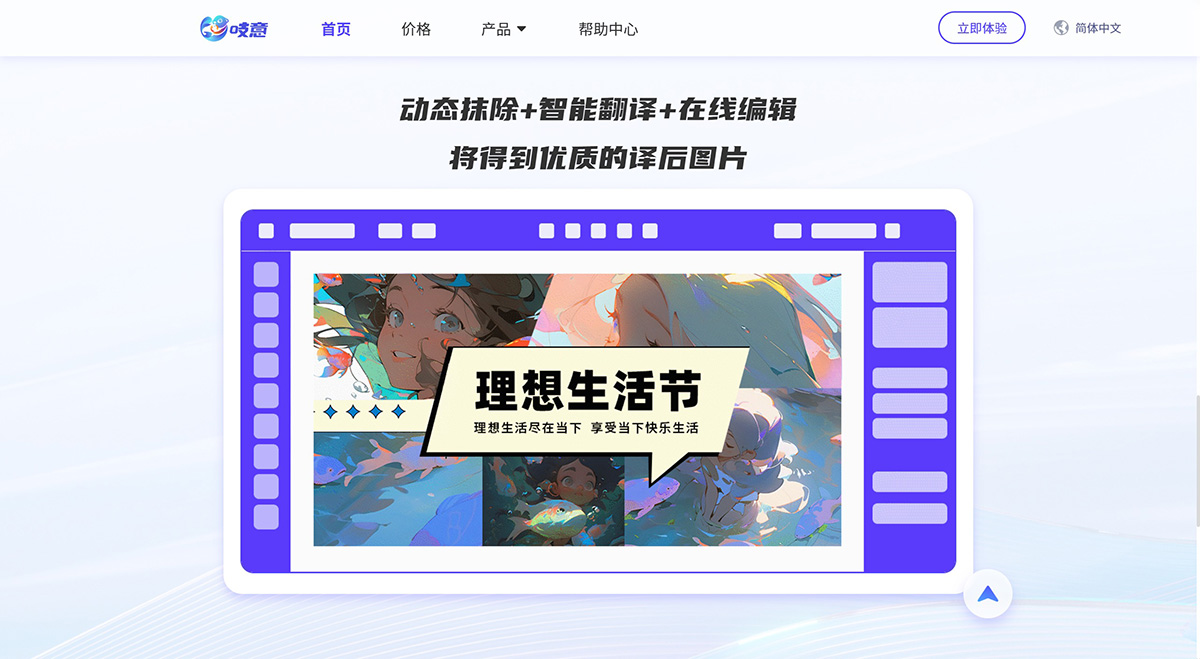
Features of Zhiyi:
Supports batch image translation with post-translation editing and proofreading
Translate audio-only videos without subtitles and add bilingual subtitles
Basic text translation to meet short text translation needs
Intelligent dubbing after video translation, with the ability to upload corresponding subtitles for video re-dubbing
Creative text-to-image generation: describe your idea in one sentence and generate creative images
Intelligently generate high-quality bilingual subtitles
How to use Zhiyi?
On desktop, visit the official Zhiyi website to get started
PS: Currently only the desktop version is available; the mobile version is under continuous development
What can Zhiyi do for me?
Multilingual translation: Supports fast translation between multiple languages
Post-translation editing: For a more polished final result, you can perform secondary editing and optimization on the translation output
High-precision OCR recognition: High-precision OCR technology effectively recognizes text in images
Features meeting diverse scenarios: Basic translation functions cover images, videos, text, and documents, and also support diversified image and video creation.
Zhiyi FAQs
1. Which languages does Zhiyi support for recognition/translation/dubbing?
The platform currently supports the following languages, with more languages to be added in the future
Recognition languages: Chinese (Simplified), English, Korean
Translation languages: Chinese (Simplified), English, Korean, Japanese, Russian, German, French, Italian
Dubbing languages: Chinese (Simplified), English, Korean, Japanese, Russian, German, French, Italian
2. What features are available for first-time users? How to get Pea (Wandou)?
Currently, the platform's multimodal translation features (image translation, video translation, text translation) and intelligent creation features (image generation and intelligent dubbing) are all available for basic use. To unlock more benefits, you can purchase a membership.
You will receive free Pea (Wandou) upon successful registration on the platform. Participate in other platform activities to earn corresponding rewards and unlock more benefits.
3. I have a subtitle file and want to dub my video. How should I do this?
Workspace - Select Intelligent Dubbing - Upload the subtitle document and the corresponding video file - Select a voice type for dubbing
Note: The timeline in the subtitle document must correspond to the video.
4. I finished editing my video task and clicked export, but I can't find the exported video file. Where is it?
You can check the export task status in the Task Manager, and view tasks exported within the past 30 days.
History Tasks - Video Translation/Video Dubbing - Export Records to view
5. When creating a translation/dubbing task, can I leave the current page?
Yes,
The Task Manager manages ongoing tasks and tasks completed in the past 30 days. After leaving the current page, you can always find the icon at the top to open the Task Manager and locate your task.
6. What's the difference between the Standard version and the Foreign Trade & E-commerce version when translating?
The Standard version and the Foreign Trade & E-commerce version use different translation engines. Choosing the Foreign Trade & E-commerce version delivers more accurate translations when translating images/videos related to the e-commerce industry.
7. Can I translate a video that has no audio but has subtitles?
Currently, the platform does not support the translation of videos with no audio but with subtitles. This feature is planned for future development.
Zhiyi is an AI tool under Yixun Information Technology (Shenzhen) Co., Ltd. that integrates machine translation and AI-powered content creation. The company integrates artificial intelligence, big data retrieval, and neural machine translation technologies, combined with multilingual OCR, natural language understanding, and text analysis applications, to provide users with services including multimodal translation such as image translation, video translation, and document translation, as well as intelligent dubbing, AI writing, AI image generation, and other AIGC AI creation services.















