
 Script Planner Assistant▸
 AI Apps
 AI News

Veggie AI: Generate Controllable Videos
Veggie AI: Generate Controllable VideosIntroduction
Veggie AI is a fully controllable video creation tool that lets you easily upload character photos, motion videos, or enter text prompts. It allows your creativity to be fully expressed, and the operation is easy—requiring no professional skills—so you can quickly get started with video creation. It also offers flexible customization, allowing you to adjust video content based on your needs. Veggie AI runs online, so there's no need to download or install any software—you can use it anytime, anywhere.
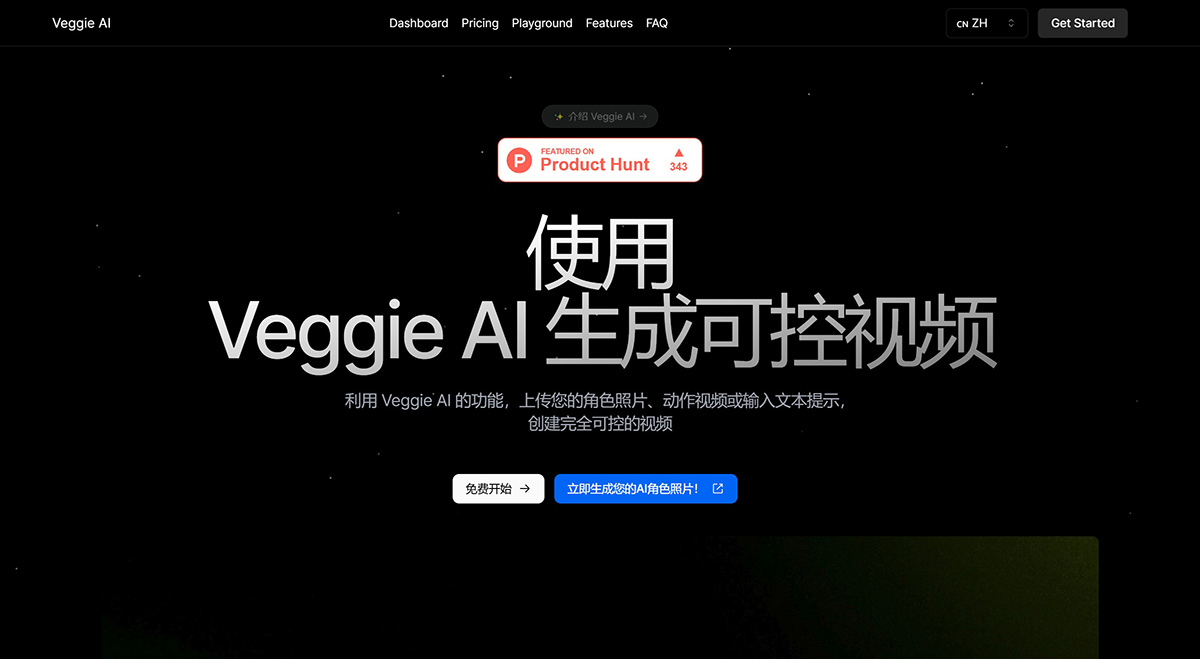
Veggie AI Style Features:
Veggie AI Hybrid Mode: Upload a character image and a video of a person performing an action, then click "Generate" to create a video. The video will show the character from the image performing the action from the uploaded video. The character can be a real person, an anime character, or any other type of character.
Veggie AI Animation Mode: Upload a character image and enter a text action prompt. Click "Generate" to create a video in which the character in the image performs the action described in the text prompt.
Veggie AI Stylized Mode: Provide three inputs: a character photo, a text image prompt, and a text action prompt. The text image prompt changes the style of the character photo. Click "Generate" to create a video in which the character is a combination of the photo and the image prompt, performing the action generated by the action prompt.
How to Use Veggie AI?
Choose Your Creation Method: With Veggie AI, you can upload character photos and action videos, or use only text prompts to generate character photos and action videos. It is very simple, flexible, and easy to use.
Upload Your Materials: With Veggie AI, you can upload character photos and action videos, or use only text prompts to generate character photos and action videos. It is very simple, flexible, and easy to use.
Download Your Creation: Just wait a little while—as long as it takes to make a cup of coffee—and you'll get a very fun and realistic video. You can download and share your creation, enjoying the likes and compliments from others.
Veggie AI FAQ
1. What is Veggie AI?
Veggie AI is an online tool that uses AI technology to generate controllable videos. You can input images, videos, or text prompts to create short videos that fully match the provided actions and character descriptions. It is very user-friendly—anyone can use it without any professional AI knowledge.
2. Does Veggie AI support batch processing?
Currently, Veggie AI primarily handles single video generation.
3. What formats does Veggie AI support?
Veggie AI supports common image formats such as JPEG and PNG, as well as standard video formats such as MP4. Please make sure the uploaded materials are clear and high-quality for the best results.
4. What types of content can Veggie AI handle?
Veggie AI can handle various types of input, including images, videos, and text prompts. Whether it's real-life photos, anime characters, or descriptive text, Veggie AI can transform them into motion videos.
5. Is Veggie AI free?
Veggie AI does not offer a free trial. To use the service, you need to purchase credits. For pricing details, please visit our website.
6. Can I choose the style of the generated video?
Yes. After uploading the materials, you can enter a few simple prompts to describe the desired style, generating a video that matches your specifications.
7. How long does it take to generate a video?
The generation process usually takes only a few minutes. We use efficient AI technology to ensure users receive high-quality videos quickly.
8. Can the generated videos be used commercially?
Yes. Users can use the generated videos for personal and commercial purposes, such as social media, marketing materials, and advertisements.
9. How is the quality of the generated videos guaranteed?
Veggie AI uses state-of-the-art AI technology and deep learning algorithms to ensure that the generated videos closely resemble the original input while maintaining a high level of detail and artistic quality.
10. What devices does Veggie AI support?
Veggie AI is an online tool that supports all internet-connected devices, including computers, tablets, and smartphones.
11. Can the generated videos be edited later?
Yes. After downloading the generated video, users can use any video editing software to further modify and personalize it.
12. Does Veggie AI offer refunds?
Veggie AI does not offer refunds. If you encounter any issues or need help, please contact our customer support team at [email protected], and we will do our best to assist you.












