
 Script Planner Assistant▸
 AI Apps
 AI News

SnapTik: TikTok Video Downloader
SnapTik: TikTok Video DownloaderIntroduction
SnapTik.App is one of the best TikTok download tools for downloading watermarked videos online. You don't need to install any software on your computer or phone, just a TikTok video link, and with a single click you can download the video to your device.
Key features of SnapTik.App:
Download high-quality videos without watermarks.
Supports downloading TikTok videos on various devices: mobile, PC, and tablet.
Completely free and unlimited: SnapTik promises not to charge users any fees.
Supports downloading TikTok videos in .mp3 and .mp4 formats on all devices (PC, Mac, Android, iOS).
Accessible via web browser or Android app.
The new SnapTik provides users with the ability to download TikTok photo slideshows as Mp4 video format. The images and music in the TikTok slideshow will be automatically merged by SnapTik. In addition, you can instantly download each image from the slideshow to your computer.
How to Download TikTok Videos with SnapTik.App
Step 1: Select the TikTok video you want to download to your phone. You can open the TikTok app on your phone or access TikTok through a web browser (Google, Safari).
Step 2: Click the arrow icon and select "Copy link".
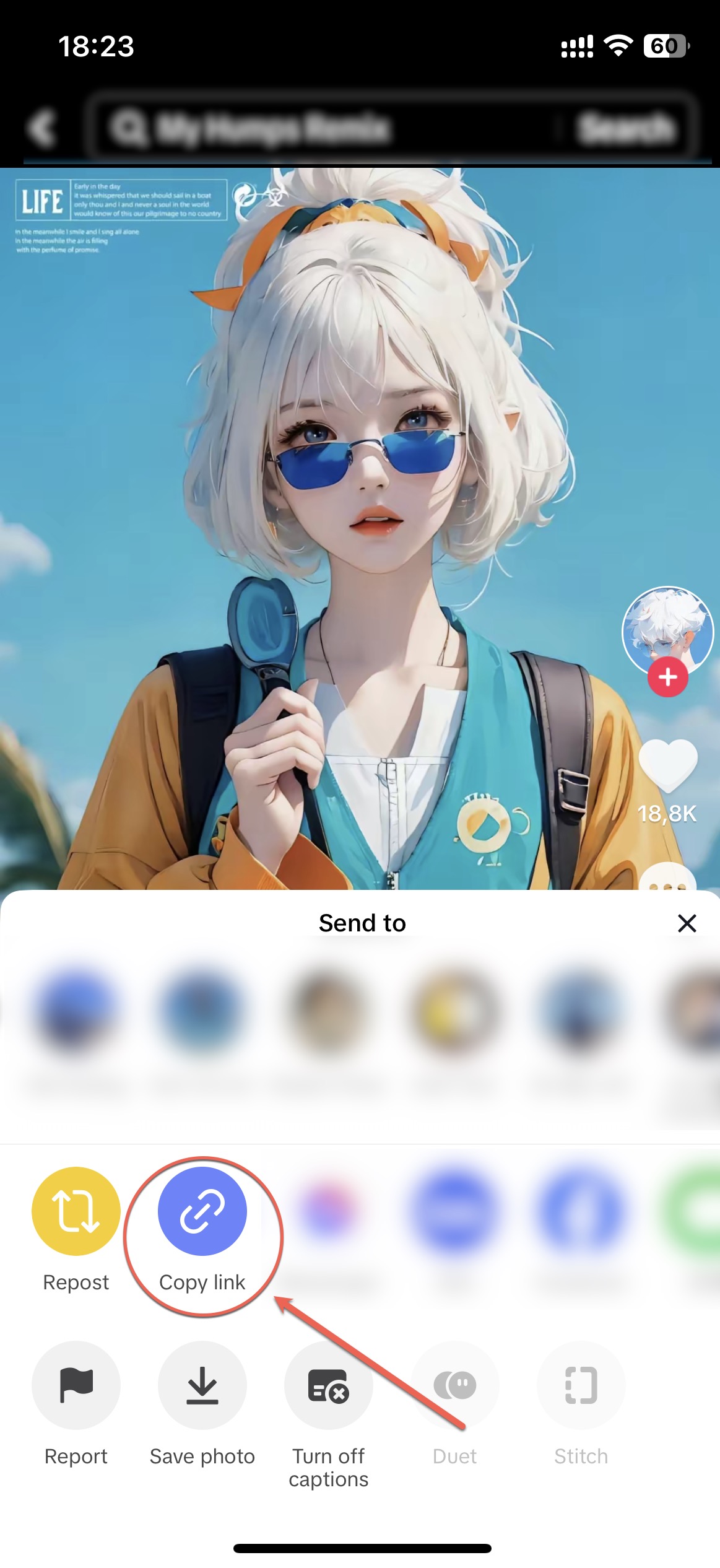
Step 3: Visit Snaptik in your web browser. For the fastest access, you can save the SnapTik link in your browser, or click on the link: https://snaptik.app
Step 4: Paste the link into SnapTik's toolbar, then click "Download".
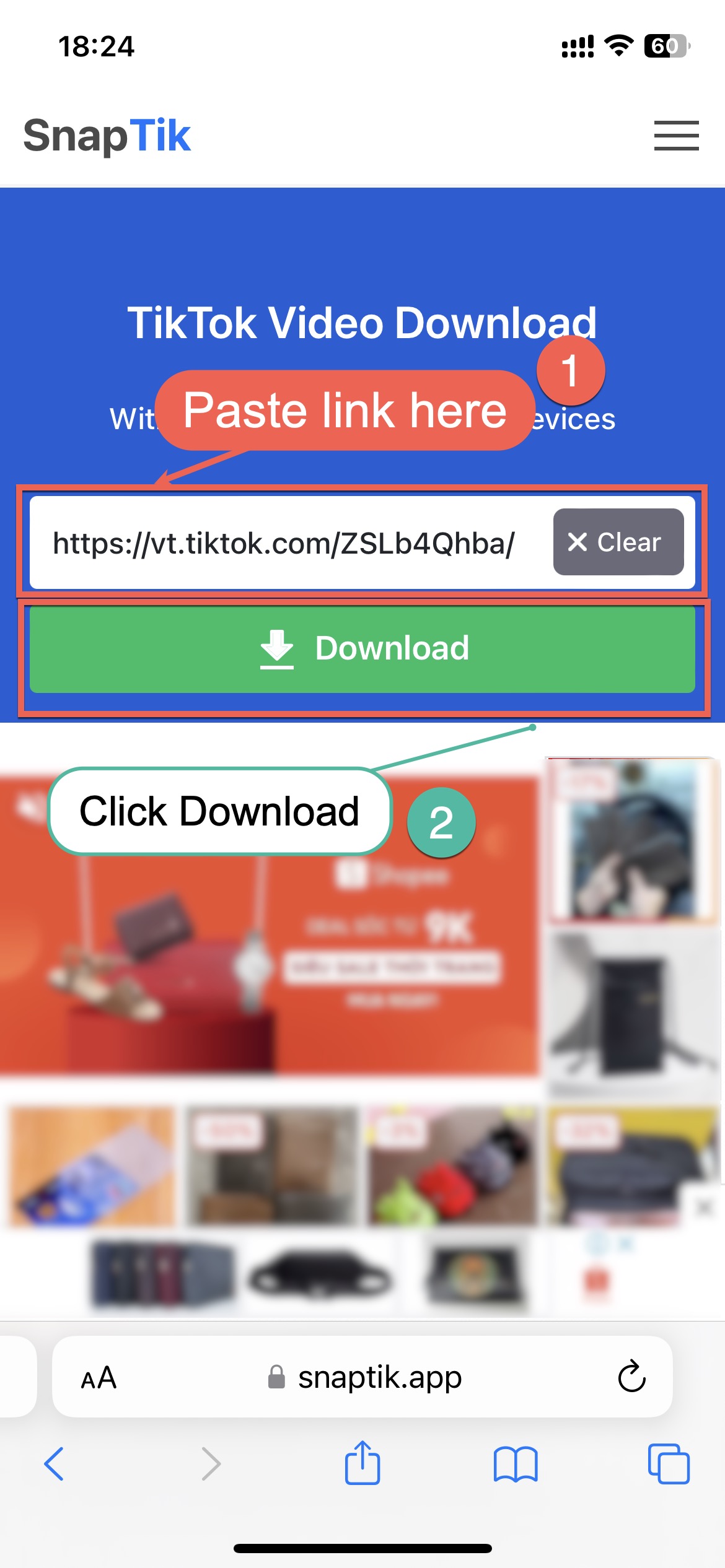
Step 5: Click "Download Server 01".
Step 6: Select "Download".
Step 7: Save the video to your phone.















