
 Script Planner Assistant▸
 AI Apps
 AI News

Enhance Speech: Adobe Podcast's AI Audio Enhancer
Enhance Speech: Adobe Podcast's AI Audio EnhancerIntroduction
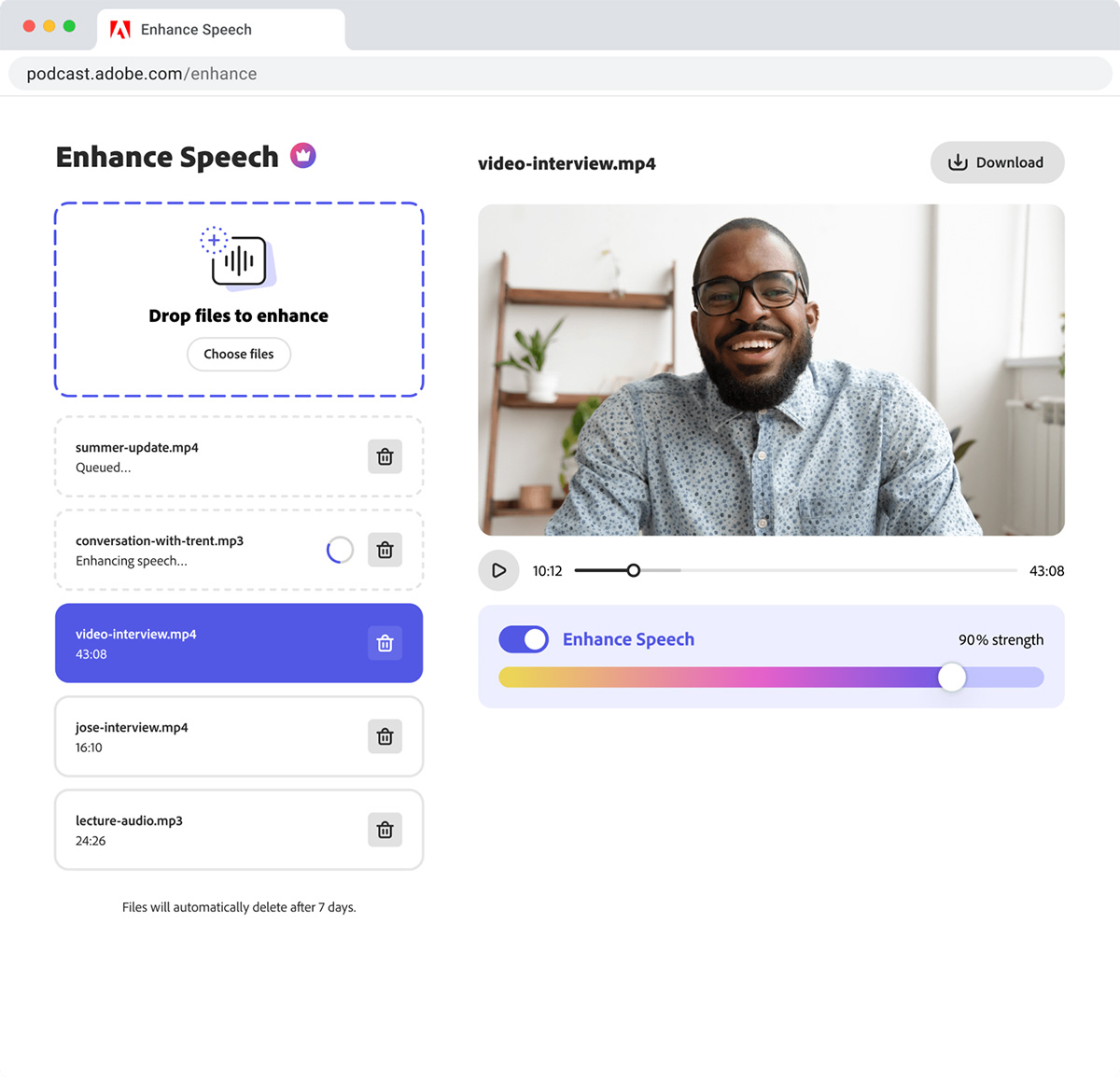
Enhance Speech, an audio enhancement tool produced by Adobe, can remove background noise from audio, making voice or recordings sound as if they were recorded in a professional recording studio, giving the audio the clean, professional sound of studio-quality recording. It is ideal for podcasters, content creators, and professionals who need to provide clear, crisp audio for their projects.
Key Features of Enhance Speech
AI-powered audio filtering
Studio-quality voice audio enhancement
User-friendly interface
Free to use
Optimized for podcasts and voice content
Time-saving audio improvements
Broad compatibility with audio formats
Streamlined audio processing
Benefits and pain points it solves
Converts voice to studio-quality sound
Artificial intelligence technology saves time and resources
User-friendly and suitable for all skill levels
Compatible with multiple audio formats
Free to use, affordable
Streamlines audio processing for content creators
Use Cases for Enhance Speech
Improve podcast audio quality
Enhance audio for online presentations
Clean up voice in video content
Optimize voiceover audio
Elevate audio quality for interviews
Optimize audio for e-learning materials
Refine audio in webinars
Improve audio quality for virtual events
Steps to Use Enhance Speech
Step 1: Select your audio file and upload it to Enhance Speech. You can also upload in bulk, with up to 2 hours of files per day up to 1 GB in size, extending the time up to 4 hours.
Step 2: Use the Voice Strength slider to easily adjust the amount of sound enhancement. Then, use the Voice Compensation slider to ensure that the voice enhancement sounds natural after Voice Strength is applied.
Step 3: Preview the audio to make sure the sound is perfect. Then, select the output format and settings, and download.














