
 Script Planner Assistant▸
 AI Apps
 AI News

AnswerAI: AI Homework Assistant Extension
AnswerAI: AI Homework Assistant ExtensionIntroduction
Your GPT-4 ai assistant ChatGPT plugin. Answer questions and quickly get AI answers, write emails, articles, chat bot, learning assistant.
AnswerAI, your homework GPT-4, artificial intelligence assistant ChatGPT extension. Just upload a screenshot of a question to receive an AI answer in time. Helps you leverage AI capabilities to make learning and work easier.
AnswerAI Product Features:
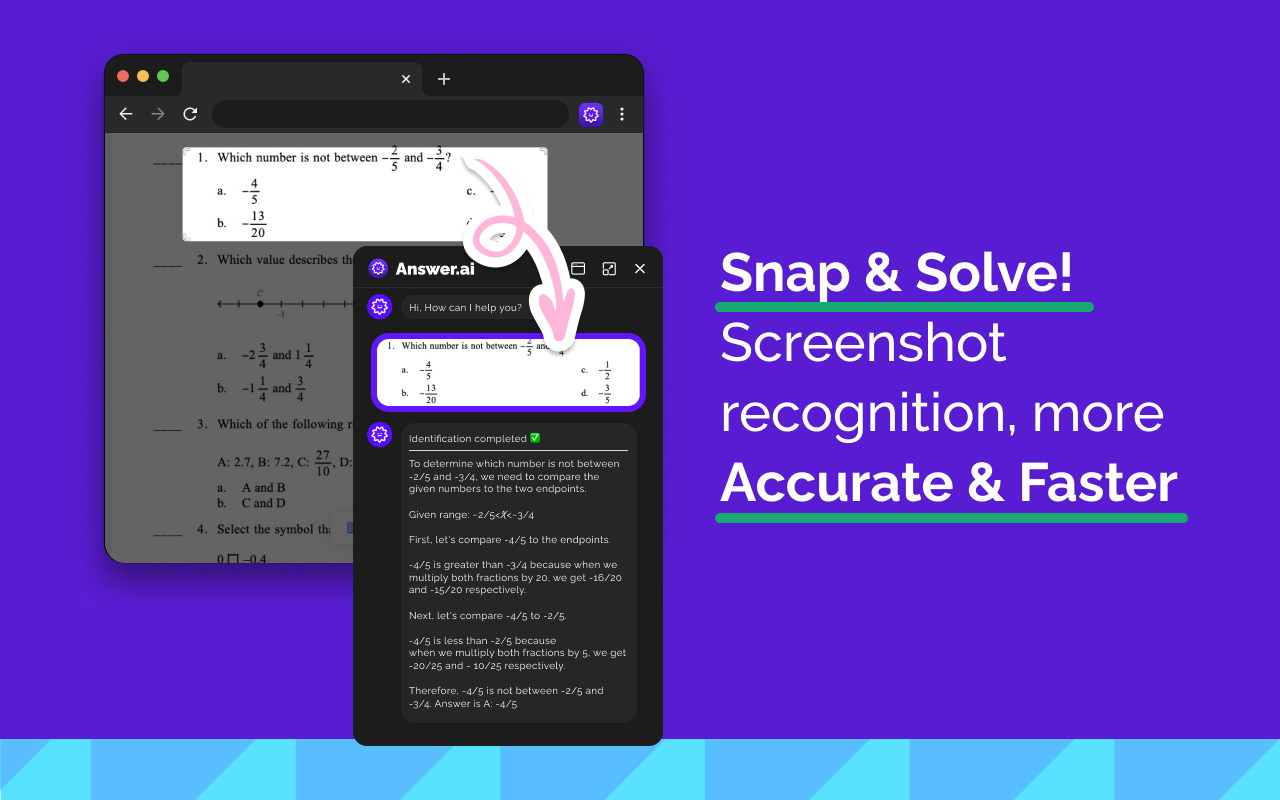
Submit Instant Question Screenshots to Get Answers
Open AnswerAI, upload an instant screenshot in the input box, and you will receive accurate answers to your study queries. Our AI technology enables you to quickly scan any question and immediately get precise answers. Asking questions via screenshots is a convenient and efficient way to find solutions for your study queries, especially math problems.
Q&A
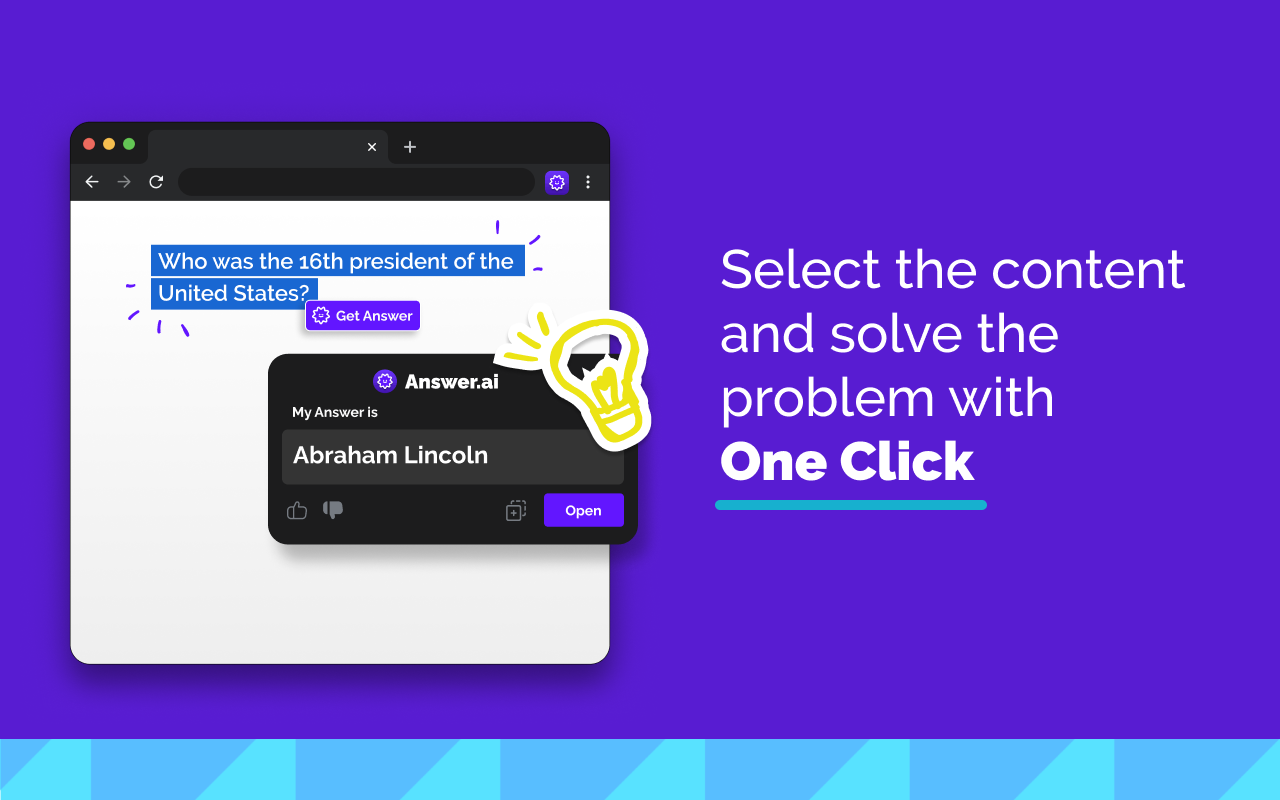
Click the Answer.AI icon on the side for a real-time AI conversation. Or, select any text on a web page and click the Answer.AI icon that appears immediately. No matter how complex your question is, Answer.AI can provide detailed answers.
Learning Assistant
No matter what your age, AnswerAI will be the right learning assistant for you. Using the AnswerAI Chrome extension, you'll get answers quickly and learn more!
Writing Assistant
AnswerAI is also an AI writing assistant that helps you generate high-quality content and articles in seconds at very low cost!
Intelligently Solve Homework Problems
AnswerAI can answer various common questions you have. Simply type in your question, and you'll get detailed homework answers step by step.
Chatbot
Open the sidebar and chat easily with Answer AI, all powered by GPT-4 and GPT-3.5, as intelligent as ChatGPT.
Easy Integration with Chrome
Answer AI can be easily installed in Chrome, answering any question with just a few clicks!
Save Time
Stop wasting time looking for answers. With Answer AI, you can easily find the answers you want, saving valuable time and improving efficiency.
Safe and Reliable
We prioritize your privacy and security. AnswerAI ensures the safety and protection of your data.
Available on All Websites
Answer.AI can assist you on any website you visit. Simply select the text you need help with, then click the Answer.AI icon to start chatting with AI.
Get Started with AnswerAI Easily?
1. Click the Answer.AI icon located on the side of the screen to start a conversation with AI.
2. Select any text on a web page and click the Answer.AI icon that appears to let AI provide answers for you.
How to Use AnswerAI?
1. Click the "Add" button located in the upper right corner.
2. Log in to your Answer AI account.
3. Start using Answer AI powered by ChatGPT!
4. Open Answer AI in the sidebar. If you have any questions, Answer AI will help you answer them.
AnswerAI Frequently Asked Questions:
Is AnswerAI Free?
Both free and paid versions are currently supported. As for free users, you get limited usage, while paid users can get more usage with premium features.
Which Versions Do We Support?
Currently, AnswerAI is available in various versions. For IOS and Android mobile users, you can search for [AnswerAI] on the Apple Store and Google Play to download our APP. For Windows and MAC users, you can enjoy the convenient extension from Chrome.















