
 Script Planner Assistant▸
 AI Apps
 AI News

Quizgecko: Auto-Generate Quizzes and Exams
Quizgecko: Auto-Generate Quizzes and ExamsIntroduction
Quizgecko, the original ai question generator, helps you learn better with AI. It can automatically generate online quizzes, tests, and exams. Leveraging AI technology, Quizgecko can create various types of questions from the content provided by users, including multiple-choice questions, true/false questions, short answer questions, matching questions, and fill-in-the-blank questions. Users can also upload files in formats such as PDF, DOC, and ppt. Quizgecko analyzes these files and generates corresponding quiz questions, thereby enhancing your learning.
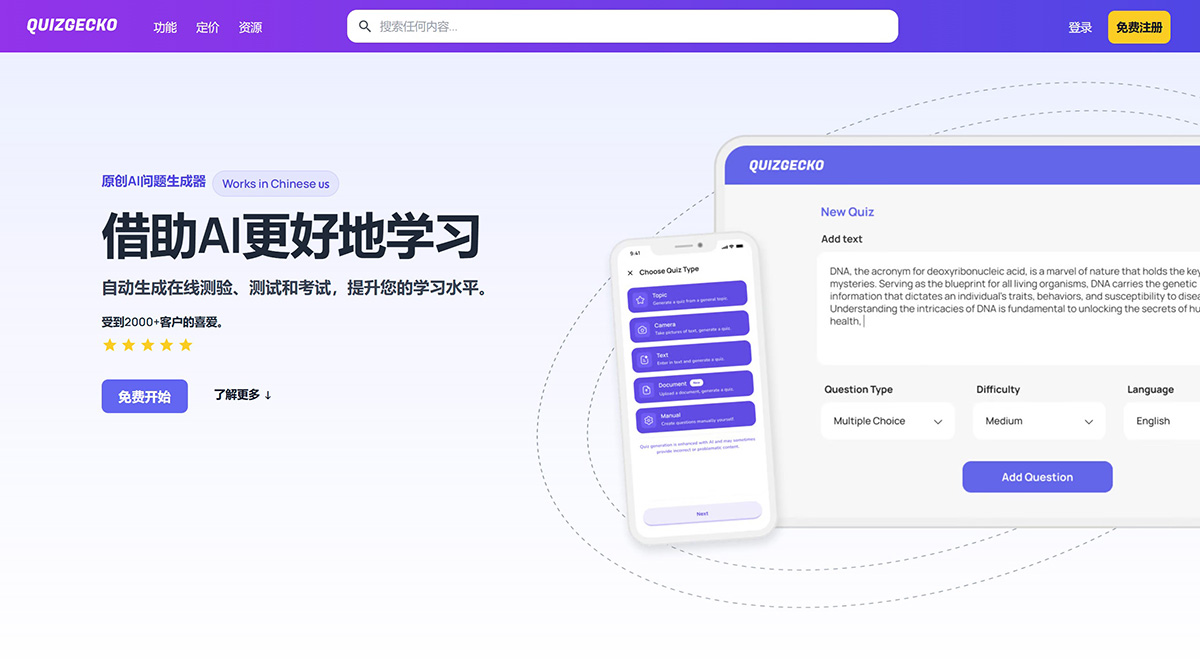
Quizgecko Features:
Quizzes and Flashcards
Use AI to create quizzes, flashcards, and assessments from your existing content.
AI-Powered: Turn any content into a quiz, complete with answers and explanations. Upload files such as PDF, DOC, and PPT to create quizzes, tests, and flashcards.
Multiple Question Types: Generate multiple-choice questions, true/false questions, short answer questions, matching questions, and fill-in-the-blank style questions.
Optimize Your Learning
Use spaced repetition to optimize your learning, repeating difficult concepts at optimal intervals for maximum retention.
Smarter Way to Learn: Quizgecko's flashcards intelligently repeat the concepts you struggle with the most, helping you turn weaknesses into strengths.
Proven Learning Science: Our spaced repetition algorithm is based on proven cognitive science, helping you learn twice as fast.
Personalized Feedback
Our artificial intelligence can intelligently grade essay and exam-type questions, providing helpful feedback to improve learning outcomes. It's like having a private tutor in your pocket.
Smart Grading: Our AI can grade short answer and essay questions, providing accurate scoring and helpful feedback to enhance your learning.
Track Your Progress and Mastery: Use our unique Mastery Score™, which takes into account your performance, review frequency, and question difficulty.
Learn Smarter Anywhere, Anytime
Access powerful learning tools on the go through our new app. Forget about carrying heavy textbooks—download the Quizgecko app and do quick reviews anytime!
Custom Quizzes: Take photos of your notes or textbooks, and let our AI transform them into quizzes tailored just for you. Choose from multiple question types to meet your needs.
Excel on Exams: A must-have app for exam season. Seamlessly create and practice quizzes to test your knowledge. Get instant feedback and stay focused on your studies.
Quizgecko Applications:
Students: Learn smarter. Enjoy AI-generated quizzes, flashcards, and notes customized to your unique learning needs. Save time, improve memory, and ace your exams with ease.
Educators: Enhance your teaching with AI-driven quizzes, assessments, and exam generation. Save time on content creation and grading, and boost student engagement.
Business: Easily create assessments to enhance knowledge and evaluate skills. Whether for delivering training or developing courses.
Quizgecko FAQ:
1. How does Quizgecko work?
Quizgecko's AI-powered question and answer generator works by first analyzing and extracting key facts from any text. We then use the same AI as ChatGPT to generate different types of questions and answers.
Whether you have educational content, web pages, YouTube videos, or even PDF or Word files, Quizgecko can transform them into quizzes or assessments.
To get started, simply enter your text or the URL/link of the content you want to turn into a quiz. Quizgecko will then analyze the text and generate relevant questions for you.
2. How do I use the AI question generator?
Creating quizzes with our AI question generator is simple and easy. To get started, you have several options:
Paste in any text from which you want to generate questions. Our AI will analyze the text and generate relevant quiz questions for you.
Enter the URL of a web page, and Quizgecko will extract text from that page and generate questions.
Upload a suitable file, such as a PDF, Word document, or another supported file type. Our AI will process the file and generate questions based on its content.
After you've entered your information, simply click the "Generate" button, and Quizgecko will begin generating questions for your quiz. You can customize the generated quiz by selecting your preferred question type, setting the difficulty level, and specifying the number of questions you want to include.
3. Do you offer a free trial?
We don't offer a free trial, but we do offer a free plan that allows you to generate up to 3 quizzes per month. This is usually enough to try out the service and determine if it's right for you.
4. How do I create a test?
Creating tests with Quizgecko is simple and efficient. Our platform uses AI technology to generate questions from any text you provide. Here's how you create a test:
Visit the Quizgecko website and log into your account. If you don't have an account yet, you can create one for free.
Click the "Create" button on the navigation bar to start creating your test.
Select your test question type. Quizgecko offers multiple question types, including multiple-choice, true/false, fill-in-the-blank, and short answer questions.
Paste your text into the text input box, then click the "Generate Questions" button. Quizgecko will intelligently analyze your text and generate relevant questions for your test.
Review and edit the generated questions as needed. You can customize wording, add answer options, and adjust the difficulty level.
Once you're satisfied with your test, you can save it and move on to the next step.
Use the "Assign" feature to distribute your test to participants. You can choose to block retaking, hide answers after submission, and set completion time limits.
Share the test link with your participants, or embed it into your website, learning management system, or blog for easy access.















