
 Script Planner Assistant▸
 AI Apps
 AI News

Maze Generator
Maze GeneratorIntroduction
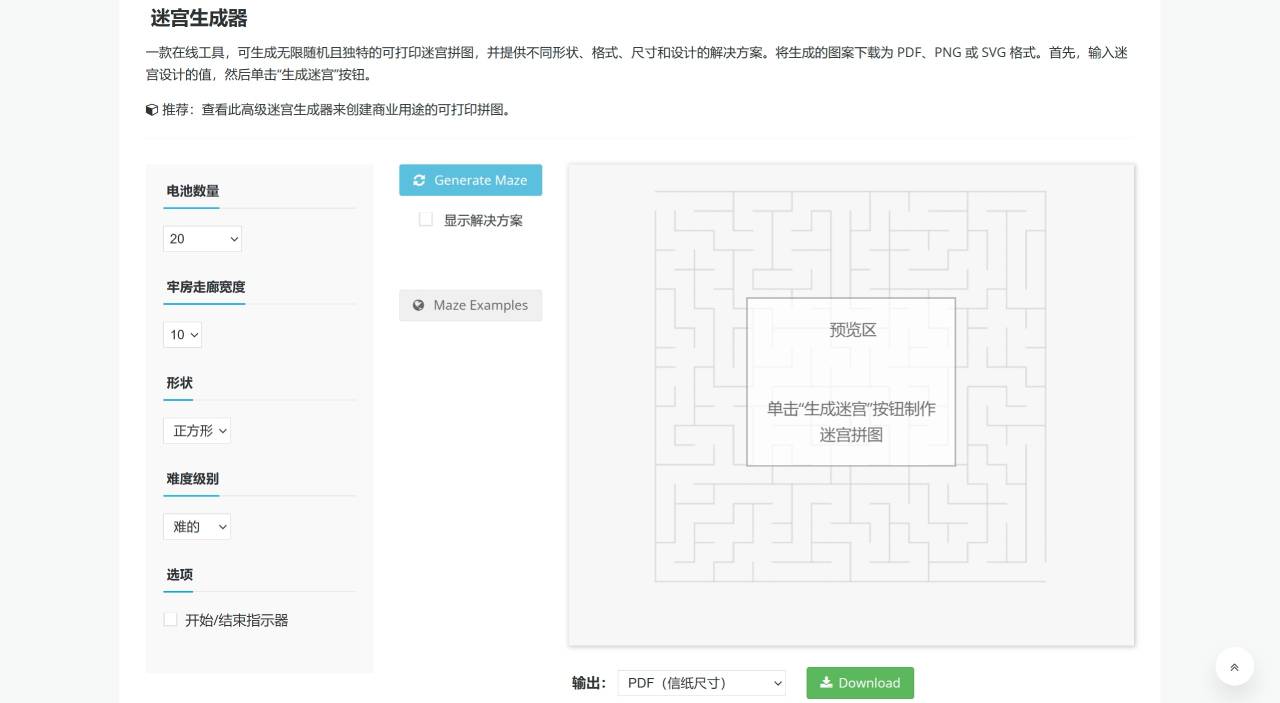
Maze Generator, an online maze generator tool, can generate unlimited random and unique printable maze puzzles with solutions in different shapes, formats, sizes, and designs. Download the generated patterns in PDF, PNG, or SVG format. First, enter the values for the maze design, then click the "Generate Maze" button.
What is a Maze?
A maze is a puzzle that has a starting point and an ending point. There are many ways to reach the destination, but only one correct way. Sometimes there may be more than one way. The reason solving a maze puzzle is so exciting is that you feel confused while trying to find the correct path, yet feel a sense of accomplishment when you actually reach the destination.
Benefits of Playing Maze Puzzles
Maze puzzles offer many benefits for both children and adults. They stimulate brain activity and help our brains become more focused. Not only that, such puzzles can also relieve stress and improve problem-solving skills. Parents spend quality time with their children while playing such puzzles. Or you can play these games with friends or colleagues. Such puzzles never get boring, so you can continue playing for hours while staying busy and engaged in this fun activity.
Maze Generation Tool
Now, with this Maze Generator tool, you can create your own maze puzzles. The tool can create many different shapes of your choice. You can select the number of cells for the puzzle, set the cell corridor width, choose the shape from the drop-down menu, and even select the level you want to play.
How to Use Maze Generator to Create Custom Mazes?
Please follow the steps below to create the shape of your choice:
Set the number of cells for the puzzle. Your input should vary between 10 – 60
Set the cell corridor width. It should be between 10 – 30
Choose the shape from the drop-down menu. It can be "Box", "Circle", "Diamond", "Four Chambers", "L-Shape", "Moon", "Square", "Star", "Strike", "Triangle", or "Two Chambers", etc.
Select the difficulty level, i.e., Easy, Normal, Hard
You can also check the start and end indicators
After entering all these values, click the blue "Generate Maze" button. Check the "Show Solution" button to display the answer
Click the green "Download" button to download. Choose your preferred PDF size. It can be letter size or A4 size. Besides PDF, you can also choose to download in PNG and SVG formats
Print and start solving the maze puzzle















