
 Script Planner Assistant▸
 AI Apps
 AI News

IDM-VTON: Hyper-Realistic Virtual Try-On
IDM-VTON: Hyper-Realistic Virtual Try-OnIntroduction
IDM-VTON is an advanced virtual try-on technology that generates high-quality virtual try-on images by combining a visual encoder with a UNet model, and can be further customized to improve image consistency and realism.
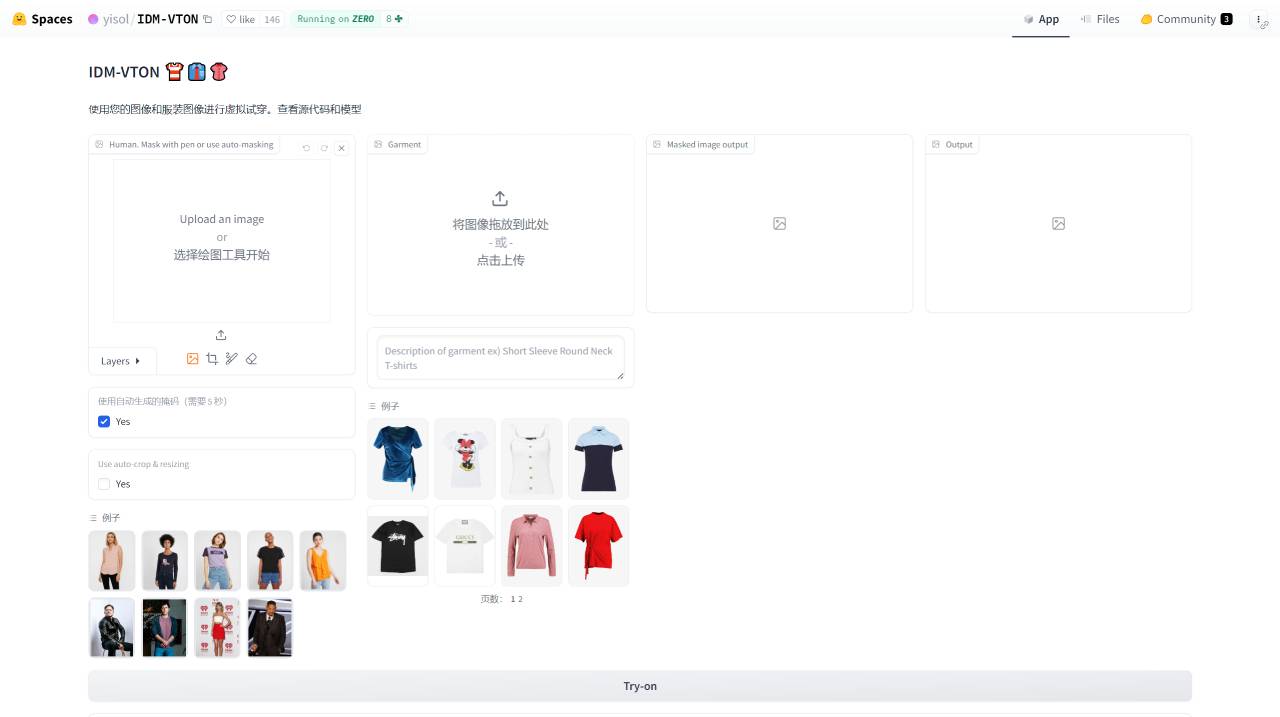
IDM-VTON Technical Features:
High Realism: The generated try-on images have fine details, providing a near-realistic try-on experience.
Complex Background Handling: Accurately displays clothing try-on effects in outdoor or complex background settings while maintaining high image quality.
Consistency Preservation: Maintains consistent clothing details when displaying the same garment on different human models.
Accurate Reproduction of Textures and Patterns: Particularly adept at capturing the textures and patterns of clothing, including fine decorations.
IDM-VTON Application Scenarios:
Fashion Retail: Provides a convenient way to try on clothes and enhances the user experience.
Personalized Clothing Design: Offers designers new means of presentation and sales.
Online Fitting Rooms: Provides consumers with a virtual try-on experience.
Augmented Reality (AR) Try-On Experience: Combined with AR technology to deliver an immersive try-on experience.
IDM-VTON Technical Advantages:
User Convenience: Users can preview how a garment looks without physically trying it on.
Cost Savings for Retailers: Saves on the cost of physical fitting rooms and provides a diverse try-on experience.
Designer Feedback: Designers can quickly gather feedback through virtual try-on to optimize their designs.
What is the customization process for IDM-VTON?
The customization process of IDM-VTON involves fine-tuning the model to suit specific garment images and human images. The following are the general steps for customizing IDM-VTON:
1. Data Preparation:
Collect or prepare a dataset containing garment images and human images. These images should be of high quality, and the garment images should contain complex patterns and details.
Ensure that the images in the dataset follow a specific format and structure to facilitate model training and inference.
2. Model Training:
Use the IDM-VTON training code to train the model on the dataset. This typically involves setting training parameters such as learning rate, batch size, number of training epochs, and more.
During training, the model learns how to map garment images onto human images while preserving the clothing details and complex patterns.
3. Model Fine-Tuning:
Fine-tune the model as needed. This may include adjusting the model structure, hyperparameters, or training strategy to improve the generation quality for specific garment images.
During fine-tuning, specific garment and human image pairs can be used to optimize the model's performance.
4. Evaluation and Optimization:
Use evaluation metrics (such as FID, SSIM, PSNR, etc.) to measure the quality of the images generated by the model.
Based on the evaluation results, further adjust model parameters or training strategies to improve the model's performance.
5. Deployment and Application:
Deploy the trained model into real-world applications, such as virtual try-on systems.
In practical applications, users can upload their own garment images and human images, and the model will generate virtual try-on images.
6. Continuous Iteration:
Continuously iterate and optimize the model based on user feedback and real-world application performance.
It may be necessary to periodically collect new datasets to adapt to new clothing styles and trends.
IDM-VTON Project Information
Project URL: https://idm-vton.github.io/
Try it out: https://top.aibase.com/tool/idm-vton














