
 Script Planner Assistant▸
 AI Apps
 AI News
shots.so: A Free Online Mockup Generator
shots.so: A Free Online Mockup GeneratorIntroduction
Shots.so is a free online mockup generation tool designed to provide mockup model creation services for designers. Shots.so allows users to easily convert UI images, design drafts, screenshots, photos, and more into beautiful mockup designs. Shots.so comes with a variety of up-to-date device templates built in, including iPhone, Macbook, iPad, iMac, and Apple Watch, among others. Each template offers different perspectives and supports customizable parameters such as background, position, shadow, and style. Shots.so offers powerful editing features, allowing users to customize more details of the mockup image, such as background material transparency and borders.
Features of Shots.so:
Custom image dimensions: Supports user-defined image dimensions to fit multiple mainstream social platforms[1][2].
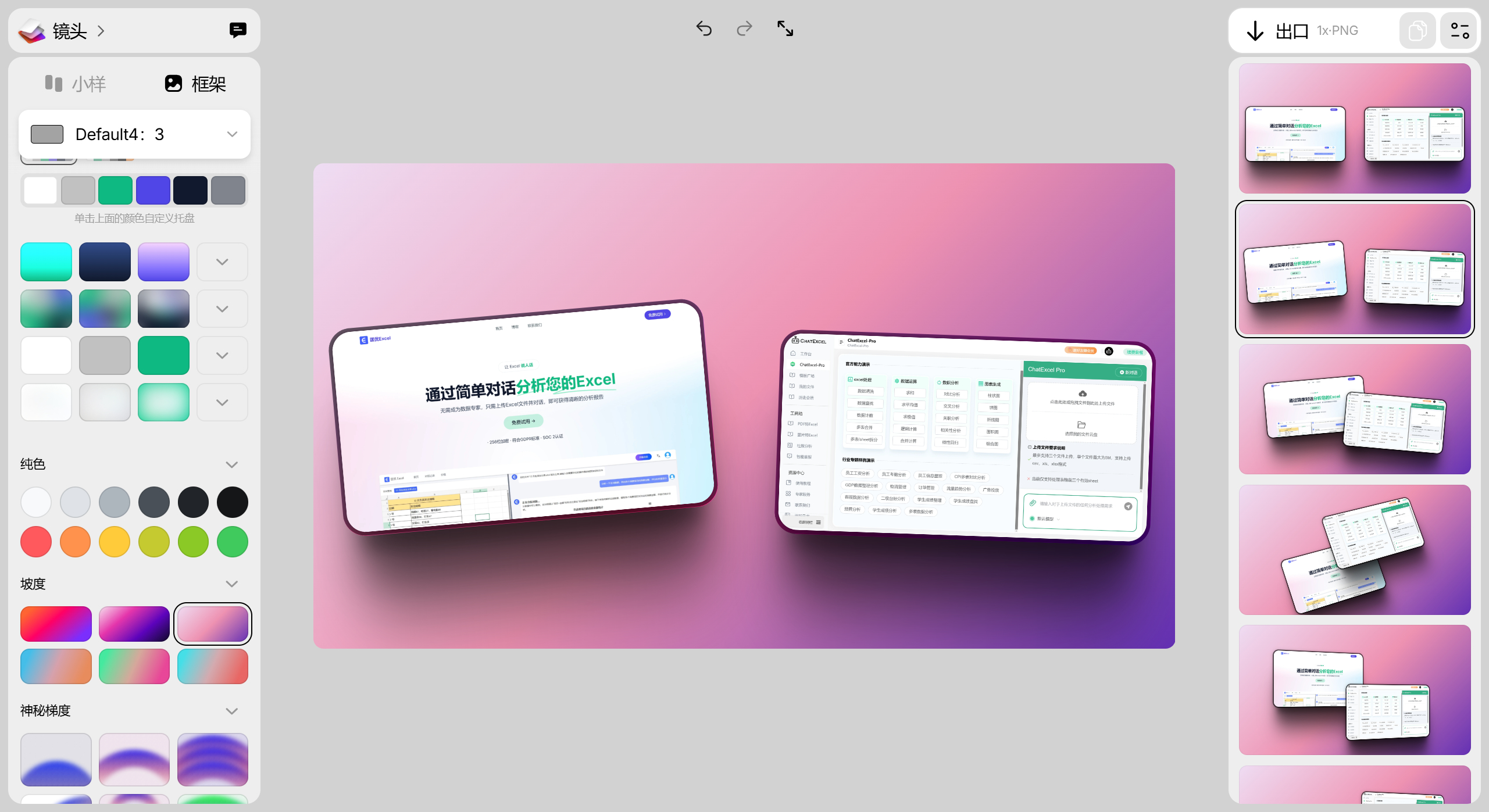
Mockup and Frame functions: Provides two core features, Mockup and Frame. The Mockup feature can round the corners of images and add shadows and borders, while the Frame tool allows users to customize images or apply different sizes, change the frame color, and adjust image angles.
Rich customization options: Including screenshot position, style, rounded corners, shadow, background, gradient, and more.
One-click copy or download of generated images: Makes it easy for users to quickly share or save finished images.
Provides various device templates: Built-in templates for the latest iPhone models, Macbook, iPad, iMac, Watch, and more, meeting different design needs.
Use Cases of Shots.so
UI/UX design showcase: Place UI design drafts into phone or computer templates to simulate real usage scenarios.
Social media content: Quickly create high-quality cover images adapted for platforms such as Instagram and Facebook.
Design portfolios: Add device interface backgrounds to design works to enhance professionalism and visual appeal.
Advertising and promotional materials: Create product promotional images and mockup images for e-commerce detail pages.
Client presentations: Visually showcase software interfaces, APP prototypes, or website designs to clients.
How to Use Shots.so
1. Visit the website: Open the official Shots.so website. No registration or login is required, and there is no need to download anything; you can start using it directly.
2. Upload content: Drag and drop product screenshots or UI design drafts into the template area. Supports multiple formats including images, PDF, PSD, and more.
3. Adjust parameters:
Left panel: Adjust device model, background color, font, cropping, add shadows, position, and more to customize the details of the mockup image as needed.
Right panel: Select a suitable one from the rich device templates, taking into account the device type and display angle.
4. Export and save: Once finished, click the download button in the top right corner to obtain a high-definition mockup image (PNG/JPG).
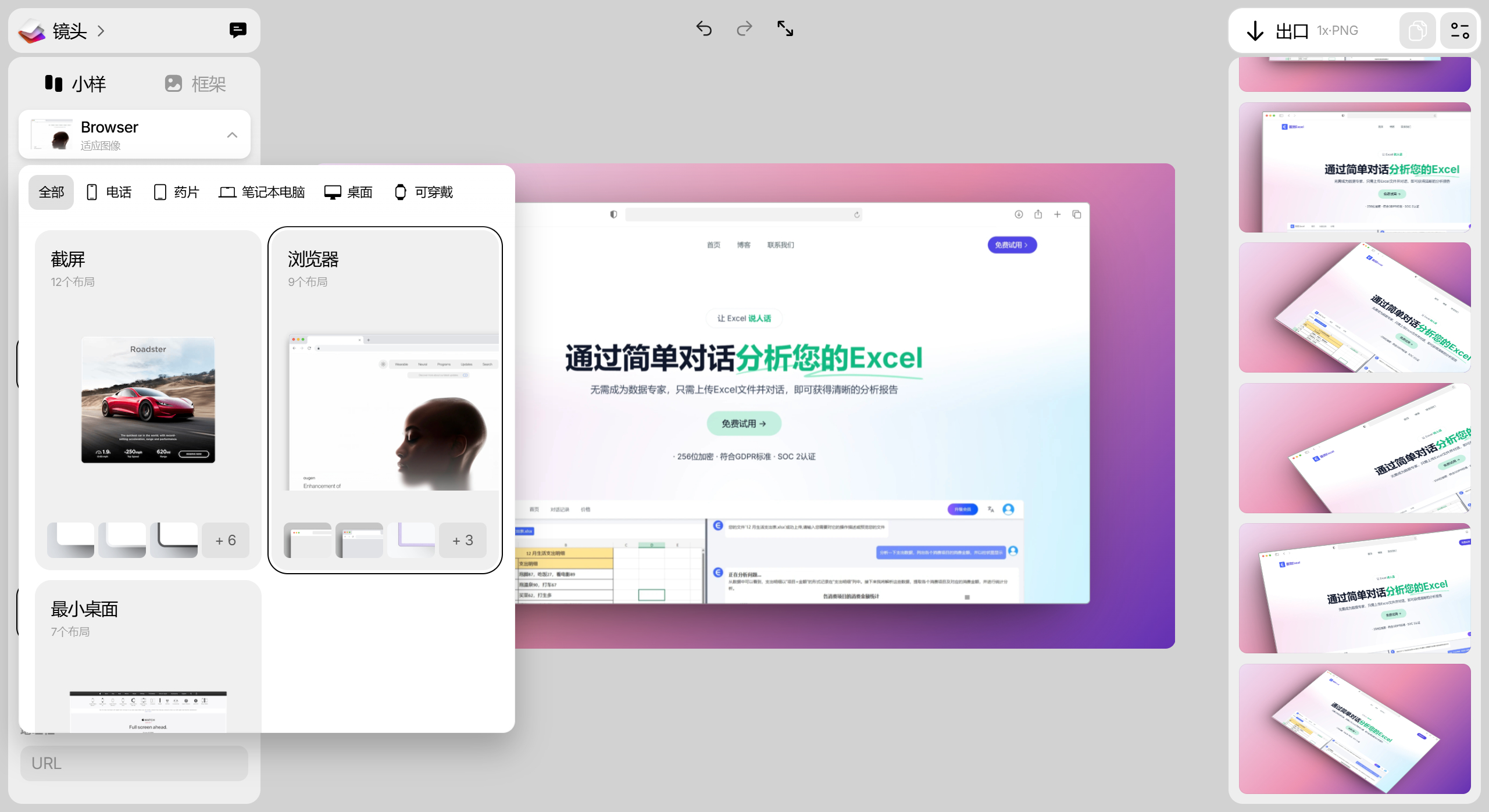
Shots.so is a comprehensive and easy-to-use online tool, suitable for designers creating instant models for their websites, applications, and products, as well as for users who need to produce mockup images.
In addition, Shots.so also provides rich customization options, including screenshot position, style, rounded corners, shadow, background, and gradient, to fit multiple mainstream social platforms[9]. The process of using Shots.so is simple and straightforward—users only need to upload the desired images to quickly generate mockup images with professional visual effects, without prior registration or login, greatly enhancing the user experience[4].
Shots.so is a powerful and completely free online mockup creation tool, ideal for designers who need to quickly generate high-quality mockup images.















