
 Script Planner Assistant▸
 AI Apps
 AI News

Remaker AI: Free Online AI Face Swap Tool
Remaker AI: Free Online AI Face Swap ToolIntroduction
Remaker ai is an AI image generator, AI face swap tool, and AI image editor. It enables users to seamlessly replace faces in images and videos. In addition, Remaker AI also offers an object remover, image upscaler, and various other AI tools.
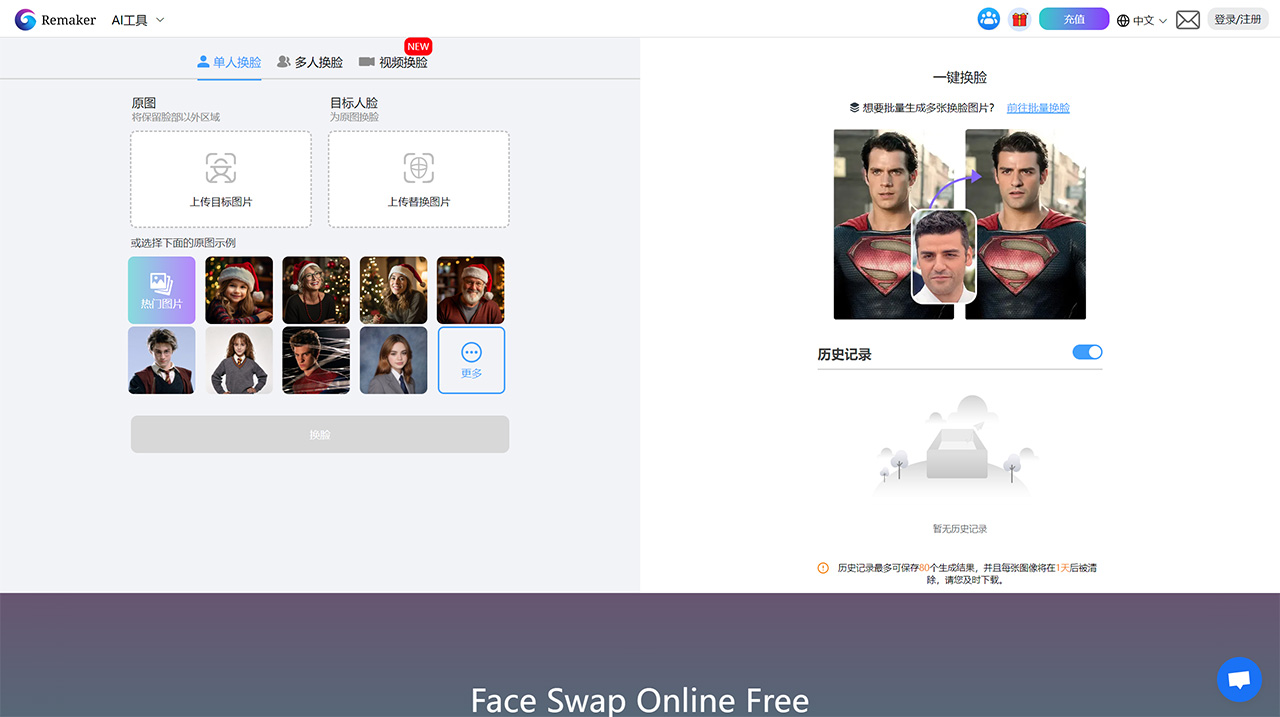
Remaker AI Main Features:
AI Face Swap:
Allows swapping faces in photos and videos using artificial intelligence algorithms that detect and align facial features
Supports single face swap, multi-face swap in group photos, and video face swap
The AI ensures realistic blending and matching of facial expressions, angles, and lighting for seamless results
AI Image Generation:
Generates unique images and artwork based on text descriptions
Offers multiple AI models such as Realistic, Anime, Ink, Cartoonish, SDXL, Midjourney, Disney, and more.
Users can input text prompts, use the prompt generator/library, or start from an existing image
The AI then creates visuals based on the text description and selected style
AI Image Editing:
Includes AI-powered tools for removing watermarks/objects, replacing backgrounds, enhancing resolution, and uncropping images
Leverages AI to intelligently fill in removed areas or extend background regions on top of the original image
Result quality may vary depending on the complexity of the edit
How to Use Remaker AI?
To use Remaker AI to generate AI face images, follow these steps:
1. Open the Remaker AI official website and sign up to log in. You can log in with Google or WeChat.
2. Click the "AI Face Generation" button, then upload an image from your gallery and select a model from the provided options.
3. Click "Generate Image" and wait for the process to complete.
4. Create an AI text prompt to generate face images, then click the "Generate Image" button. You can preview the generated images.
5. Finally, download the generated image.
By following the steps above, you can easily perform AI face swaps.
Remaker AI offers a free trial with no sign-up or login required. For newly registered users, 30 free credits are provided. If that's not enough, you can top up—conveniently, payment methods include Alipay and WeChat.
Related Articles:














