
 Script Planner Assistant▸
 AI Apps
 AI News

Chaoneng Huabu: Baidu's AI Portrait Photography Creative Tool
Chaoneng Huabu: Baidu's AI Portrait Photography Creative ToolIntroduction
Chaoneng Huabu (Super Canvas) is an AI image creative generation tool recently launched by Baidu Netdisk, tailor-made for portrait photography. With its unique image foundation model and intelligent face fusion algorithm, Chaoneng Huabu enables photographers to achieve unlimited creative extension through simple operations.
Chaoneng Huabu official website:photo.baidu.com/photasy/home
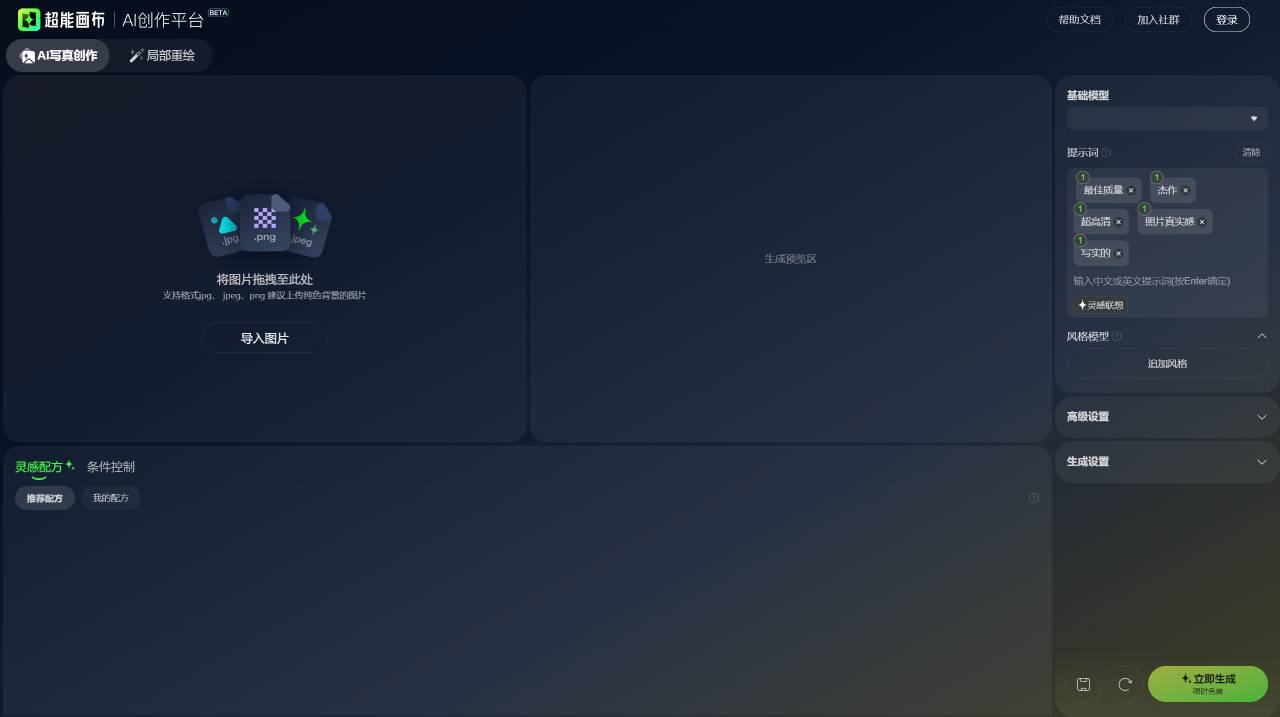
Features of Chaoneng Huabu:
Powered by Baidu's self-developed image foundation model and intelligent face fusion algorithm, users only need to upload 1 photo and input a text command to generate AI portraits within 1 minute, batch-switch dozens of backgrounds and outfits, and perform partial redrawing on character expressions, hair colors, and image elements. At the same time, Chaoneng Huabu also provides rich options for background and outfit switching, allowing users to easily try different styles and looks.
Chaoneng Huabu allows photographers to save costs on shops, studios, costumes/makeup/props, and retouchers. Without the need for a team, a single person can set up an AI photography studio at one-twentieth of the previous cost. In terms of sample template development, the emergence of Chaoneng Huabu has greatly improved the efficiency of sample generation. Compared with the traditional photo studio which requires a 3-month development cycle, Chaoneng Huabu can generate samples in minutes, boosting efficiency by 90 times. It greatly enhances photographers' work efficiency.
Applicable scenarios for Chaoneng Huabu:
Chaoneng Huabu is suitable for various photography scenarios, such as cosplay portraits, secondary optimization of traditional sample photos, and 2D-to-real-life image conversion. It can not only help photographers improve customer photo selection and add-on rates, but also reduce the cost of real-scene shooting, meeting customers' wildly imaginative demands.
How to use Chaoneng Huabu?
Step 1: Import the image. You can click to open the folder to select, or drag and drop to upload.
Step 2: Select an Inspiration Recipe. The Inspiration Recipe is the example reference image for generation and supports one-click application.
Step 3: Select the base model. There are real photography models and film photography models.
Step 4: Adjust the prompts. Prompts determine the image elements and style content, divided into positive prompts and negative prompts.
Step 5: Constrain the image composition through various types of conditional controls.
Step 6: Set generation parameters.
Step 7: Click Generate Now. The generated image will be displayed in the image preview area, and you can click the download icon in the upper right corner of the image to download it.
Step 8: Portrait fusion (select the area you want to keep and fuse it with the generated image).
Step 9: Save the recipe. Save the recipe to store your modified and adjusted parameters and prompts for easy reuse later.














