
 Script Planner Assistant▸
 AI Apps
 AI News

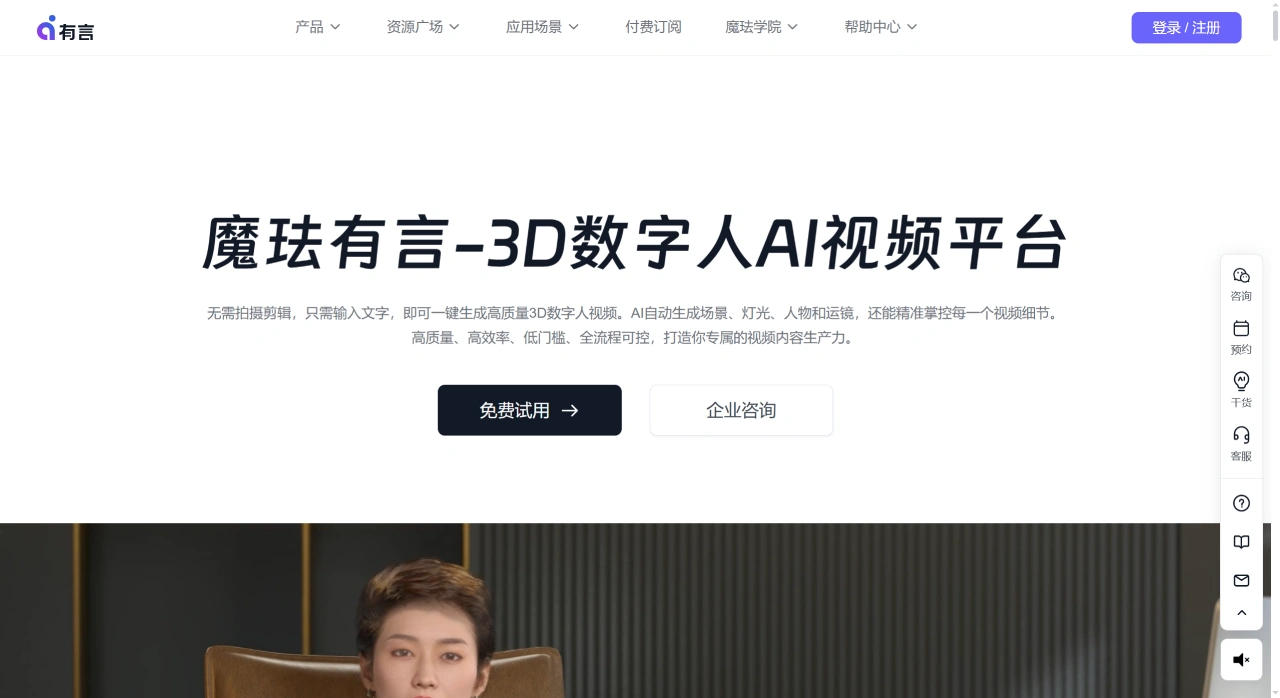
Youyan AI Digital Human: 3D AI Digital Human Video Platform by MoreFun
Youyan AI Digital Human: 3D AI Digital Human Video Platform by MoreFunIntroduction
Youyan AI Digital Human is a 3D AI digital human video generation platform launched by Magic Lab. Magic Lab started with virtual human technology and has raised a total of $160 million from investors including ByteDance, SoftBank Vision Fund, and Sequoia Capital. It has also been included in Gartner's industry reports.
The problem Youyan aims to solve is simple: make videos without assembling a team, buying equipment, or learning editing. Users pick a digital human avatar, input copy, and AI automatically adds voice, expressions, and movements, producing a video featuring a digital human presenter in minutes. It is currently used in fields such as training, e-commerce, finance, government, and media.
Core Features of Youyan AI Digital Human
The digital human character library has over 3,000 options covering different ages, ethnicities, and styles, with relatively refined details rather than a crude cartoonish feel.
Avatars can be customized—facial features, hairstyles, makeup, and clothing are all adjustable, and brand logos can be added.
Input text and AI generates voice along with matching expressions and movements, with lip sync that basically aligns.
The video supports over 100 languages and dialects, allowing one-click language switching and voice regeneration.
There are four creation methods: start from scratch, use a template, let AI write the script, or directly upload a PPT.
Upload a PPT or PDF to generate a video featuring digital human narration, with the system automatically extracting key information.
The script, characters, expressions, scenes, and camera shots in the video can all be edited and adjusted in the backend.
Team collaboration is supported, and video assets can be managed centrally.
Application Scenarios of Youyan AI Digital Human
It is widely used for corporate training. Yili uses Youyan to convert PPTs and documents into training videos, producing over 20,000 minutes of content cumulatively. ZTE uses it to generate courses for global customers, creating over 2,000 courses covering multiple languages.
In the education sector, some teachers are also using it to convert lesson plans into micro-lesson videos. Teachers at Sichuan Open University directly generate micro-lessons from PPTs.
In marketing, Chando places QR codes in product explanation videos so users can scan to watch. Jingjiu created a brand-exclusive digital human for use on social media and offline big screens.
Government agencies also use it. The Shanwei City CDC uses Youyan to produce promotional content, enabling batch generation and quick updates.
Other scenarios such as brand marketing, community operations, e-commerce detail pages, product launches, local life promotions, and party-building publicity are also being adopted.
Advantages of Youyan AI Digital Human
No filming or editing experience required—ordinary users can get started directly.
From script to final video, AI handles voice, camera movement, and animation automatically.
Abundant character and scene resources, with over 3,000 digital humans and nearly a thousand 3D scenes.
Both short videos and long videos can be produced, including lectures lasting tens of minutes.
Content changes are fast—after adjusting the script or PPT, a new version can be regenerated in seconds.
Multi-language overseas expansion is convenient, with one-click conversion into different language versions.
The price is reasonable, with personal plans starting at 59 yuan.
Tutorial on Using Youyan AI Digital Human
Step 1: Click "Free Registration Trial" on the official website and log in with your phone number. New users will receive some Yan coins to try it out.
Step 2: Click "New Project" and select landscape or portrait orientation.
Step 3: Select a scene on the left side of the editing window, then pick a digital human from the character library.
Step 4: Click "Script." If you haven't figured out the copy yet, you can let AI generate it by inputting requirements such as product selling points or course outlines. You can also write it yourself or directly upload a PPT.
Step 5: Click "3D Generate" and wait for AI to synthesize the video. Once the preview looks good, click "Export," select the resolution and format, and download to save.
The entire process takes about ten minutes.
How Does Youyan AI Digital Human Compare with Competitors?
| Comparison Dimension | Youyan (Magic Lab) | Baidu Intelligent Cloud Digital Human | SenseTime Ruying | Mingmang Technology |
|---|---|---|---|---|
| Product Positioning | 3D Digital Human Video Generation | Strong Interaction Digital Human | Digital Human Video Generation | E-commerce Live Streaming Short Videos |
| Technical Foundation | Magic Lab Self-developed AIGC | ERNIE Large Model | RiRiXin Large Model | Proprietary Technology |
| Digital Human Type | 3D Ultra-realistic (3000+) | 2D / 3D | 2D / 3D | Primarily 2D |
| Features | Zero threshold, fully controllable, many characters | Strong semantic understanding, multi-language | Good video generation capability | Fast batch video production for e-commerce |
| Applicable Scenarios | Training, Education, Marketing, Government | Education, Government, News | Short Video | E-commerce Sales |
| Price | Monthly plan from 59 yuan | Relatively high | Custom quotation | Moderate |
| Ease of Use | Low | Moderate | Moderate | Relatively low |
Reasons to Choose Youyan AI Digital Human
Youyan has accumulated relatively rich resources in 3D ultra-realistic digital humans, with over 3,000 characters and fully self-developed technology. The operational threshold is not high, personal plans start at 59 yuan, and scenarios such as corporate training, marketing promotion, and educational courseware are all covered.
Frequently Asked Questions about Youyan AI Digital Human
Can new users try it for free?
After registration, Yan coins will be given (usually 900 Yan coins, valid for 14 days), enough for several trials.
What languages are supported?
Over 100 languages and dialects are available, including English, Spanish, French, and Japanese.
Can two-person dialogue scenes be created?
Yes, it is supported. Search for "Interview" or "Talk" to find dialogue scene templates, or export videos with transparent backgrounds for post-production compositing of two-person on-screen effects.
Are there any restrictions on video export?
The platform reviews content, and sensitive content will be blocked. If you have objections, you can appeal for unblocking.
Can it be used overseas?
The overseas version is called Rendora, with the domain name www.rendora.ai.
Does it support team collaboration?
Team accounts and asset management are supported.
Last updated: September 13, 2026Related News:












