
 Script Planner Assistant▸
 AI Apps
 AI News

PDFcandy_云技派,专注ai人工智能!
PDFcandy_云技派,专注ai人工智能!Introduction
PDF Candy is a versatile tool that offers a wide range of features for handling PDF files. It allows files to be converted from PDF to various supported formats, such as Word, JPG, and more. In addition, it provides tools for merging, splitting, and editing PDFs, as well as extracting images and text from PDF files. The platform also supports OCR, protecting and unlocking password-protected PDFs, and converting various document types to PDF.
PDF Candy is available both as an online version and a desktop version. The online version allows users to use its features without downloading and installing any software, while the desktop version offers a range of localized PDF processing capabilities, including but not limited to PDF conversion, compression, password unlocking, splitting and merging, and metadata editing. All these features support batch processing, greatly improving work efficiency.
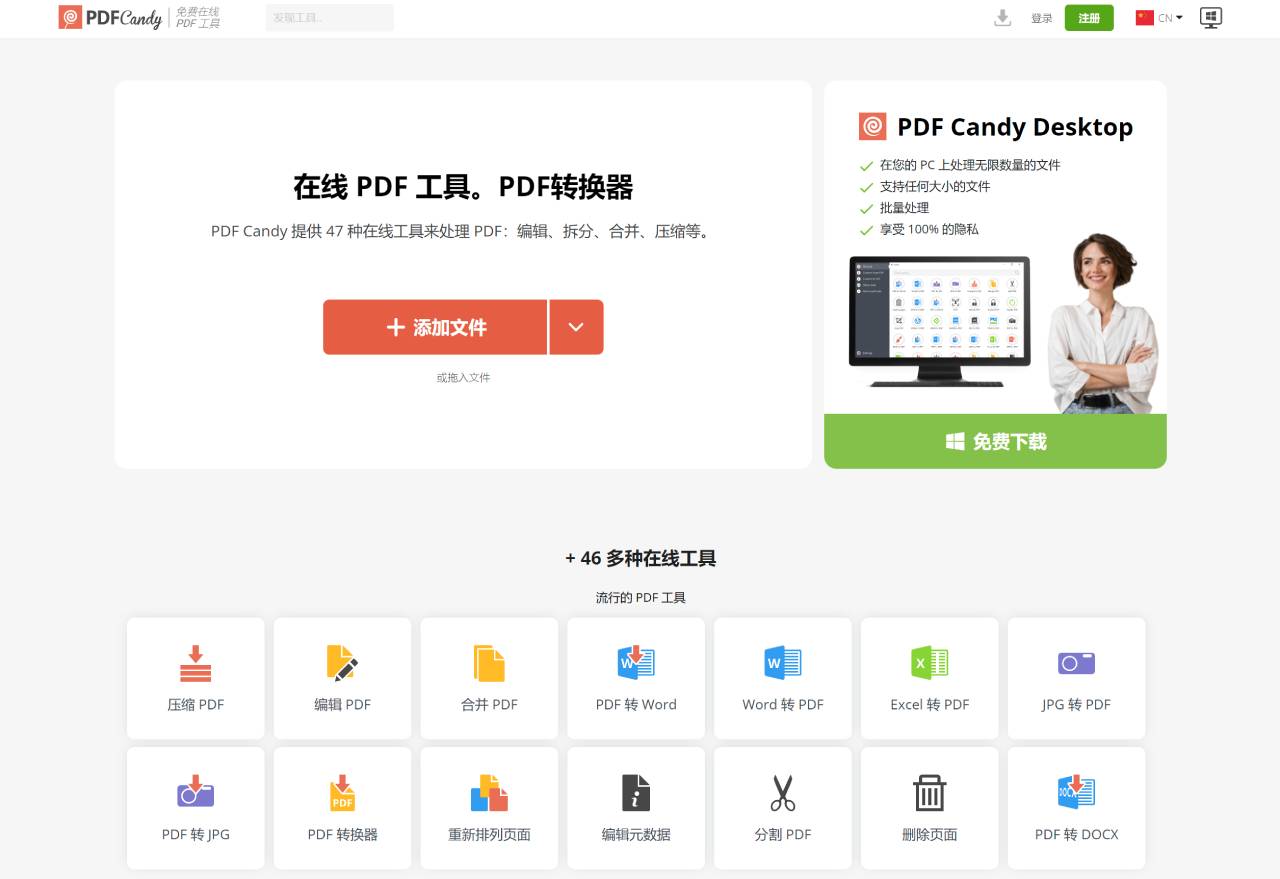
Key Features of PDF Candy:
File Conversion: Supports converting files to PDF format, as well as converting PDF to over 20 different file formats.
PDF Processing Tools: Provides PDF processing functions such as editing, splitting, merging, and compression.
Versatile Editor: Includes the ability to create, edit, and share PDF documents, such as multi-level undo, moving objects, adding advanced text and graphics, password protection, adding comments, etc.
Batch Processing: Supports batch processing of files, meeting nearly all office needs.
OCR Capability: Features OCR (Optical Character Recognition) functionality, which can extract images and text from PDFs.
Security: Provides encryption, decryption, and other features to ensure the security of PDF files.
User-Friendly Interface: Features an intuitive and friendly modern interface design, making the software very simple to use.
Free Service: Offers free service for single-file operations, no account required.
PDF Candy is generally considered one of the best PDF editing and management tools, offering over 40 tools to easily perform a variety of PDF-related tasks. It is considered safe to use and is provided by the Icecream Apps team, a legitimate software development company that creates a variety of other software solutions for Windows, including screen recorders and video editors.
The platform has received positive reviews for its advanced features, including OCR capabilities, and is considered rare for offering top-tier scanning, multiple file conversion options, and other features commonly found in paid tools. However, the free version limits users to one task per hour.
PDF Candy is available as a dedicated desktop application for Windows, with a user-friendly interface and a wide range of PDF tools. It is designed to be easy to use, even for inexperienced users, and can deliver high-quality results.
Overall, PDF Candy is known for its versatility, offering a complete suite of PDF tools including conversion, editing, merging, splitting, and OCR features, making it a valuable tool for performing a variety of PDF-related tasks.













