Script Planner Assistant▸
 AI Apps
 AI News

Palettemaker: A Free Color Palette Tool for Creatives
Palettemaker: A Free Color Palette Tool for CreativesIntroduction
PaletteMaker is a free online color palette tool that is especially suitable for UI/UX designers and anyone looking for harmonious color schemes. Compared to paid palette tools, PaletteMaker is not only free but also powerful.
PaletteMaker offers a variety of features, including generating color cards and importing swatches from Ps and ai. Users can open this online tool via the official website link and start generating their own color schemes. In addition, PaletteMaker supports exporting color schemes. Users can export them by clicking the "Export palette" button at the top of the page or by clicking the ↑ icon next to the color card below the image after entering generator mode.
The main features of PaletteMaker include automatically applying color schemes to design templates within the site, allowing users to preview the approximate effect of the color scheme in real time. It also provides the functionality to generate palettes from library sources, allowing users to optimize their palettes based on their own judgment.
In addition, PaletteMaker has built-in more than 100 color references, offering two-color and up to five-color schemes for designers to choose from, and allows previewing the actual color effects within design samples.
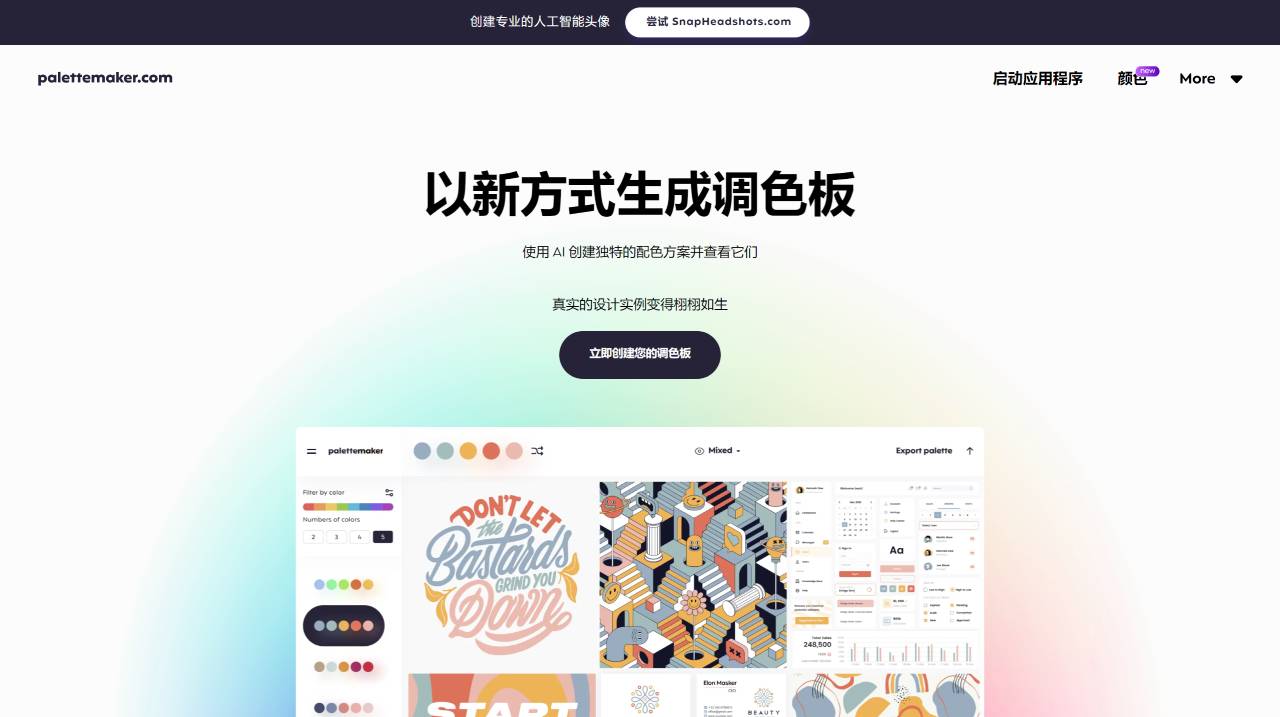
Core Features of PaletteMaker:
Preview colors in real time within real designs
Filter palettes by different tones and number of colors
Check how colors perform in graphic design
Export palettes in multiple formats
How to Use PaletteMaker?
PaletteMaker is very simple and intuitive to use. The main palette is located at the top (or at the bottom on mobile devices), which is the primary tool to use. You can browse color schemes on the left panel. Whenever you select a palette, it is applied at the top. You can use "random" colors, change individual colors, or even delete each color cell. PaletteMaker automatically uses 5, 4, 3, and 2-color palettes.
PaletteMaker is a comprehensive and easy-to-use online color palette tool, ideal for both professionals and amateurs who need to design color combinations.