Script Planner Assistant▸
 AI Apps
 AI News

MindMac_云技派,专注ai人工智能!
MindMac_云技派,专注ai人工智能!Introduction
MindMac.app is a native ChatGPT client designed specifically for macOS. It serves as a companion for ChatGPT, allowing users to easily and seamlessly chat with AI models including Openai, Azure OpenAI, and Google Gemini.
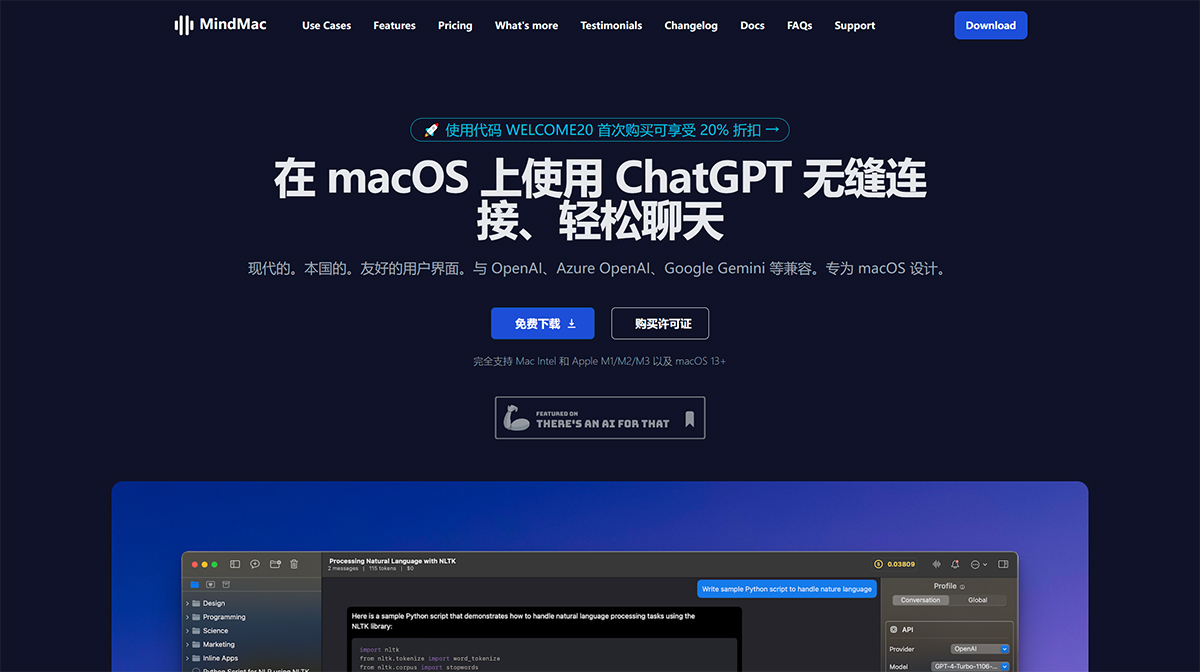
Key Features of MindMac.app:
ChatGPT Integration: MindMac.app allows users to easily access and interact with a variety of AI models, including OpenAI ChatGPT, Azure OpenAI, Anthropic Claude, OpenRouter, and more.
Inline Mode: MindMac.app offers an inline mode feature that allows users to use ChatGPT within any other application without switching windows. This enables users to chat seamlessly with AI models while handling other tasks.
Language Support: MindMac.app currently supports 15 application interface languages, including English, Spanish, German, French, Italian, Portuguese, Japanese, Korean, Chinese, Arabic, Indonesian, Thai, and Vietnamese. Additionally, users can chat with ChatGPT in any language.
Prompt Templates: The application provides a library of prompt templates that users can leverage to quickly respond and interact with AI models.
Customization Options: MindMac.app offers customization options for OpenAI parameters, appearance, context mode, keyboard shortcuts, and more. Users can tailor the application to their preferences.
Privacy and Security: MindMac.app prioritizes user privacy and ensures that API keys are securely stored in the Keychain on the user's Mac. User data is only sent to the respective AI server, thereby protecting privacy.
Web Browsing: MindMac.app includes a feature that allows users to access the latest data from the internet to enhance AI model responses. Users can configure search providers and browse the internet within the application.
Cost Estimation: The application provides usage details, such as tokens and cost, to help users manage their usage and estimate costs.
Compatibility: MindMac.app is currently only compatible with macOS. However, the developers are continuously evaluating user needs and may explore the possibility of expanding to other platforms (such as Windows or Linux) in the future.
Additional Features: MindMac.app offers additional features such as conversation style control, auto-generated conversation titles, profession library, hotkeys and shortcuts, favorite chats, chat history, chat folders, and global search.
How to Use MindMac.app?
To use MindMac.app, follow these general steps:
1. Download and Install: Visit the official MindMac.app website and download the application for macOS.
2. Sign Up for an OpenAI API Key: To use the application, you will need an OpenAI API key. If you don't already have an API key, sign up on the OpenAI website.
3. Launch MindMac.app: After installation, launch MindMac.app on your macOS device.
4. Configure Settings: Set your preferences and configurations in MindMac.app settings. This includes options for context mode, appearance, keyboard shortcuts, and more.
5. Start Chatting: Once your settings are configured, you can begin chatting with the AI models supported by MindMac.app. Enter your query or prompt and receive responses from the AI model.
6. Explore Features: MindMac.app offers various features such as inline mode, prompt templates, customization options, web browsing, and more. Explore these features to enhance your chat experience.
Please note that the specific usage and features of MindMac.app may vary. It is recommended to refer to the official documentation or user guide provided by the MindMac.app developers for detailed instructions on how to effectively use the application.