
 Script Planner Assistant▸
 AI Apps
 AI News

Creative Upscaler: Image Enhancement Tool
Creative Upscaler: Image Enhancement ToolIntroduction
Creative Upscaler, an AI lossless upscaling tool from Stability AI, can upscale your images to 4K resolution. Creative Upscaler not only enlarges your images but also adds new details that weren't there originally.
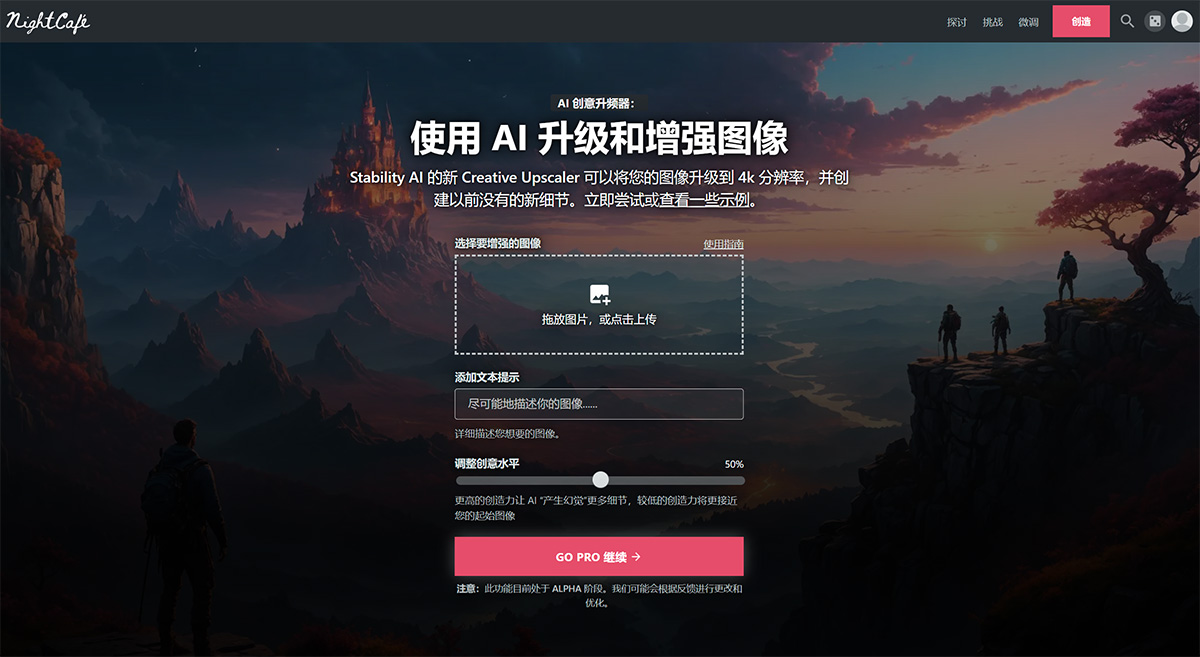
Key Features of Creative Upscaler:
Resolution Enhancement: Not limited by the original image size, Creative Upscaler can upscale any image to 4K resolution, seamlessly achieving quality improvement.
Detail Creation: This technology doesn't just enlarge images—it can "hallucinate" details that weren't present in the original image. By combining images with text prompts, Creative Upscaler creates clear, high-quality image effects, delivering an unprecedented visual experience.
Creativity Adjustment: Users can customize the creativity level, meaning the AI can add more or fewer new details based on user needs while preserving the original image's characteristics as much as possible. At high creativity settings, the upscaler can create entirely novel details, further enriching the image content.
Targeted at High-Quality Conversion: Creative Upscaler is particularly well-suited for transforming low-quality images into high-resolution masterpieces, enhancing the clarity of details and textures for more realistic visual effects.
Original Image Preservation: At low creativity settings, the system preserves the original image's characteristics as much as possible, suitable for delicate and faithful-to-the-original processing.
Infusing Life: Creative Upscaler can breathe life into otherwise mundane images through its unique upscaling process, making them more captivating.
Unique AI Technology Application: What sets Creative Upscaler apart is its ability to combine text prompts with image content to create new details that didn't previously exist, giving images new life and limitless possibilities.
Creative Upscaler Usage Guide:
Creative Upscaler's capabilities are incredible, but it's also very expensive, so you should know a few things before using it.
1. General Advice: Use Creative Upscaler carefully and understand what it excels at. We recommend using it for creations where you like the composition but want to add details, enhance realism, and fix distorted faces. If you already like the textures and details in your image and just want it bigger, then Creative Upscaler is not the right tool for the job.
2. Regardless of input size, the output is always approximately 9 megapixels (9 million pixels), and typically takes 2-3 minutes to complete.
3. By definition, Creative Upscaler is "creative." It may alter significant parts of your image, even at low creativity settings.
4. Creative Upscaler can detect and enhance faces, and each face requires additional processing time. Currently, images with more than 2 detected faces will be blocked. Please note that if a face in the image is important (e.g., it's an image of a real person), Creative Upscaler will very likely render it unrecognizable, and you should avoid using it. Celebrities are an exception—as long as you include the celebrity's name, Creative Upscaler is very likely to improve their face.
5. Your prompt should describe more about the image you want, rather than the image you're enhancing. Write prompts as you would for Stable Diffusion.
Creative Upscaler FAQ:
1. How do I use Stability AI Creative Upscaler?
There are currently two ways to use Creative Upscaler on NightCafe. The first is at the top of this page—upload an image, add a prompt, and click "Enhance." The second method is to enhance an existing NightCafe creation—click the "Upscale" icon overlaying the image in the gallery, then select "Creative Upscale."
2. What makes Creative Upscaler different?
Unlike other AI upscalers, Creative Upscaler not only enlarges your images but also adds new details that weren't there originally. It's like having a digital artist who can turn your low-quality images into high-quality masterpieces.
3. Does it cost money to use Creative Upscaler?
Yes. Creative Upscaler is a premium feature. You must be a PRO member to use it, and it also costs credits to run.
4. Why is Creative Upscaler so much more expensive than something like SDXL?
Creative Upscaler uses a significant amount of computing power, so it's considerably more expensive to use than other AI algorithms on NightCafe. Over time, we expect costs to decrease as the technology improves and becomes more efficient.
5. Do I own the copyright to images I generate?
Yes! As long as you own (or have the right to use) the original photo asset, we transfer any copyright assignment to the creator. Please check your local country's copyright laws to confirm your local AI regulations. AI-generated art copyright laws are still evolving, and some jurisdictions simply won't grant any copyright ownership at all.
Overall, through its innovative AI technology, Creative Upscaler provides a whole new dimension to image upscaling. Whether it's boosting resolution, adding details, or comprehensively transforming image quality, it can meet users' diverse needs.














