
 Script Planner Assistant▸
 AI Apps
 AI News

Office Little Raccoon: AI Office Assistant by SenseTime
Office Little Raccoon: AI Office Assistant by SenseTimeIntroduction
办公小浣熊 (Office Little Raccoon) is an AI office tool developed by SenseTime. It can help clean data, generate charts, create PPT presentations, and plan out miscellaneous tasks, making things like writing reports and handling spreadsheets much easier.
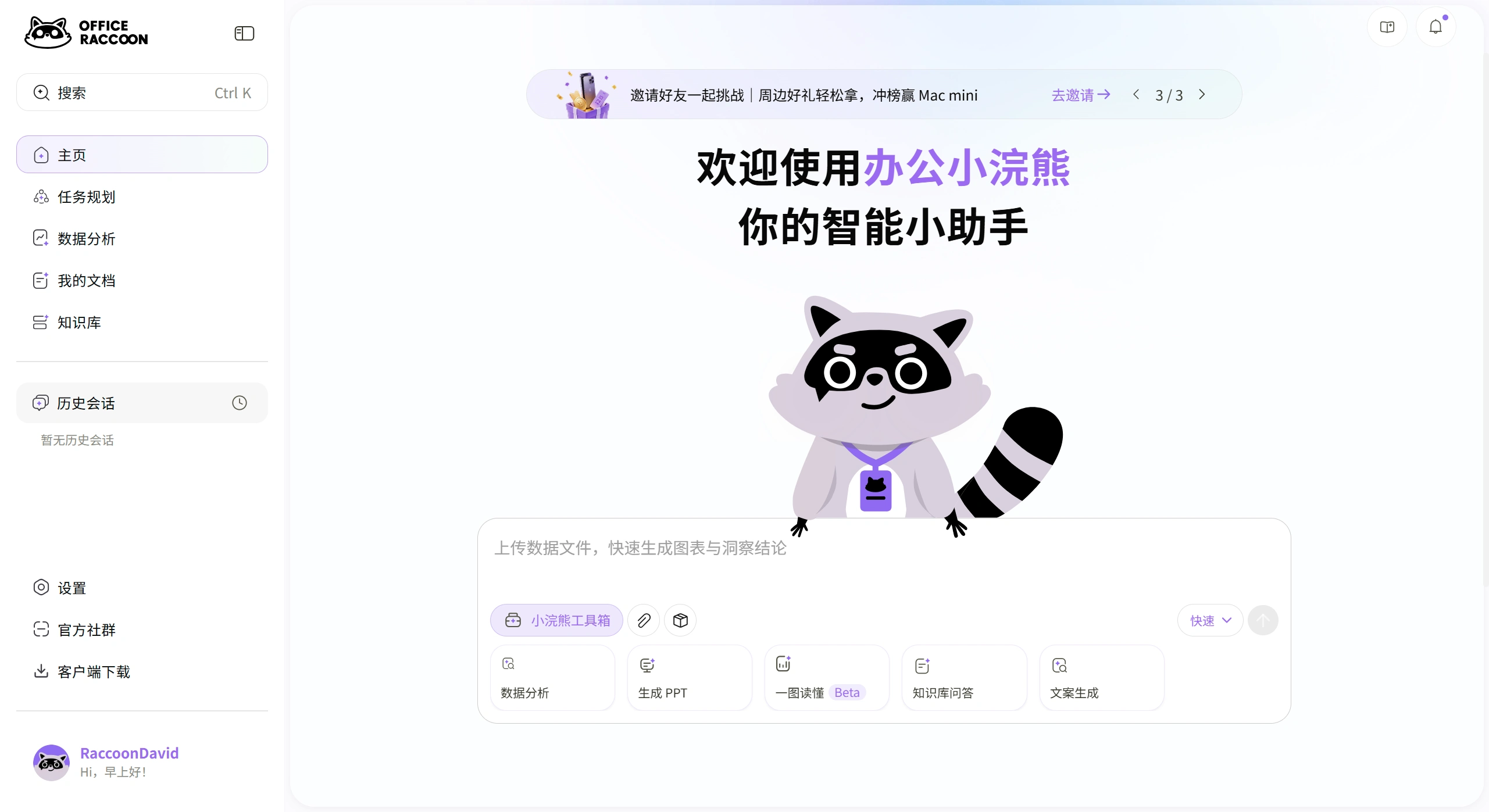
✨ Key Features of 办公小浣熊
Data Analysis
Handles millions of rows of data in basically seconds, automatically performing cleaning, calculations, comparisons, trend forecasting, and anomaly detection.
Supports over 20 file formats including Excel, CSV, PDF, Word, PPT, and images.
You can simply type your questions in natural language, and it will generate charts and reports for you.
Content Creation
Enter a topic and generate a fully structured PPT with one click. You can also edit it page by page without messing up the layout.
There's a "Creative Mode" that comes with plenty of templates, and you can also upload your company's own templates — it will learn to use them.
It can also compress long documents into infographics, the kind of "one-picture summary" format.
Intelligent Task Planning
It can automatically break down a complex task into smaller steps and tell you which to do first and which to do later.
One official example: doing a monthly financial report analysis used to take 8 hours; now it takes 45 minutes, a 91% efficiency boost.
Knowledge Base Management
Individuals or teams can build their own online knowledge bases, enabling cross-file searches and correlation analysis.
It remembers your profession, industry, and preferences, so it becomes increasingly tailored to your needs over time.
Desktop Agent
It can operate your computer directly, requires no configuration, and integrates with software like Feishu (Lark).
For example, you can just tell it: "Analyze this week's sales data, summarize the issues and recommendations, and post them to the Feishu project group."
🚀 Use Cases for 办公小浣熊
Finance and market analysts: process large volumes of reports and sales data, quickly generate analyses and trend charts.
New employees and managers: create presentation PPTs, write emails, draft proposals, and plan projects.
Educators and students: conduct data analysis for teaching and research, organize literature, and outline papers.
Education sector: has donated educational versions to institutions like Zhejiang University Library to support teaching and research.
Finance sector: already deployed in scenarios like intelligent claims processing and smart data querying.
💰 办公小浣熊 Pricing
Personal Free Version: All core features are available. The single-file size limit has been reported as both 50MB and 20MB — check the official site for specifics.
Personal Upgraded Version: Approximately 49 yuan/month, or 48 yuan via in-app purchase.
Enterprise Standard Version: Approximately 899 yuan/person/year, supporting private deployment and API integration.
Custom Development Version: Models trained based on industry-specific needs; pricing requires contacting the vendor directly.
💬 Real User Reviews
Pros:
Virtually no learning curve — just talk to it in plain language, no need to learn formulas or functions.
Excel and PDF handling are genuinely impressive: fast chart generation and accurate reports.
Excellent Chinese language understanding — it accurately recognizes things like Alibaba Cloud SDK and WeChat Pay, with a higher one-pass code generation success rate than most competitors.
Continuously updated — features like editable individual PPT slides and long-text-to-infographic conversion truly address pain points.
Cons:
When handling particularly complex long-chain reasoning tasks, there is still some gap compared to top-tier models like ChatGPT.
📚 How to Use 办公小浣熊
Visit the official site office.xiaohuanxiong.com and register/log in.
After logging in, select the "办公小浣熊" mode.
Upload files (Excel, PDF, etc.) or just type your request directly in the chat box, for example: "Analyze this sales data, find the top three products with the fastest Q3 growth, then generate a PPT report."
The AI will automatically break down the task and start working. You can make adjustments at any point along the way. For PPT creation, it's best to revise the outline at the generation stage to avoid rework later.
Once done, export in your required format (Excel, PPTX, PDF, etc.) and save, or share it with team members in one click.
⚔️ 办公小浣熊 vs. Main Alternatives
| Tool | Core Strengths | Best Use Cases |
|---|---|---|
| Kimi | Excels at handling long texts and complex reading tasks; can simultaneously parse 50 research reports and automatically generate comparison tables | Scenarios requiring deep reading and integration of massive amounts of textual information |
| ChatExcel | Focused on AI spreadsheet automation; can quickly convert files of various formats (PDF, images, etc.) into structured data and perform cleaning and analysis | Spreadsheet tasks with large data volumes and messy formats |
| Gamma / ChatPPT | Gamma excels at web-level interaction and visual design; ChatPPT specializes in fast, "what you say is what you get" generation | Scenarios with extremely high demands for PPT visual design and generation speed |
| GitHub Copilot | The world's most popular AI coding assistant, with powerful code completion and generation capabilities | Programmers' daily development, especially suited for complex projects |
| Feishu (Lark) | AI deeply integrated into collaboration workflows; can automatically transcribe meetings and generate to-do items | Teams that need AI capabilities seamlessly woven into their workflows |















