
 Script Planner Assistant▸
 AI Apps
 AI News

iSlide AI
iSlide AIIntroduction
iSlide aitool is a powerful intelligent ppt creation assistant launched by iSlide. It supports one-click import of local documents and one-click intelligent generation of complete professional PPT documents. With the help of iSlide AI and iSlide's powerful outline editing features, you can quickly create a fully customized, complete professional PPT that meets your content needs, helping users to complete PPT creation faster and more efficiently.
iSlide AI tool offers multiple functions such as generating PPT outlines, generating single pages, replacing single pages, simplifying text, expanding text, polishing text, splitting text, and generating titles. It can automatically remove redundant information from text, generate relevant paragraphs, titles, lists and other text content, automatically detect and correct grammar, spelling, and punctuation errors in text, and split text according to punctuation marks or specified characters, making the text more precise, standardized, and readable, greatly improving users' text processing efficiency and quality.
iSlide AI tool also allows you to directly select and upload local documents. iSlide AI will help you parse and organize the content, generate a complete content outline, and intelligently generate a PPT based on the outline, ensuring the accuracy of the generated content. The design and creation of PPT content is fully automated by AI, improving PPT design efficiency and saving you more valuable time.
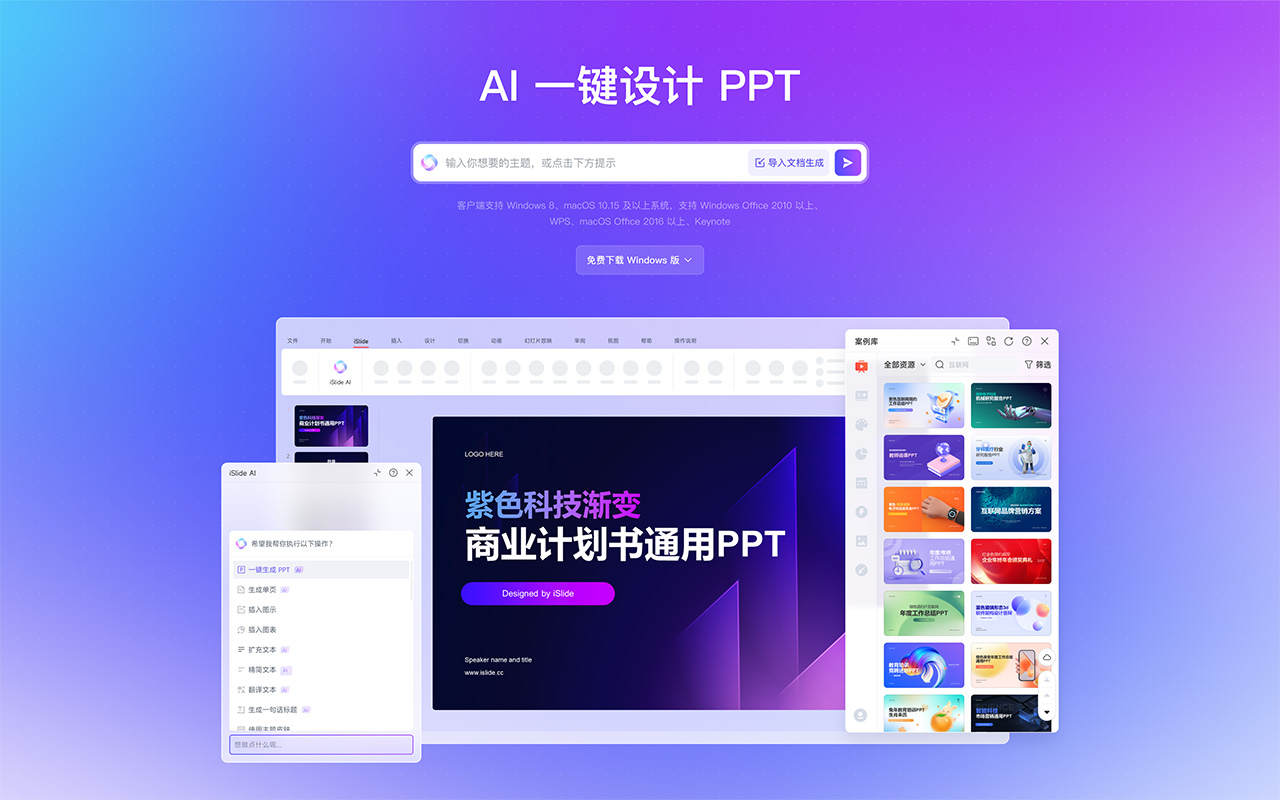
iSlide AI Features:
Enter a topic to generate PPT with one click: Turn your ideas into a PPT, starting with a single sentence.
AI Outline Editor: To further meet users' individual needs for AI-generated PPTs, the PPT outlines generated by iSlide AI provide a function for personalized custom modifications in the outline editor.
Generate/Supplement Single Page Content: For situations where new content needs to be added or supplemented in an existing PPT, you can add new entries in the iSlide AI outline editor, input the complete topic content, and click the Generate Single Page button. iSlide AI can quickly generate complete single page content based on the topic content you entered, thereby quickly supplementing your presentation.
Replace Single Page: Replace PPT content page by page, with AI automatically adapting to the current style. If you are not satisfied with the current page, you can directly use AI to replace the page layout, reducing the time cost of optimization and modification.
AI One-Click Skin Change: AI replaces PPT theme styles with one click, choose until you are satisfied! Backed by powerful algorithms, we meet the needs of users who pursue more in PPTs. No matter what the scenario, there is always a PPT theme style that suits you. Click the one-click skin change button at the bottom of the page and select a suitable theme skin to achieve one-click skin change.
Download to Local: Lightweight online editing, download locally and work with the plugin for in-depth design. The web version AI generates a complete PPT, which can be quickly downloaded and saved locally for secondary editing. It can be combined with the iSlide plugin AI to continue creating and deeply optimize.
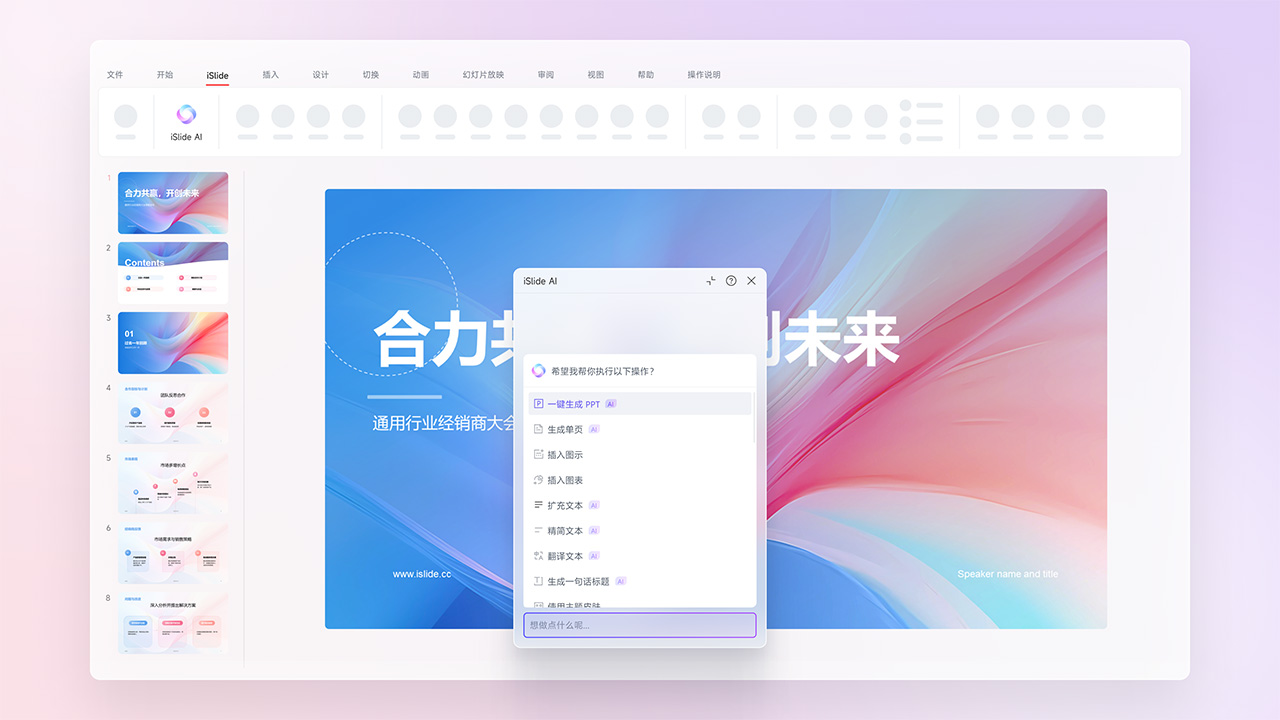
How to Use iSlide AI?
Click the iSlide AI launch tool (shortcut key Ctrl+1) — Click the session box — [New Outline] — Select to import the article and parse — Wait for AI to generate the outline — Save — Generate PPT.
The iSlide AI web version is also officially online. You can open the webpage anytime, anywhere, and with the help of iSlide AI and iSlide's powerful outline editing features, quickly create a fully customized, complete professional PPT that meets your content needs. The iSlide AI tool currently only supports Windows systems with Office 2016 or above and WPS.
Related Information:
How to Use Deepseek+Kimi to Create a Professional PPT: The Complete Process















