
 Script Planner Assistant▸
 AI Apps
 AI News
Ai Drawing Generator_云技派,专注ai人工智能!
Ai Drawing Generator_云技派,专注ai人工智能!Introduction
ai Drawing Generator is a free online AI image generator that can transform your simple doodles into detailed images. Ai Drawing Generator is a tool that uses artificial intelligence technology to convert abstract concepts, themes, or ideas into visual artwork. Through deep learning algorithms, it is able to understand user input and generate images with a visual artistic feel.
Ai Drawing Generator can process text descriptions, keywords, or even hand-drawn sketches provided by users. Some advanced generators can handle more complex conditions, such as emotional or stylistic requirements.
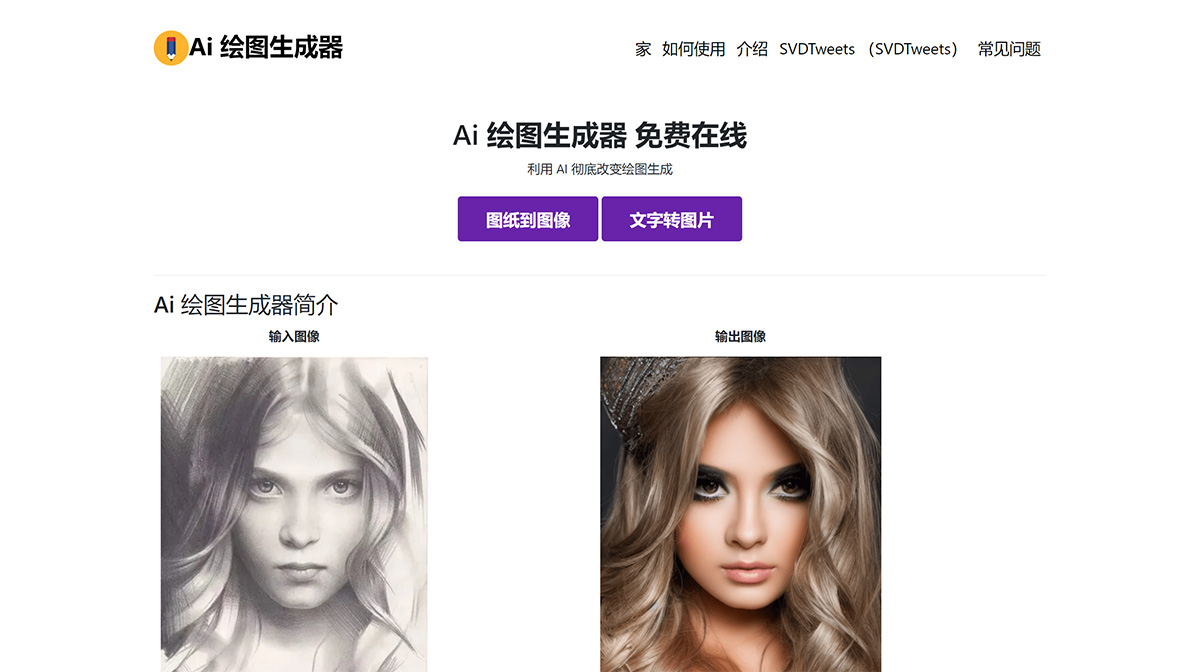
Main Features of Ai Drawing Generator:
As proposed by Lvmin Zhang and Maneesh Agrawala in "Adding Conditional Control to Text-to-Image Diffusion Models," ControlNet introduces a neural network architecture designed to enhance pre-trained large diffusion models by incorporating additional input conditions.
This innovative approach is able to control diffusion models through task-specific conditions learned in an end-to-end manner. Notably, ControlNet exhibits strong learning ability even when the training dataset is limited (fewer than 50k instances). Remarkably, ControlNet's training speed is quite fast, comparable to fine-tuning a diffusion model. It is suitable for training on personal devices, but for those with access to powerful compute clusters, the model can scale to handle large datasets ranging from millions to billions.
ControlNet has proven effective in enhancing models such as Stable Diffusion, allowing conditional inputs such as edge maps, segmentation maps, keypoints, and more, thereby extending the applications of large diffusion models.
How to use ai drawing generator?
To use the Ai Drawing Generator to convert scribbled drawings into images, follow these simple steps:
Step 1: Upload your scribbled drawing - Choose and upload the scribbled drawing you want to convert into an image. Make sure the photo is in a supported format and meets any size requirements.
Step 2: Write a brief description based on the scribbled drawing you uploaded. The more detailed, the better - describe the background color and other details of the image you want to generate.
Step 3: Wait for the image to be generated - After uploading the scribbled drawing, the model will process it to generate an image. This process may take some time, depending on the complexity and length of the scribbled drawing.
Step 4: Download the image - Once the image is generated, you can download it. Check the quality and make adjustments or regenerate the image if necessary.















