
 Script Planner Assistant▸
 AI Apps
 AI News

TurboScribe Ai: Transcribe Audio and Video to Text or Subtitles
TurboScribe Ai: Transcribe Audio and Video to Text or SubtitlesIntroduction
TurboScribe ai is an AI transcription service that offers unlimited audio and video transcription. It can convert audio and video files into text in 98+ languages with extremely high accuracy.
Core Features of TurboScribe Ai:
Unlimited audio and video transcription
Accuracy rate up to 99.8%
Supports 98+ languages
Second-level transcription
Supports document, PDF, text, and subtitle downloads
Import and export audio and video files
Speaker identification
Private and secure
Applications of TurboScribe Ai:
Transcription of meetings, interviews, and podcasts
Converting audio and video into text or subtitles
Generating accurate transcriptions within seconds
Translating transcripts and subtitles into multiple languages
How to Use TurboScribe Ai?
To use TurboScribe Ai, simply upload your audio or video file, and the AI transcription technology will convert it into text within seconds. You can then download the transcription file in various formats.
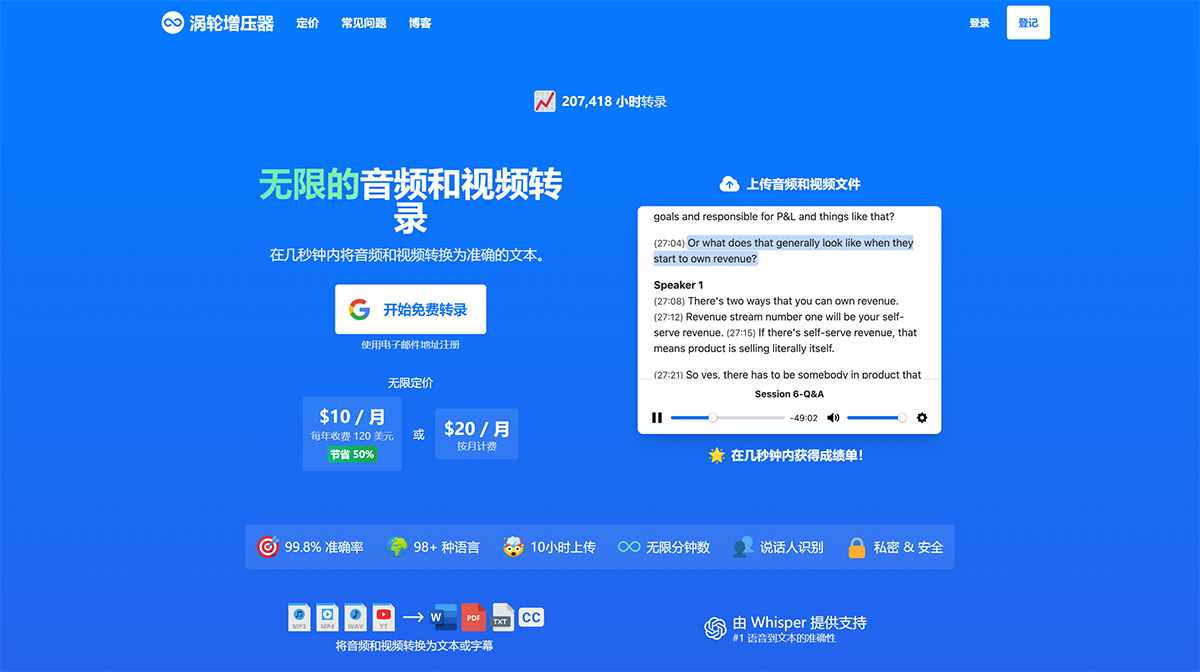
TurboScribe Ai supports over 98 languages and can transcribe audio and video files in various formats, including MP3, M4A, MP4, MOV, AAC, WAV, OGG, OPUS, MPEG, WMA, and WMV. TurboScribe allows users to export their transcripts in PDF, DOCX, TXT, and SRT subtitle formats.
In addition, TurboScribe Ai also includes speaker identification, making it suitable for podcasts, interviews, and meetings involving multiple speakers. The tool also offers built-in translation features that can directly transcribe audio in any language into English, as well as translate transcripts into over 134 languages.
TurboScribe Ai offers a free plan that allows users to transcribe up to 3 files per day, with each file limited to 30 minutes. For unlimited transcription, users can subscribe to TurboScribe Unlimited, priced at $10 per month on an annual billing basis or $20 per month on a monthly billing basis.














