Script Planner Assistant▸
 AI Apps
 AI News

Microsoft Clarity: Free Website Heatmap & Behavior Analytics Tool
Microsoft Clarity: Free Website Heatmap & Behavior Analytics ToolIntroduction
Microsoft Clarity is a free tool that can record user behavior on your website, generate interactive heatmaps, and even use AI to automatically suggest improvements to your site design. Its interface is intuitive and easy to use, making it a great helper for optimizing website interaction and performance. It helps you understand how users engage with your website. By using Clarity's powerful analytics tools, you can enhance your website for your customers and your business.
While other analytics tools focus on reporting traffic, keywords, and page popularity, Microsoft Clarity focuses on the user experience to help publishers gain deep insights into how users interact with their websites.
User behavior data helps publishers identify areas that need improvement, find page errors, gain deeper insight into conversion rates, and discover many other useful insights.
Microsoft Clarity even provides machine learning and deep AI components in the background that automatically generate insights based on patterns created by user behavior on your website. It offers these insights as suggestions for further investigation and tracking.
With Clarity, publishers can view user engagement patterns across different sections of various pages and replay user sessions to understand how users interact with their web pages.
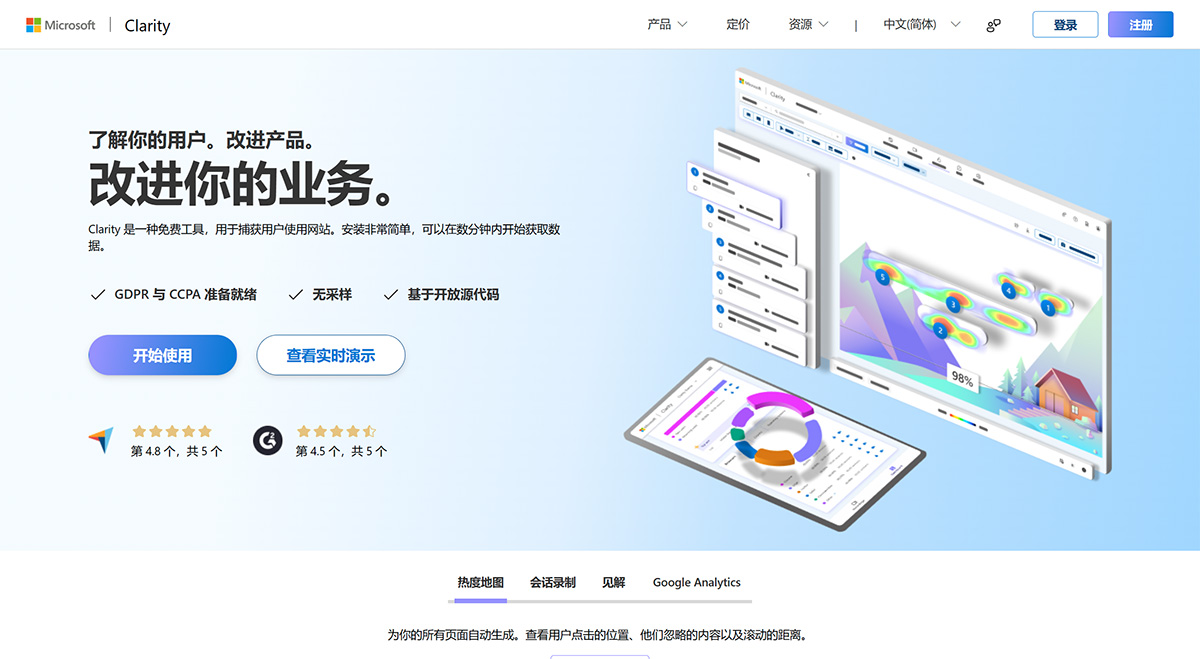
Microsoft Clarity Features:
Always-on recording
Click and scroll heatmaps
Instant heatmap generation
Access to historical data
Rage clicks and dead click insights
Shareable heatmaps and recordings
Multi-device support
Rich segmentation with more than 25 filters
Support for Ajax and single-page applications
Masking and additional privacy features
GDPR and CCPA compliance
Easy integration with Google Analytics
Email customer support
Why use Clarity?
Clarity offers many unique features to help you understand user behavior:
Simple and easy customization makes Clarity a perfect fit for your business.
Clarity does not hinder your website's performance.
Data is analyzed and available for near real-time viewing, so you don't have to wait.
There is absolutely no limit on the number of websites per account. Clarity can scale to support the largest websites.
Clarity processes more than 1 PB of data every month from over 100 million users. Additionally, there are no traffic limits for these websites.
Insights powered by deep AI and machine learning algorithms help you analyze user behavior efficiently.
No sampling required (i.e., only tracking a portion of your website traffic).
How to install Clarity?
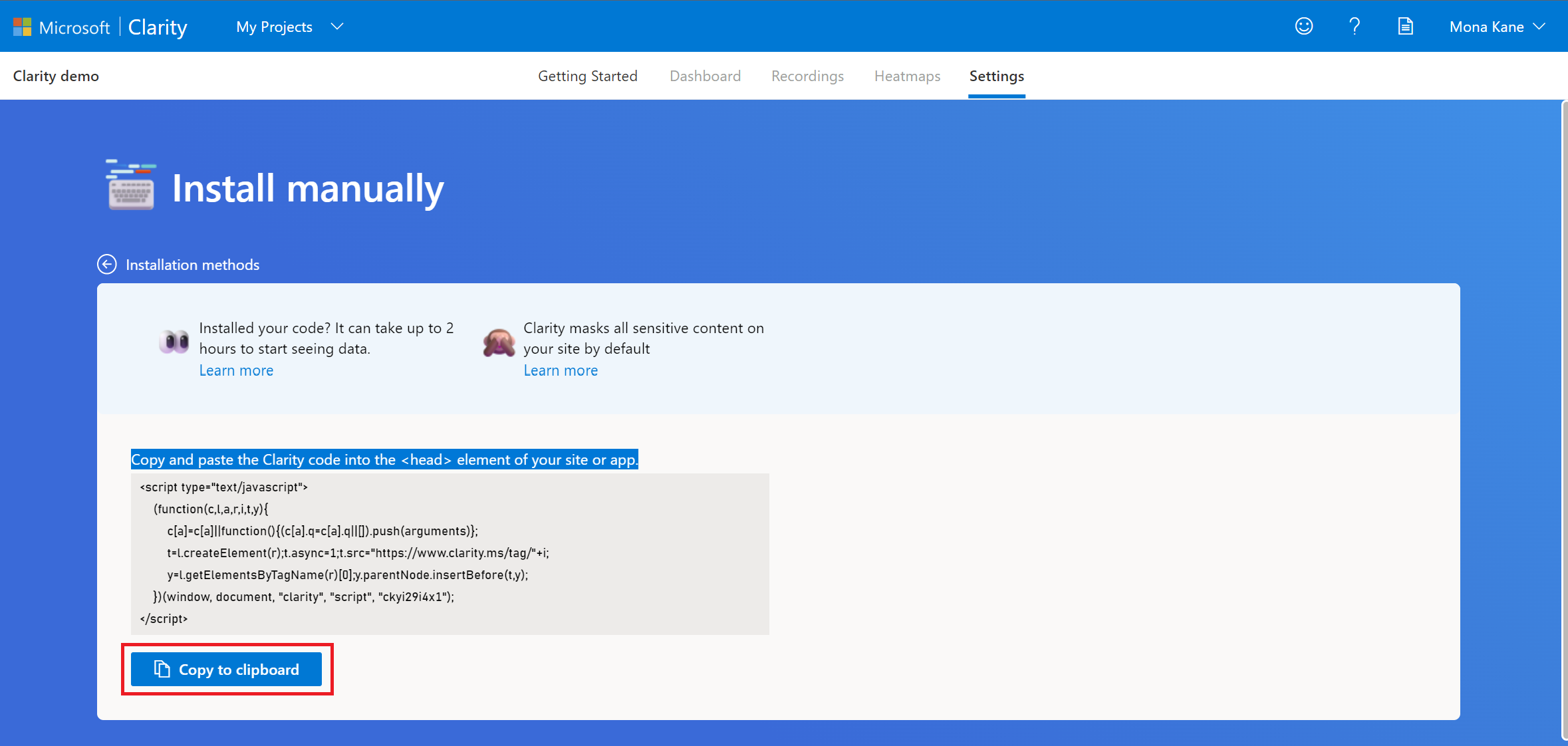
You need to install the tracking code to start using it on your website. Every website you add to your Clarity account has its own unique tracking code for installation. You can add the same script to multiple subdomains of your website.
1. Select a project, then go to "Settings" -> "Setup".
2. Select "Get tracking code".
3. Copy the code and paste it into the <head> section of your website or web application.
Clarity is built by Microsoft, one of the largest technology companies in the world. Microsoft processes vast amounts of anonymous user behavior data to gain insights and improve machine learning models that power many of its products and services. Clarity is one of the ways Microsoft collects this important data, and it's also one of the reasons why we offer it for free.
Clarity supports integration with mobile applications, providing support for native Android, React Native on Android, Cordova, and Ionic, with more platforms to be supported in the future. In addition, the Clarity extension allows you to view heatmaps directly on live websites and watch the latest recordings for any page you are browsing, making analysis easier than ever.
Clarity helps aggregate user behavior and discover trends so we can helpretailers, content publishers, small business owners, and others aggregate user behavior, identify trends, and together build a better website experience for users.
Clarity will always be a free service. You will never encounter traffic limits or be forced to upgrade to a paid version, and we will never share your data with third parties.