
 Script Planner Assistant▸
 AI Apps
 AI News

Piktochart: AI-Powered Infographic Maker
Piktochart: AI-Powered Infographic MakerIntroduction
Piktochart is an infographic creation tool that allows users to turn any idea into custom, professional, and beautiful infographics in seconds. Thanks to its advanced AI capabilities, it can generate visually appealing and informative infographics on any topic without any design experience required.
Piktochart emphasizes true brand consistency, ensuring infographics match the aesthetic and style your brand requires. Harnessing the power of AI, Piktochart AI streamlines the creation process, enabling users to quickly and easily generate professional-looking infographics.
By automating the design process, Piktochart saves users from the time-consuming tasks of manually creating and formatting graphics. The tool focuses on vivid visuals, ensuring the infographics it generates are visually engaging and eye-catching.
This focus on visual appeal helps capture your audience's attention and communicate your message effectively. One of Piktochart AI's key advantages is that it is available for free, making it accessible to users from all backgrounds.
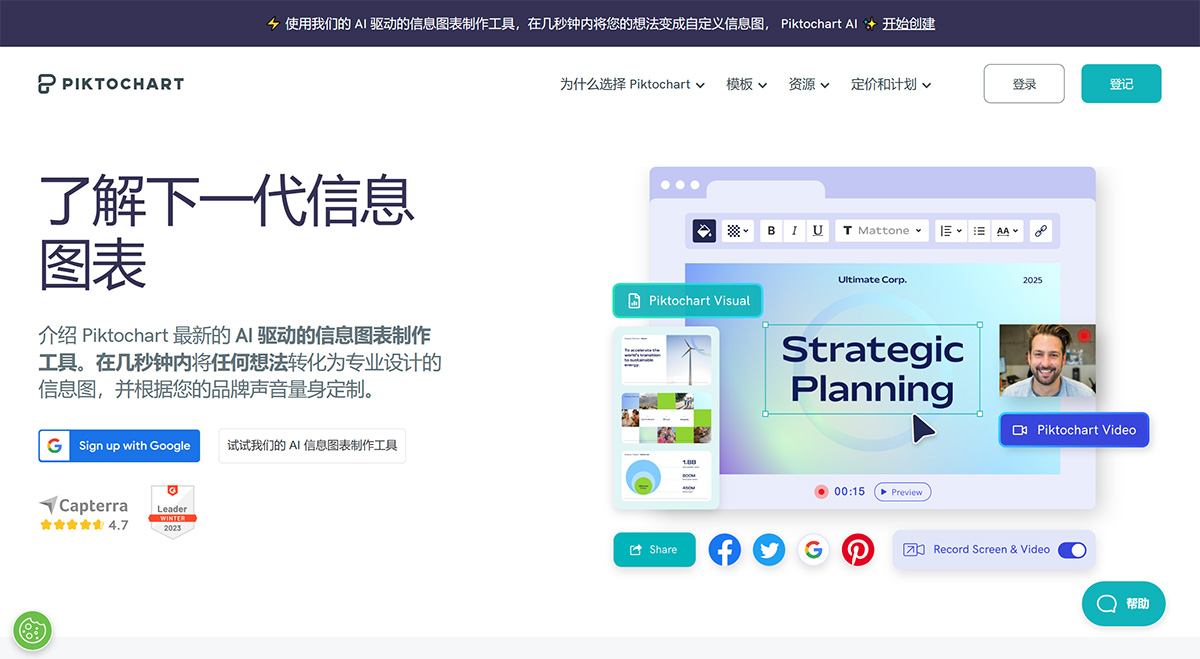
Piktochart's Core Features:
1. With Piktochart, you can complete professional-looking designs in under an hour—no training or graphic design experience required. Our drag-and-drop editor helps you create infographics, brochures, or presentations in minutes instead of hours.
2. With Piktochart, you don't have to overhaul your entire workflow. Download your visuals in PNG and PDF formats and share them with colleagues via email. You can also download presentations as PPT files and present offline using presentation software like PowerPoint.
3. Data doesn't have to be boring, and visualizing data doesn't have to be complex. Copy and paste your data into our chart maker, upload a CSV or Excel file, or link a Google Sheet. Turn complex data into clear data visualizations that deliver your message. Choose from charts, graphs, and interactive maps to present your data in a clear and understandable way.
4. Does video editing feel complicated and intimidating? With Piktochart Video, it's as quick and straightforward as editing text. Automatically transcribe, add subtitles, and trim videos to optimize them for different social media channels—all in just minutes.
How to Use Piktochart?
With Piktochart, you can quickly create visually appealing designs without any design training. Simply use the drag-and-drop editor to create infographics, brochures, presentations, and more. Download your visuals in various formats and share them with colleagues, or use them in offline presentations.
Overall, Piktochart AI is a valuable tool for individuals or businesses looking to create compelling infographics without the need for extensive design knowledge or financial investment.
With its seamless artificial intelligence capabilities and dedication to brand consistency and visual aesthetics, Piktochart simplifies and accelerates the infographic creation process.















