Script Planner Assistant▸
 AI Apps
 AI News

PromptPerfect: Jina AI's One-Stop AI Prompt Optimization Tool
PromptPerfect: Jina AI's One-Stop AI Prompt Optimization ToolIntroduction
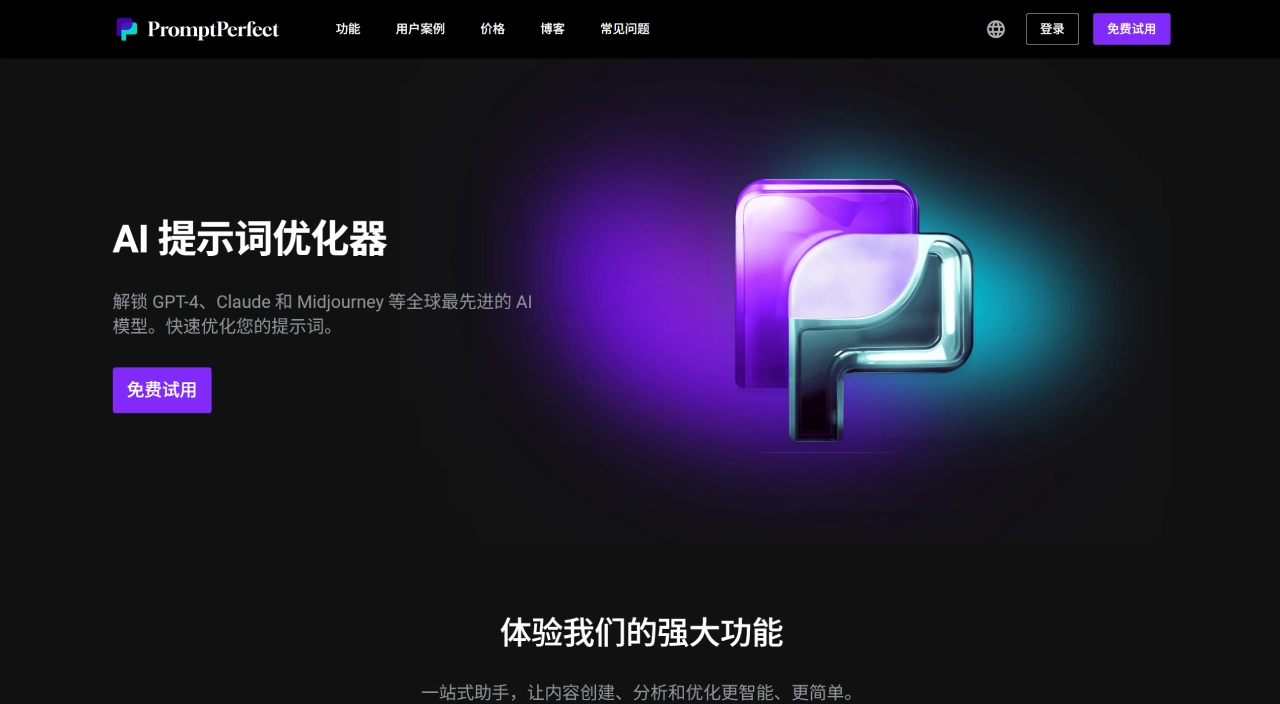
PromptPerfect is a prompt optimization tool launched by Jina AI. PromptPerfect mainly helps users refine instructions written for large models and image-generation models such as GPT-4, Midjourney, and Stable Diffusion.
Here's how PromptPerfect works: you input a rough idea, and it expands it into a more specific, more structured prompt, so the AI's output is closer to what you need. It currently supports 23 mainstream models, including domestic ones like Wenxin Yiyan and Tongyi Qianwen, and can handle text, image, and video prompts simultaneously.
PromptPerfect Core Features
Automatic optimization: type in something like "write an article about healthy eating," and it automatically fills in details such as target audience, style, and key points — no prompt engineering knowledge required.
Multi-model adaptation: generates dedicated prompts for 23 models, including GPT-4, Claude, Gemini, Wenxin, Tongyi, as well as Midjourney, DALL‑E, and Stable Diffusion.
Arena mode: run the same prompt on different models and compare results side by side to pick the best fit.
Interactive conversational optimization: chat with the AI assistant to refine prompts step by step — great for scripts, painting, and similar scenarios.
Image reverse engineering: upload an image and reverse-engineer possible prompts (supports Midjourney, DALL‑E 3, and Stable Diffusion XL).
Batch & API: supports REST API calls, can be embedded into workflows and used as Prompt-as-a-Service.
Multilingual optimization, sensitive word filtering, multi-account permission management, and auditing.
PromptPerfect Use Cases
Content marketing: prompt optimization for social media copy and email newsletters.
Video creation: YouTube script generation.
AI painting: improve output quality from Midjourney and Stable Diffusion.
Cross-border e-commerce: product description optimization.
Legal texts, social sentiment analysis, chatbot development.
Code development: turn vague questions into clear, structured prompts.
PromptPerfect Pros and Cons
Pros:
Automatic optimization saves the time of learning prompt techniques.
Wide model support, covering both text and images.
Simple interface, easy for beginners to pick up.
A free tier and a 7-day trial are available, with API access for developers.
Cons:
For highly specialized or niche domains, optimization may not be precise enough.
Heavy usage requires a paid plan; API calls incur costs.
How to Use PromptPerfect
Visit the official site https://promptperfect.jina.ai/ on your computer, sign up, and log in — WeChat and other channels are supported.
Select the AI model you want to use (e.g., GPT‑4 or Midjourney).
Enter your original prompt and click the optimize button.
Receive the expanded, professional prompt, and preview a side-by-side comparison of the original and optimized output.
Compare different models in the Arena, or keep refining with Interactive conversational mode.
PromptPerfect vs. Competitors
| Comparison | PromptPerfect | LangChain | PromptLayer | PromptDC | Prompt Optimizer (Open Source) |
|---|---|---|---|---|---|
| Core positioning | Automated prompt optimization | AI application development framework | Prompt version management & monitoring | Code-generation prompt constraints | Local prompt optimization |
| Main features | Auto-optimization, multi-model, conversational refinement | Chained calls, app development | Version control, performance tracking | Output format control | Basic optimization (text only) |
| Target users | Individual creators, general users, developers | AI engineers, developers | Product & operations teams | Developers | Privacy-focused developers |
| Model support | 23 models (text + image) | Multiple LLMs | Multiple LLMs | Focused on code models | Mainly text models |
| Multimodal | ✅ Text + image | ❌ | ❌ | ❌ | ❌ |
| Ease of use | High (UI-driven) | Medium (requires programming) | Medium | Medium | Medium (requires deployment) |
| Deployment | SaaS + API | Local / Cloud | SaaS | SaaS | Self-hosted |
Why Choose PromptPerfect
Broad model coverage: supports both text and image generation, so one tool handles multiple needs.
Zero learning curve: no prompt techniques required — input an idea, get a professional prompt.
Interactive refinement: optimize through a conversational assistant for a more natural experience.
API available, can be embedded into existing workflows.
The free plan includes 10 requests per day; Pro is $19.99/month (500 Auto‑tune and Interactive requests plus 500 Arena requests per day); Pro Max is $99.99/month (includes API with higher limits). Try it first, then decide.
FAQ
Which models does PromptPerfect support? 23 models including GPT, Claude, Gemini, Wenxin, Tongyi, Midjourney, Stable Diffusion, DALL‑E, and more.
Free plan quota? 10 total requests across all features per day.
How do I log in? Multiple options such as WeChat are supported, convenient for users in China.
Can the optimized prompt be used directly? Yes — just copy and paste; you can also compare results across models in the Arena first.
Is Chinese supported? Yes, with optimization tailored for Chinese grammar and idioms.
ong> Call it via REST API or SDK, and embed it in applications as Prompt‑as‑a‑Service.