
 Script Planner Assistant▸
 AI Apps
 AI News

Dubbing Studio – AI Dubbing & Video Translation Tool
Dubbing Studio – AI Dubbing & Video Translation ToolIntroduction
Dubbing Studio is a fully automated AI dubbing or video translation tool. You only need to upload a video or paste a video link, and this tool can fully automatically translate your video into 29 languages within seconds to minutes. AI Dubbing can also clone the voice from the original video to dub for you.
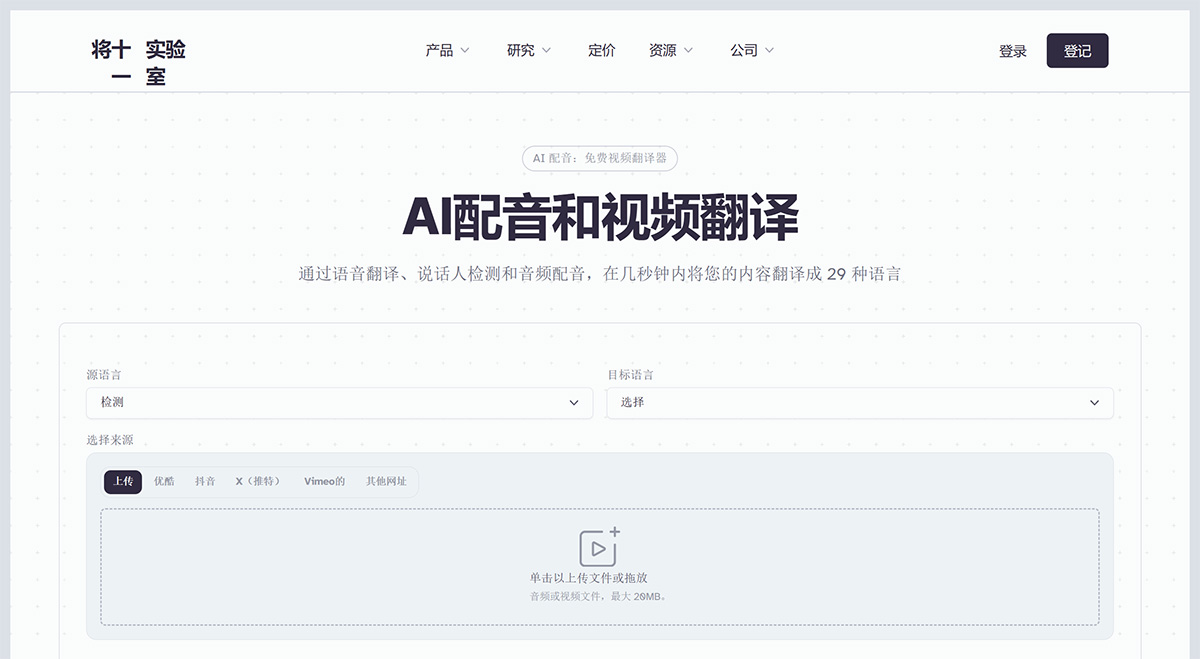
Main features of AI Dubbing Studio:
Video Translation and Dubbing: Translates the audio of a video from one language to another while preserving the original speaker's voice characteristics.
Wide Range of Applications: Can be used in various scenarios, such as helping audiences of different languages understand foreign-language videos, or enabling a company's promotional and training videos to be understood by employees in different countries.
Simple to Operate: Just upload the video, select the desired language, and Dubbing Studio automatically handles the rest of the translation and dubbing work.
Support for Multiple Video Platforms: Simply copy and paste video links from the platforms such as YouTube, TikTok, and Twitter to perform dubbing.
Preserving Original Voice Style: During translation, the AI strives to preserve the original voice tone and style of the people in the video.
Suitable for Multi-Speaker Videos: Capable of handling conversations with multiple people, ensuring that each person's voice is correctly identified and translated.
Fully Automated Workflow: From video upload to translation and dubbing, the entire process is automatic, requiring no manual intervention.
Multilingual Support: Dubbing Studio supports translating videos into 29 different languages, covering most major languages worldwide.
Support for Multiple File Formats: Not only supports video files, but also handles audio files such as MP3, MP4, and others.
Translation Editing: Users can now effortlessly adjust the translation to fit the context. For example, if the translation appears awkward or repetitive, such as translating "In a land where the sun scorching the Earth." into "En una tierra donde el sol quema la tierra", users can modify it to sound more natural.
Voice Customization: Dubbing Studio isolates each speaker's voice and clones it to ensure consistent voice quality across languages. Users can also adjust voice settings such as stability, similarity, and style.
Sync and Timing: Keeping dialogue aligned with the on-screen action is essential for a seamless viewing experience. Dubbing Studio allows users to adjust timecodes and inject audio clips, ensuring perfect synchronization.
Editing Flexibility: The interface includes speaker cards showing the original and translated text, a timeline with individual audio tracks, and settings for detailed adjustments. This comprehensive setup ensures users can modify every aspect of the dubbing.
Manual Import Options: For those seeking more control, the manual dubbing option allows users to upload individual audio files, background audio tracks, and detailed CSV files outlining dialogue details.
The launch of Dubbing Studio ultimately enables creators and businesses to reach a wider audience, making their content accessible and culturally relevant across different languages. It provides the level of control that many professional creators seek for higher production value in their multilingual video content.














