Script Planner Assistant▸
 AI Apps
 AI News

Wondershare Demoair – Presentation, Screen Recording & Video Editor
Wondershare Demoair – Presentation, Screen Recording & Video EditorIntroduction
Wondershare DemoCreator is a presentation video creation tool that combines screen recording with video editing. It is perfect for tutorial creation, presentation videos, presentation recordings, gaming videos, and other knowledge-sharing videos. You can edit recorded screen, video, and audio on different tracks. Wondershare DemoCreator is more than just a simple screen recording application; it also features AI cutout technology, green screen keying, mouse effects, and over 10,000 video resource templates. Videos created with Wondershare DemoCreator can be exported in MP4, MOV, MP3, or GIF formats and shared on social media.
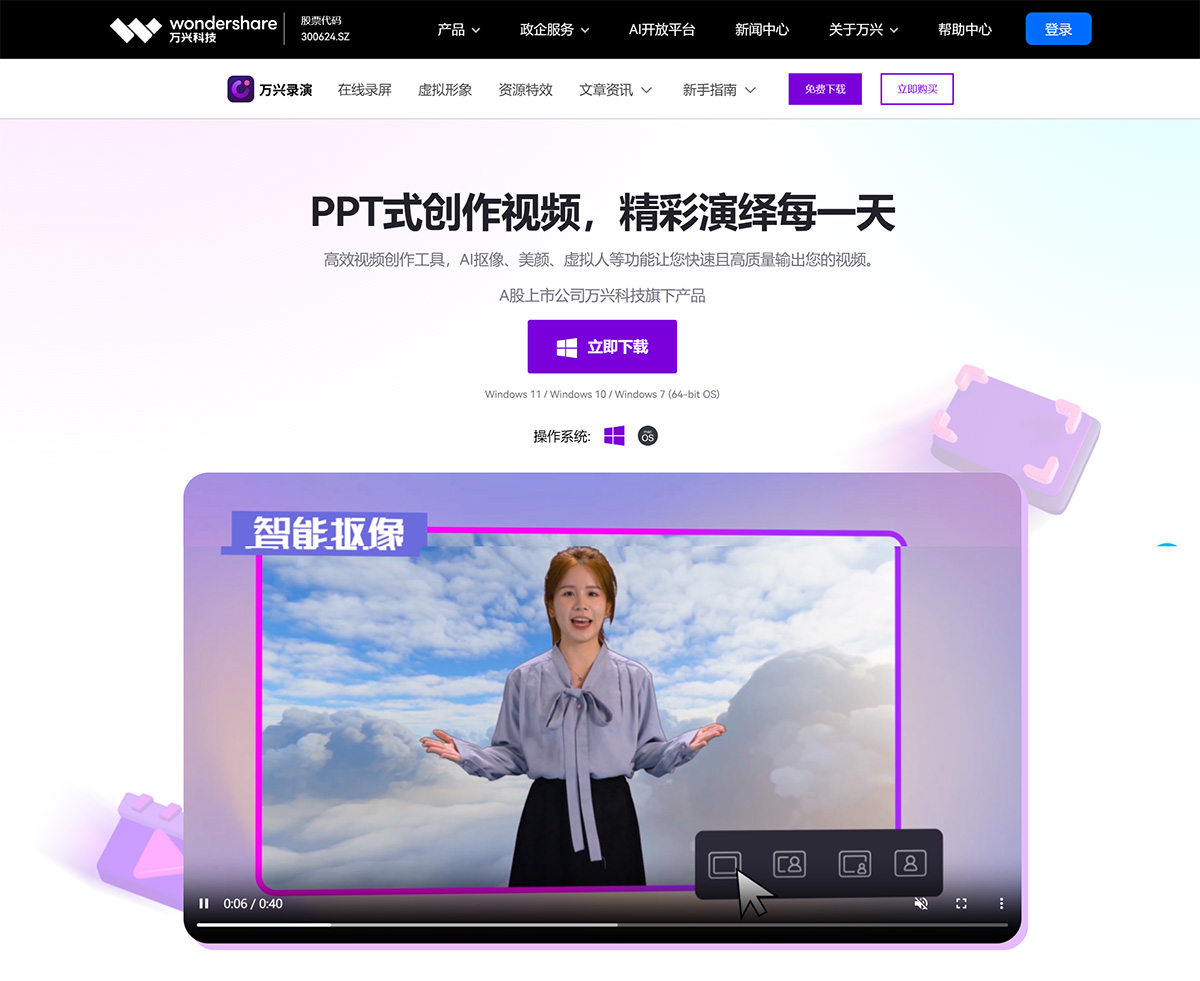
Advantages of Wondershare DemoCreator:
1. Multiple features for worry-free on-camera presence
Smart keying and portrait beautification help you look perfect on camera, along with virtual avatars waiting for you to explore.
2. Diverse content presentation with immersive recording
Import PPT, images, and videos in multiple formats, with whiteboard, pen, and annotation features to power brilliant presentations.
3. Massive resources for one-click scene setup
A huge library of 2D/3D backgrounds and effect materials, with support for uploading custom backgrounds.
4. Creation and live streaming in one click
Support simultaneous recording and live streaming, ultra-fast export, and efficient sharing.
Use Cases for Wondershare DemoCreator:
Course Creation
Multi-functional support for immersive course recording, more popular with the new generation of learners.
Course Live Streaming
Easily set up a virtual classroom and push content to major meeting/live streaming systems with one click.
All Enterprise Scenarios Covered
Knowledge Training
Support annotations, whiteboards, and material additions to enhance knowledge exchange in corporate training.
Virtual Launch Events
No need to build physical scenes — various styles of launch event scenes are available, with perfect blending of people and backgrounds.
Product Marketing
Showcase products perfectly, helping enterprises bring new products to market faster.
Social Media Videos with Unlimited Creativity
Practical Skills
Simple operation, fast video production, making video creation efficient and high-quality.
Science Communication & Sharing
Countless resource materials to efficiently inspire your creative expression.
How to Use Wondershare DemoCreator:
Open Wondershare DemoCreator, and a startup window will appear. You will see three recording modes: Screen + Webcam Recording, Record Screen, and Record Game, as well as Video Editing and Recent Projects.
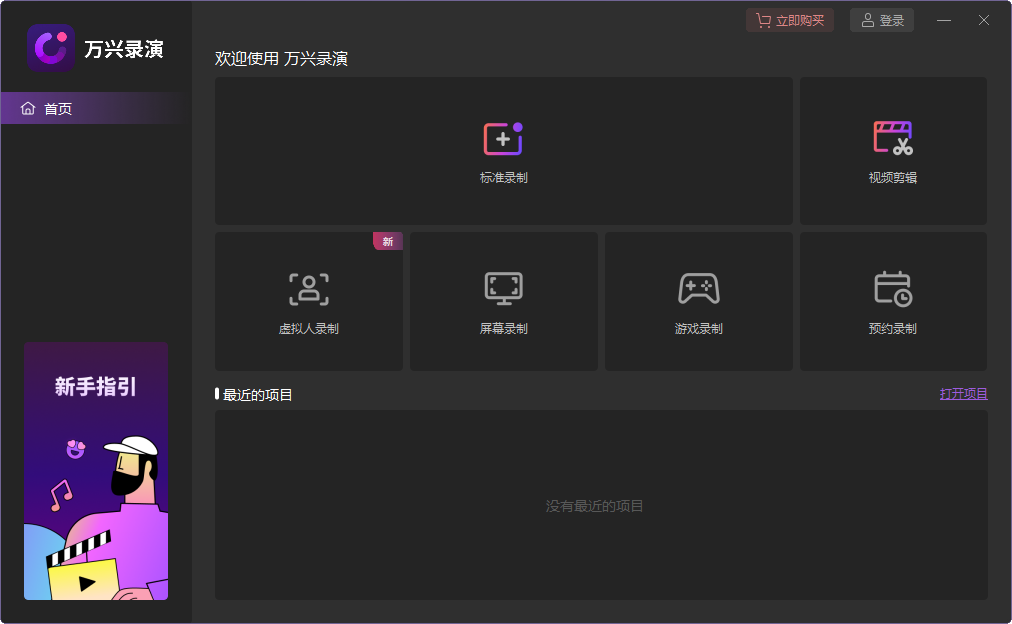
Screen + Webcam Recording
In Screen + Webcam Recording mode, you can record screen, audio, and video at the same time. The recorded screen, audio, and video clips will be shown on 3 different tracks, allowing you to edit them separately. This recording mode is mainly used for recording courses, meetings, product demos, and introductions.
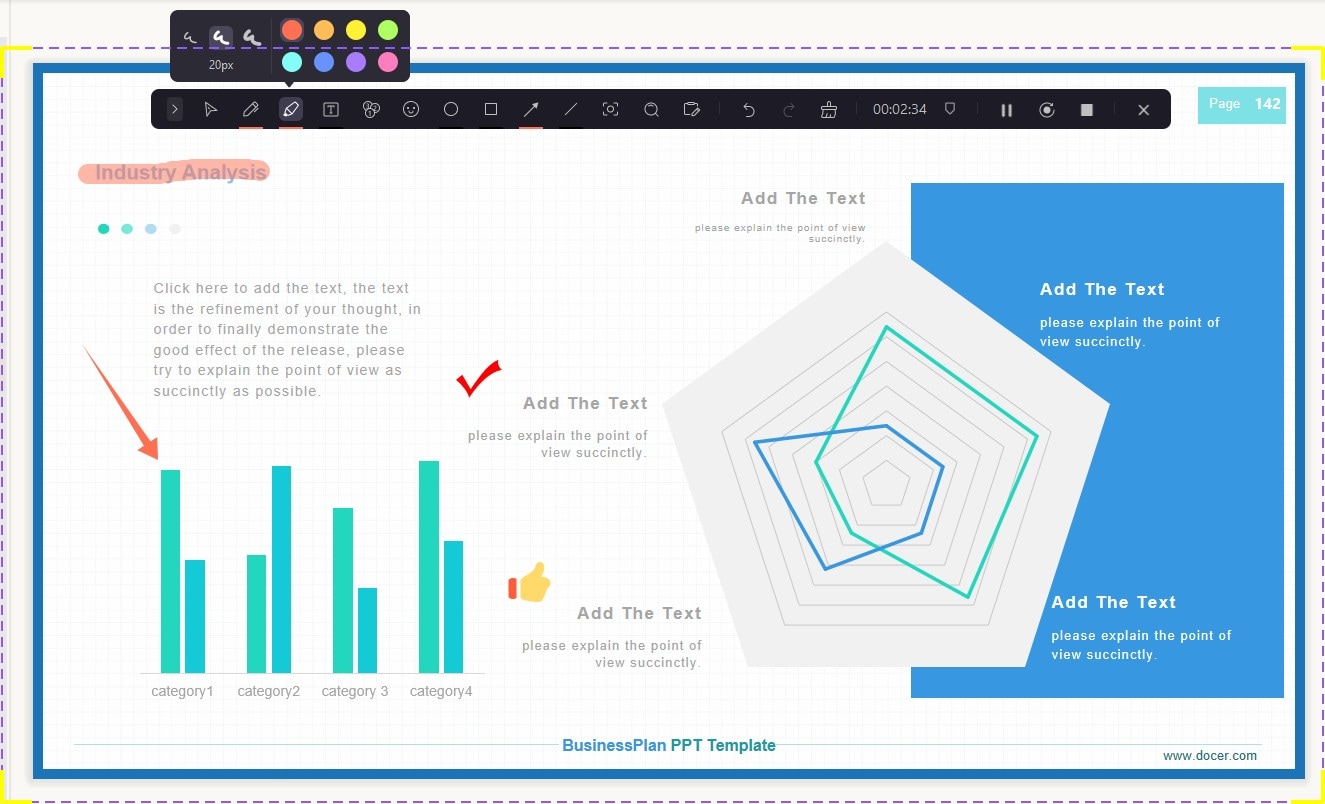
Screen Drawing Tool
The screen drawing tool can help you focus, highlight, add text and arrows during recording. If you need to emphasize something important while recording, this tool is essential for you.
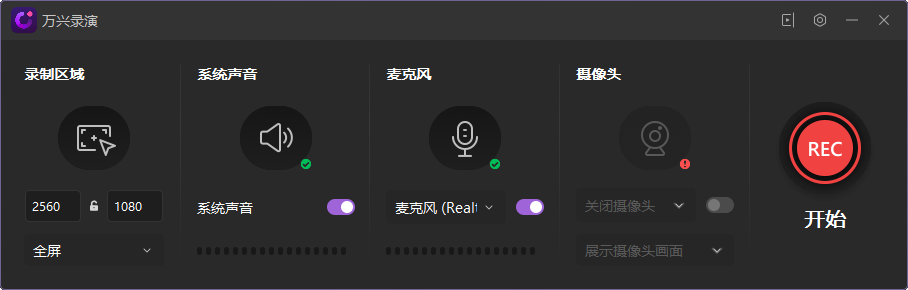
Record Screen
In Record Screen mode, only screen and audio can be recorded; webcam recording is not supported. This recording mode is mainly used for PPT recording and some simple text recordings.

Game Recording
Game Recording mode supports recording gameplay footage, capturing the exciting moments in games. In addition, it also supports recording audio and video at the same time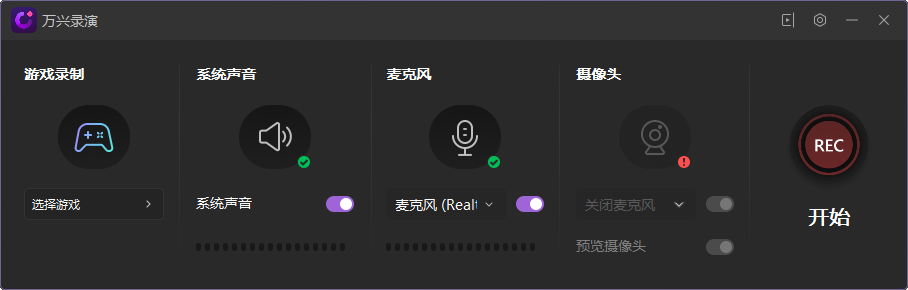
Switch Recording Modes
If you have already selected a recording mode in the startup window but want to switch to another recording mode. The operations shown in the image below allow you to change the recording mode in the recording panel.
Advanced Recording Settings
Click the settings icon to access some advanced settings, such as General, Encoder, and Shortcuts settings.
Video Editing
In the video editor panel, you can import media files and recorded videos. There are a variety of effects including annotations, subtitles, transitions, stickers, sound resources, mouse effects, and template styles.
Wondershare DemoCreator showcases many possibilities for video virtualization. Against the backdrop of accelerated leaps toward the metaverse across numerous fields, the digitization and virtualization of characters and scenes represent both user needs and industry trends.
Wondershare DemoCreator solves the efficiency problem of quickly producing course-type videos, enabling teams to get started right away. It brings a great productivity boost to the rapid establishment and growth of early video matrices.