Script Planner Assistant▸
 AI Apps
 AI News

Draw3D: Turn Sketches into Photorealistic Images with AI
Draw3D: Turn Sketches into Photorealistic Images with AIIntroduction
Draw3D, a free AI-driven tool, can convert sketches into realistic images. Users can upload their sketches, and Draw3D will automatically transform them into lifelike images. It allows artists, designers, and creators to bring their drawings to life with stunning realism.
Draw3D works with any type of detailed sketch or drawing, including natural or mountainous landscapes. Draw3D can also bring any kind of animal to life while preserving its facial structure.
Draw3D is also capable of converting sculptures into photos and vice versa. Draw3D includes an image editor, allowing users to easily filter or resize images.
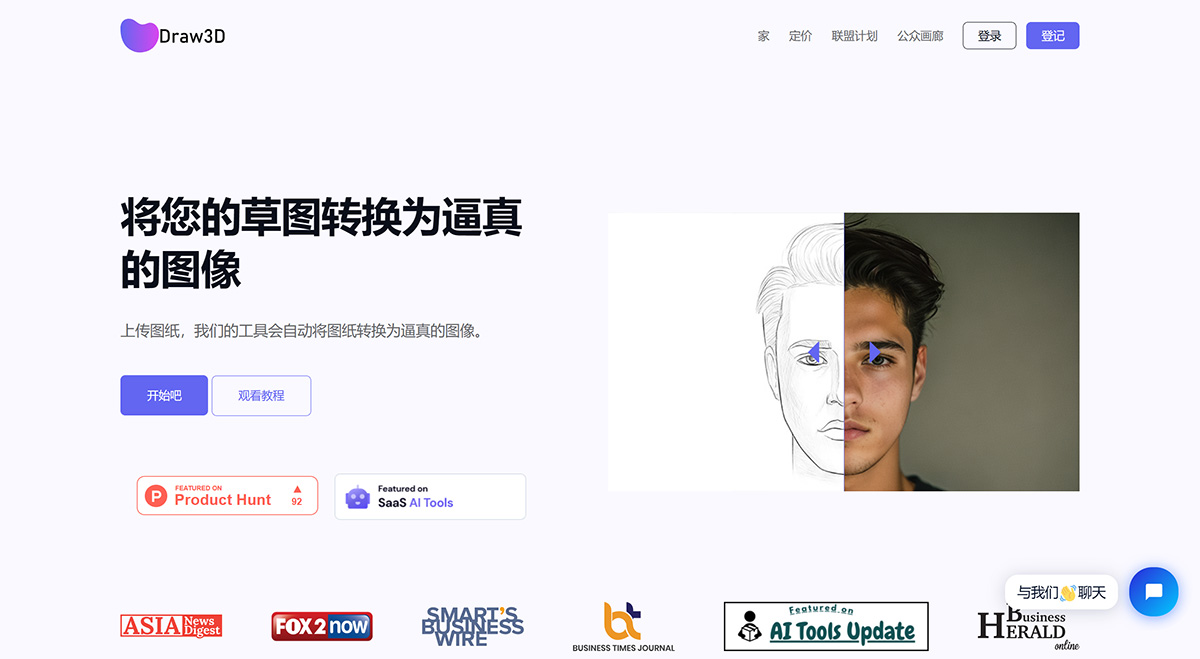
Core Features of Draw3D:
Convert sketches into realistic images
Handle any amount of detail in a scene
Bring sketches of animals to life
Convert sculptures into photos and vice versa
Upscale images without losing quality
Edit images using the built-in image editor
How to Use Draw3D?
To use Draw3D, simply upload your sketch, and the tool will automatically transform it into a realistic image. You can even upscale images without losing any quality, and edit them using the built-in image editor.
Draw3D offers two pricing plans to choose from, with a 50% discount available on both the basic and professional plans. The tool partners with an AI tools directory, and users can reach the team via social media platforms or email.
Draw3D generates images based on users' sketches and allows upscaling images without any loss of quality. Draw3D is perfect for artists or anyone looking to create realistic images from sketches.