
 Script Planner Assistant▸
 AI Apps
 AI News

Fotor: Free Online Photo Editor
Fotor: Free Online Photo EditorIntroduction
Fotor is a free online photo editor that is simple and easy to use. It allows you to easily edit, crop, resize, add effects and text, and create collages.
Fotor is a free photo editor similar to an online version of Photoshop. Fotor comes with a variety of photo editing features that can help you quickly edit and enhance your photos. In addition, compared to Photoshop, Fotor has a much lower learning curve, making it ideal for both beginners and professionals.
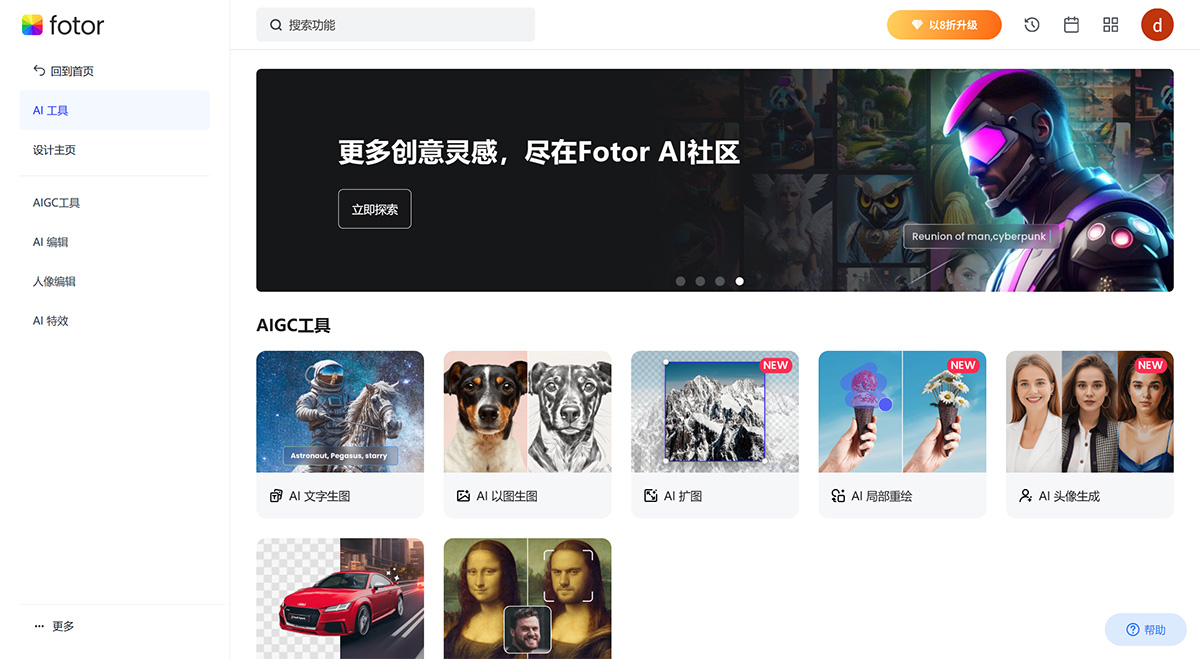
Core features of Fotor:
Online photo editor
Crop images
Resize
Add effects and text
Create collages
Blur background
Change background
Merge images
Photo to sketch
Photo to cartoon
Image enlarger
Photo retouching
Face editor
Overlay images
Photo effects
Font generator
QR code generator
The AI image generator is a free tool from Fotor that allows users to convert their text into images in a variety of artistic styles. Users can input their prompts into the generator, and the tool will produce AI-generated images reminiscent of a "magic wand" style of art.
With this tool, users can quickly turn any text into a visual representation without any design expertise. The AI image generator is part of Fotor's suite of photo editing tools and AI-powered features.
Other tools include cropping images, resizing images, adding borders to photos, and more. Beyond photo editing, Fotor also offers a range of tools for graphic design and marketing, such as a logo maker, flyer maker, Instagram post maker, and YouTube thumbnail maker. The AI image generator is designed to provide a quick and easy solution for generating images from text, without the need for any design skills.
You can edit image backgrounds in many ways through Fotor's AI-powered photo editor. Use the blur tool to blur the background and create a depth-of-field effect. Use the background remover to automatically remove the background and get a transparent-background image. You can also use Fotor's AI background generator to replace the background, generating professional backgrounds for any occasion.
With Fotor's online photo editor, you can easily remove unwanted objects from your photos in just seconds. Whether it's removing people or text, no Photoshop skills are required.
Since Fotor is a free tool, anyone with an internet connection can access it, making it an effective solution for students, freelancers, and businesses looking to create compelling visuals for their marketing campaigns.
Fotor's online photo editor offers a free plan that allows anyone to edit an unlimited number of images and export the edited photos without watermarks. Users who need more advanced features can upgrade to Fotor Pro.














