Script Planner Assistant▸
 AI Apps
 AI News

DDColor: Realistic Image Colorization via Dual Decoder
DDColor: Realistic Image Colorization via Dual DecoderIntroduction
Image Colorization is a classic computer vision task with great potential in many real-world applications, such as old photo restoration, film remastering, and artistic creation. Given a grayscale image, image colorization aims to restore its two missing color channels. This problem is multi-modally ambiguous, as an object may have multiple plausible colors. Therefore, image colorization has always been a challenging problem.
With the introduction of DDColor, the field of image colorization has witnessed a transformative leap — a novel approach that employs a dual decoder.DDColor is the latest image colorization algorithm from the ModelScope large model. It takes a black-and-white image as input and returns a colorized image with natural and vivid colorization effects.
DDColor was developed by Xiaoyang Kang, Tao Yang, Wenqi Ouyang, Peiran Ren, Lingzhi Li, and Xuansong Xie from the DAMO Academy of Alibaba Group. It excels at producing realistic colors, especially in complex scenes with multiple objects and diverse contexts.
DDColor uses a dual decoder technique that simultaneously considers color distribution and pixel-level detail information, enabling highly realistic image colorization results.
DDColor can not only colorize historical black-and-white photos, but also apply realistic-style colorization to landscapes in anime or games, transforming animated scenes into a real-life style.
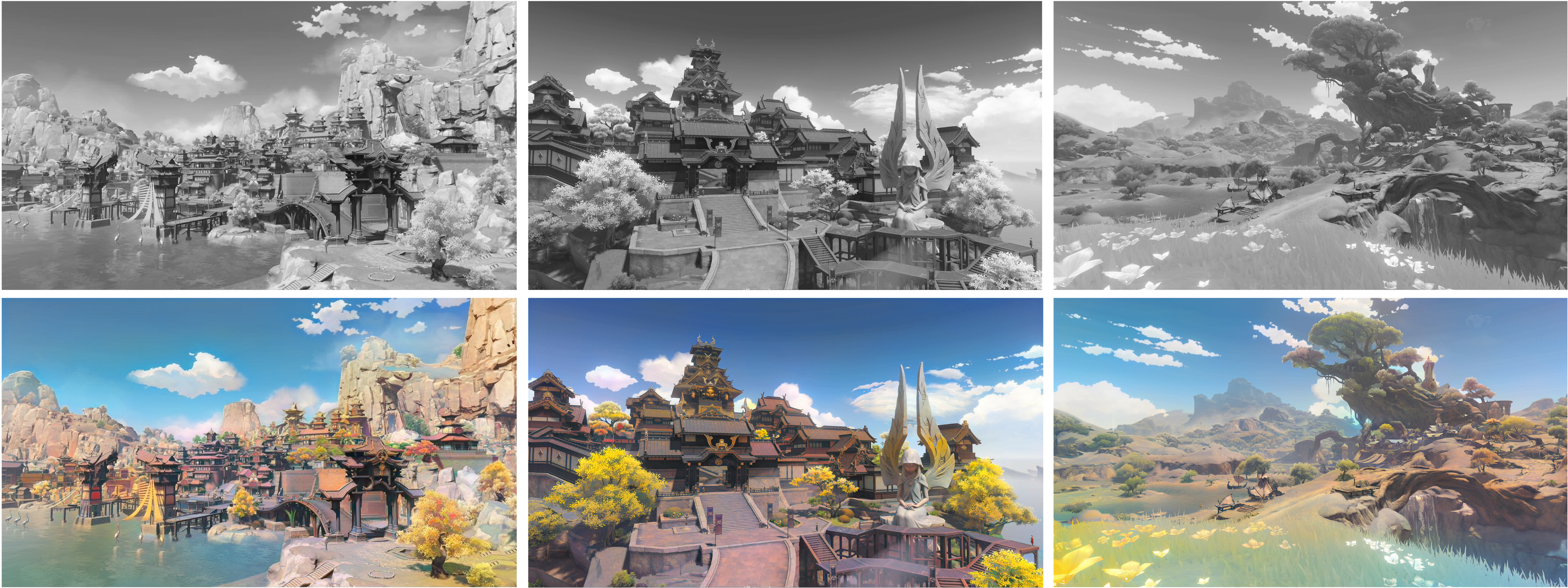
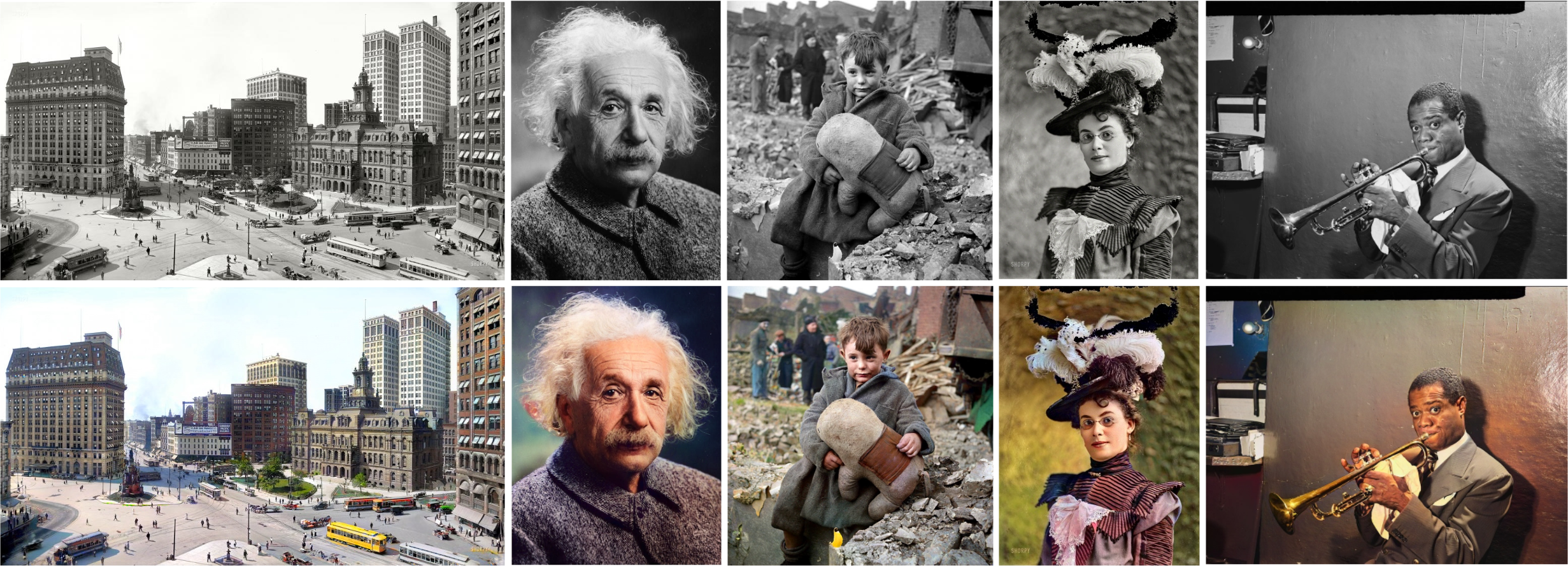
DDColor uses a dual decoder to process images:
One decoder restores the structure of the image, while the other determines the color of each part of the image.
The innovation of this technology lies in the fact that it does not rely on manually defined rules like previous methods did, but is capable of learning the content of the image on its own and deciding on appropriate colors.
Through this approach, DDColor can more accurately colorize images of complex scenes, reduce the problem of incorrect color bleeding, and produce final images with richer and more natural colors.
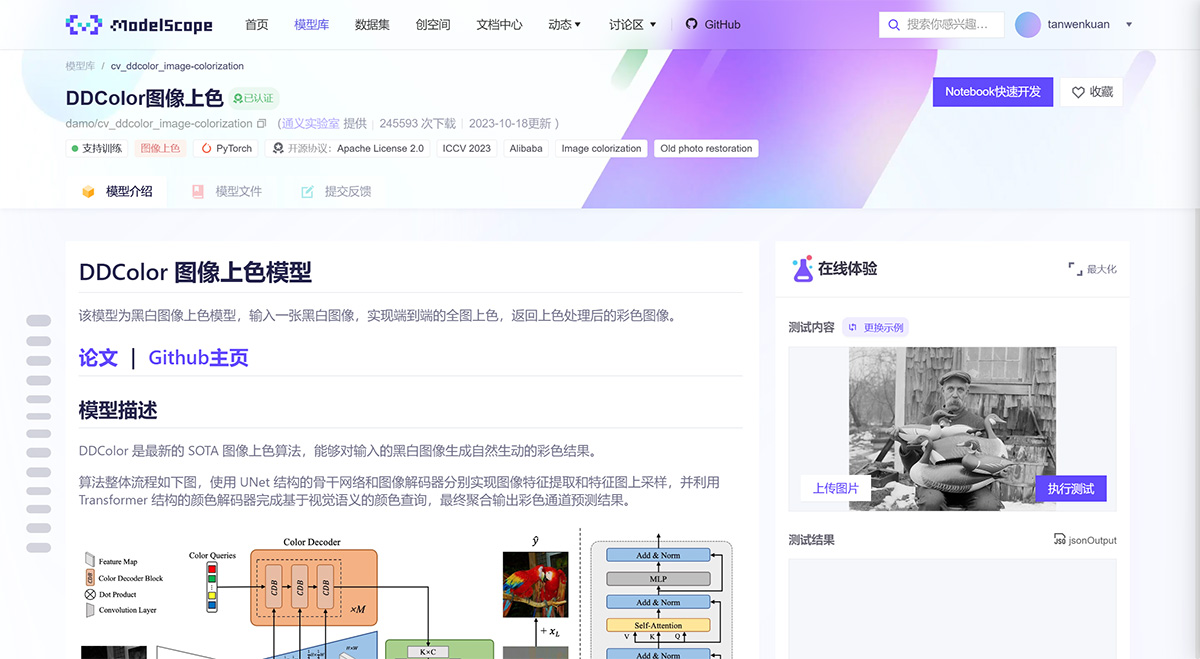
DDColor Installation:
Step 1: Set up the environment
First, set up a Python environment. Make sure PyTorch is installed, as the neural network implementation of DDColor relies heavily on this framework.
Step 2: Data preparation
Prepare datasets for training and testing. DDColor works with both grayscale and color images. For training, use a dataset containing a variety of images to capture different color spaces and scenes.
Step 3: Model architecture
Define the architecture of DDColor, including the pixel decoder and the color decoder. Make sure your model architecture matches the complexity of your dataset.
How to use DDColor?
On the ModelScope framework, you can provide an input image and use the image colorization model through a simple Pipeline call.
In summary, DDColor uses multi-scale visual features to optimize learnable color tokens (i.e., color queries) and achieves state-of-the-art performance in automatic image colorization.
Paper & Code
Paper link: https://arxiv.org/abs/2212.11613
ModelScope application: https://www.modelscope.cn/models/damo/cv_ddcolor_image-colorization/summary
Open source code: https://github.com/piddnad/DDColor