
 Script Planner Assistant▸
 AI Apps
 AI News

Yimi AI: Supercharge Your Writing Efficiency
Yimi AI: Supercharge Your Writing EfficiencyIntroduction
YimiAI is an AI platform where users can ask questions, get instant answers, and freely converse with various advanced artificial intelligence robots. It can be used on the web and on client-side applications. The robots on YimiAI are powered by multiple model providers and trained by different model vendor companies. These different models are optimized for different fields, representing different perspectives and different areas of knowledge, and some models are fine-tuned versions created by other users.
YimiAI currently supports the world's leading models (including Chinese models). Overseas, there are the latest large models from OpenAI, Google, and Anthropic. Chinese models include top-tier large model providers from Mainland China such as Baidu's ERNIE Bot, Alibaba Cloud's Tongyi Qianwen, iFlytek's Spark Model, and 360 Company's Zhinao. There are also more robots from the open-source community Stable Diffusion and others.
With YimiAI, no professional skills are required to interact with AI online, learn, and communicate.
Whether you are a beginner wanting to learn about AI or a professional, you can find what you want on YimiAI.
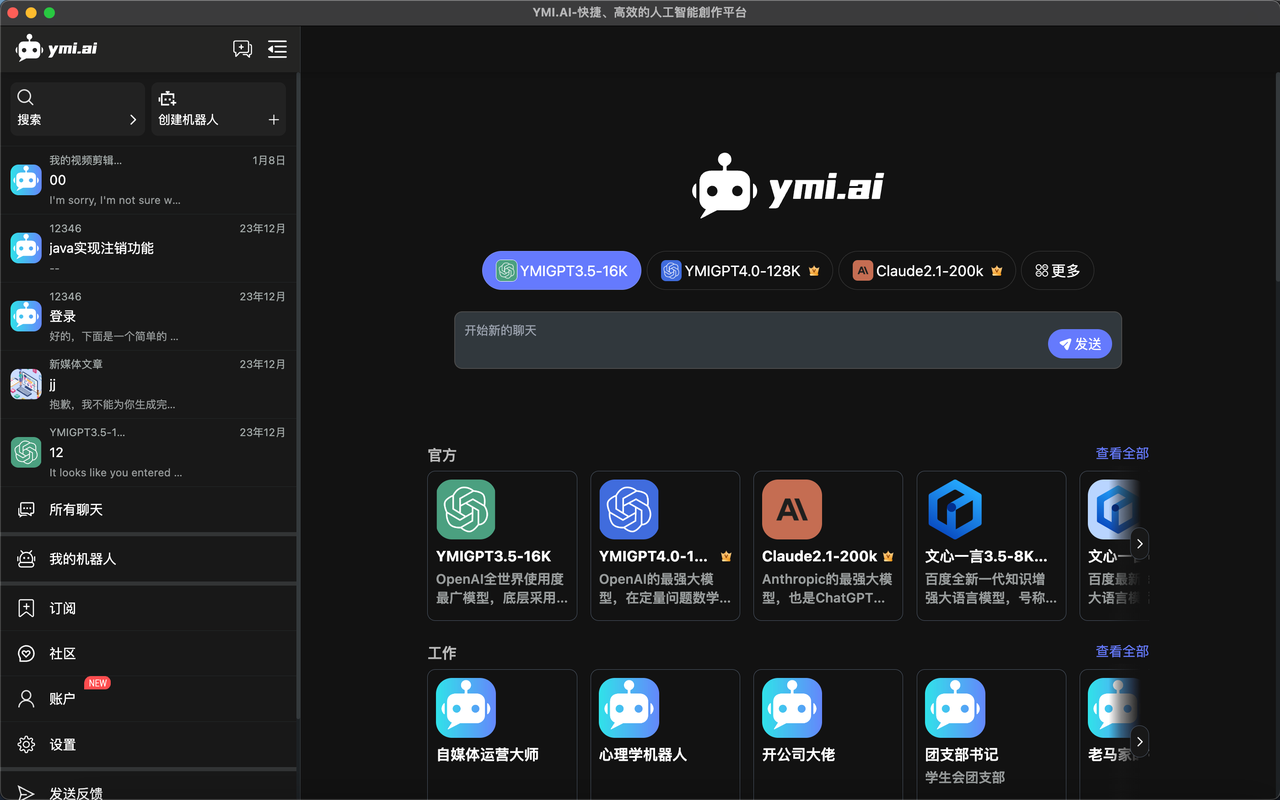
YimiAI Product Section Introduction:
The product homepage is mainly divided into 5 core components
Homepage, New Conversation; System Operation Section; Chat Section; Model Selection Section; Robot Selection Section.
YimiAI Basic Function Operations:
1. Quick Q&A
After registering and logging in, you can start your Q&A journey;
Enter your content in the conversation box (this content can be a question, a chat, or information you want to learn about)
Let's take the strongest model GPT-4.0-128K as an example;
2. Using the Robot
After entering and logging into the official homepage, the robot function area presets multiple scenarios for different uses;
If you want to quickly find a suitable robot, you can search or browse through the homepage categories;
You can also use the search scenario to directly enter the keywords you want, and all robots under that keyword will be displayed;
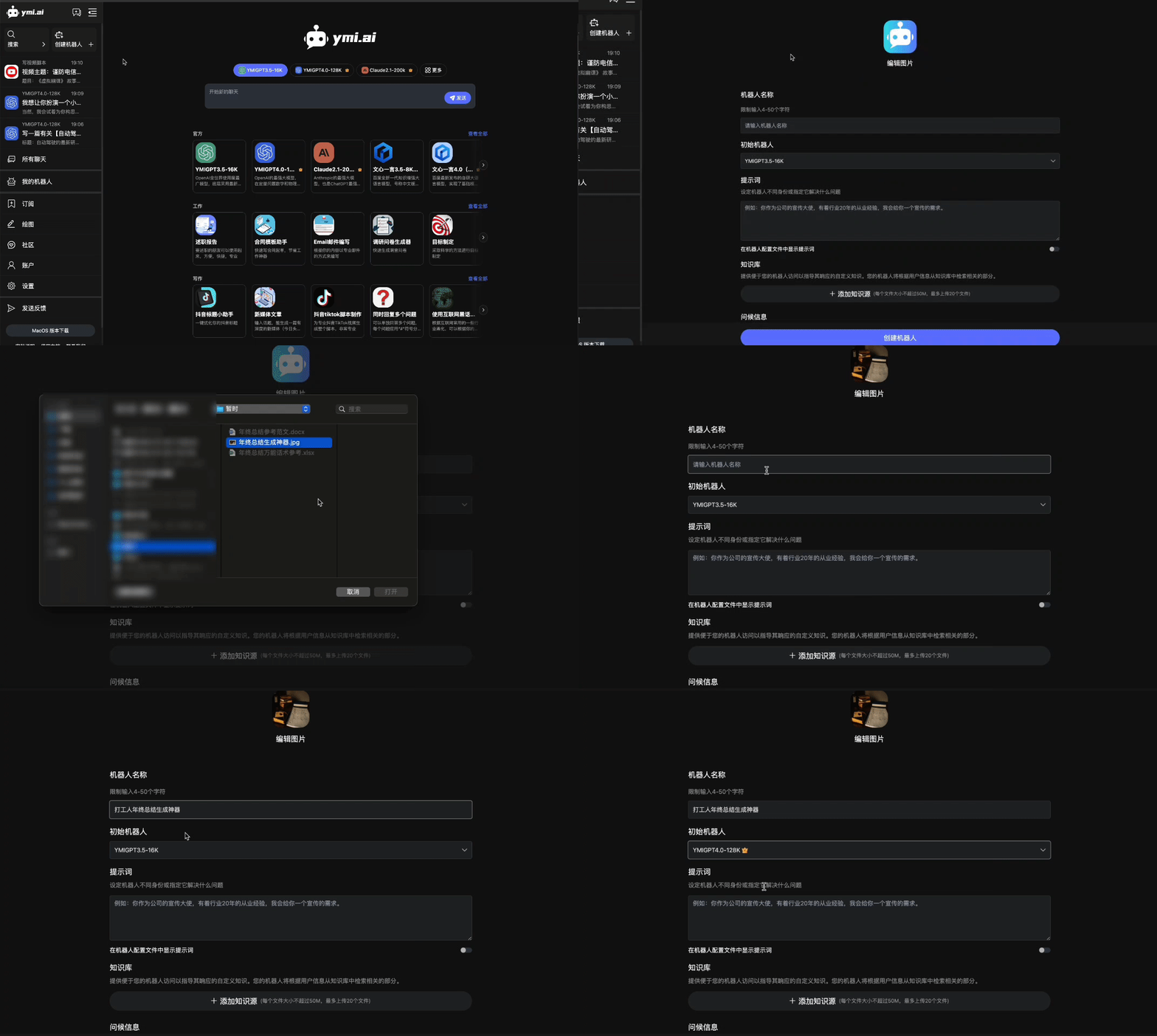
How to use YimiAI?
Step 1: Go to the YimiAI official website (it is more convenient to use on the computer side, with a better visual experience)
Step 2: Enter your generation needs in the dialog box
Step 3: Select the AI model you want to use (such as GPT4, Claude2, ERNIE Bot, etc.)
Then, wait a few seconds, the Yimi AI writing robot will automatically generate the content you need. It's that simple and convenient.
Related News:















