Script Planner Assistant▸
 AI Apps
 AI News

Youdao Speed Read: AI Paper Reading Assistant
Youdao Speed Read: AI Paper Reading AssistantIntroduction
Youdao Speed Reading (有道速读) quickly extracts, locates, and summarizes information from documents, providing a one-stop solution for document translation, document parsing, and document Q&A.
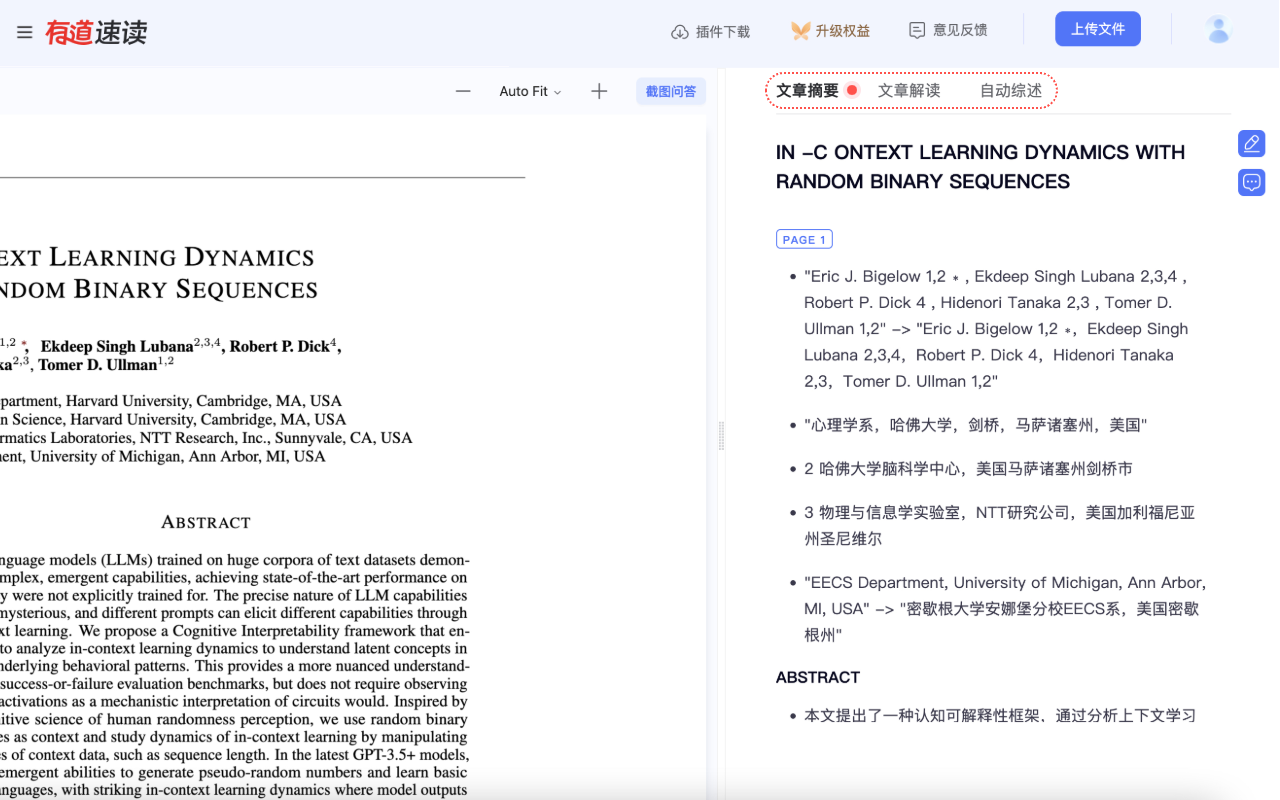
Main features of Youdao Speed Reading:
1. Paper Summary: Summarizes the core ideas, research objectives, methods, results, and conclusions of papers, allowing you to quickly grasp the main content and research findings. It supports quickly parsing uploaded long English documents into concise Chinese summaries, helping you read faster and learn better.
2. Article Interpretation: Provides multi-faceted analysis and interpretation of the background, methods, experiments, and conclusions of papers.
3. Automatic Review: Extracts key information from papers and generates concise and accurate summaries, enabling users to quickly understand the main points of the text.
4. Document Q&A: Enables Q&A based on papers. The document-based large model understands and responds to your questions. Upload research papers, books, manuals, etc.! Ask any questions about the document and receive easy-to-understand, referenceable answers within seconds.
5. Document Translation & Summary Analysis: Supports quickly parsing uploaded long English documents into concise Chinese summaries, helping you read faster and learn better.
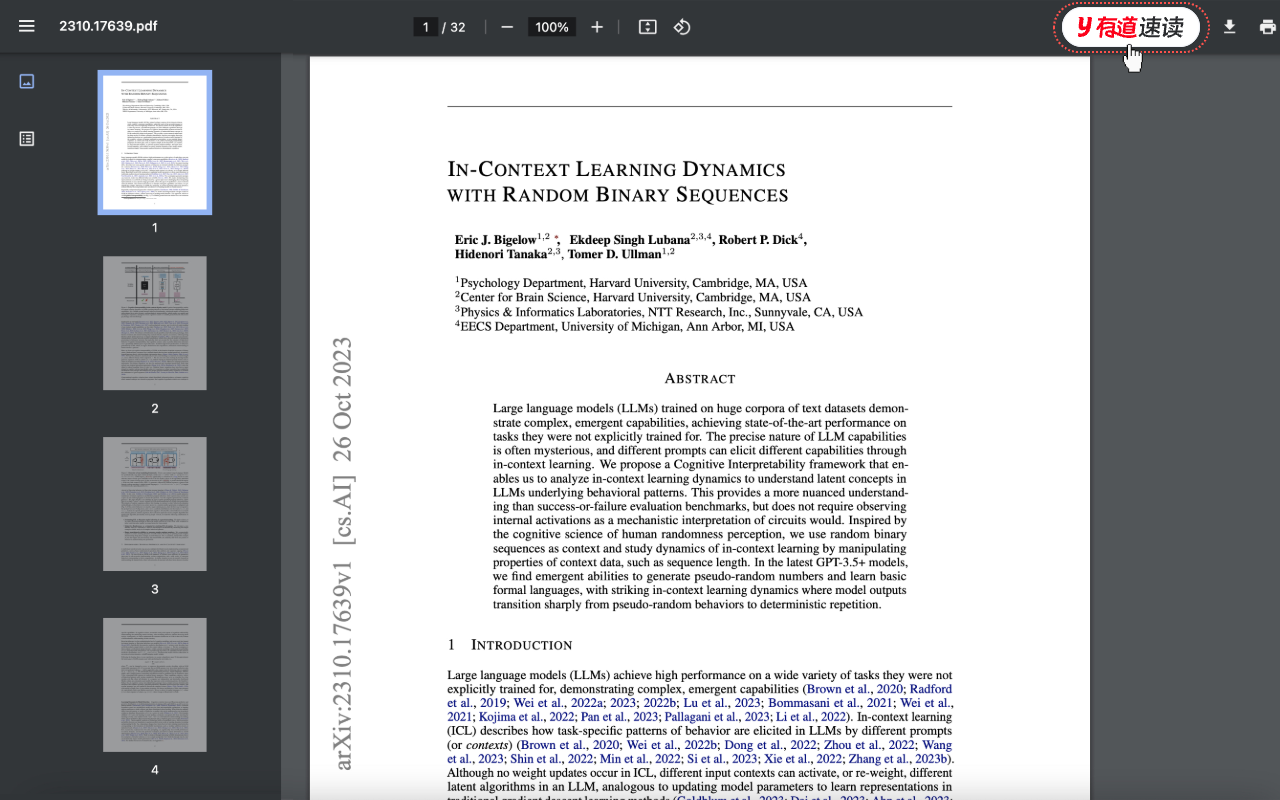
How to use Youdao Speed Reading?
1. Open any PDF link
2. Click the Youdao Speed Reading icon
3. It automatically jumps to Youdao Speed Reading, no need to manually download or upload the PDF.
The Youdao Speed Reading browser plugin for paper reading helps you jump to the Youdao Speed Reading web version with one click while reading PDF papers in the browser, conveniently viewing paper summaries, performing article interpretation and automatic reviews, and conducting intelligent document Q&A.
How to install the Youdao Speed Reading plugin?
1. Click "App Store Download" to jump to the Edge Add-ons store
2. On the Youdao Speed Reading plugin page in the Edge Add-ons store, click "Get"
3. Click "Add Extension"
For PDF pages that were already open when installing the plugin, you need to refresh the page after successful installation before use. Pages opened after installation do not require refreshing.
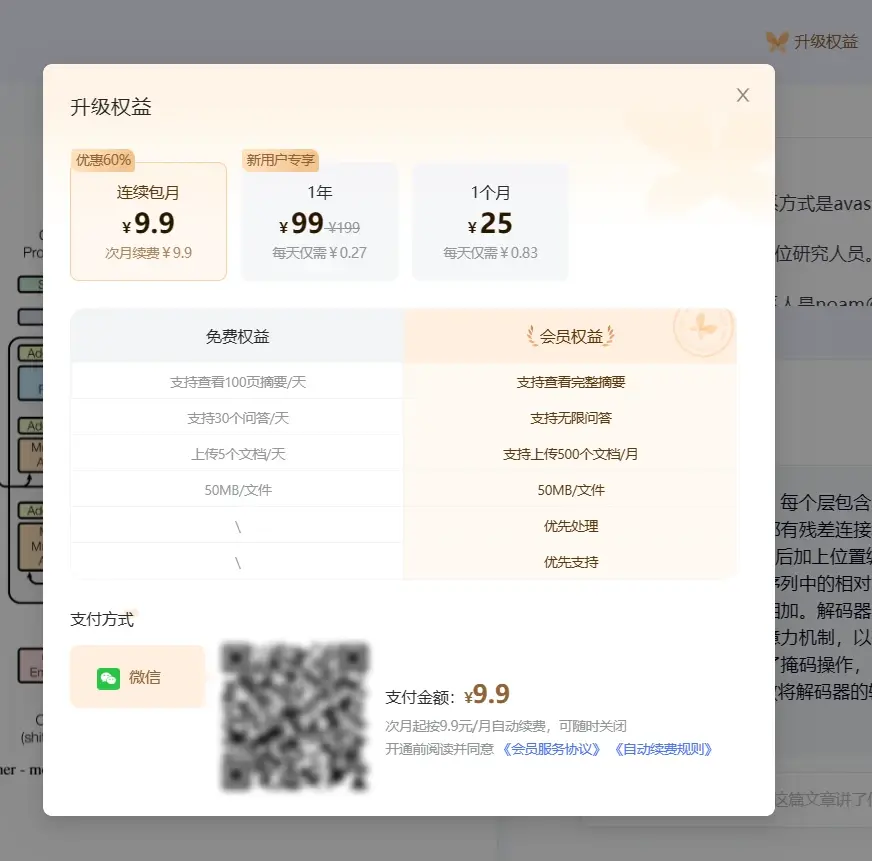
Youdao Speed Reading Pricing:
Youdao Speed Reading is an independent product under Youdao Translation, offering free trials and paid options. It only supports WeChat QR code payment, with the premium version starting at a minimum of 9.9 yuan/month, which is quite user-friendly. The differences in benefits are as follows: